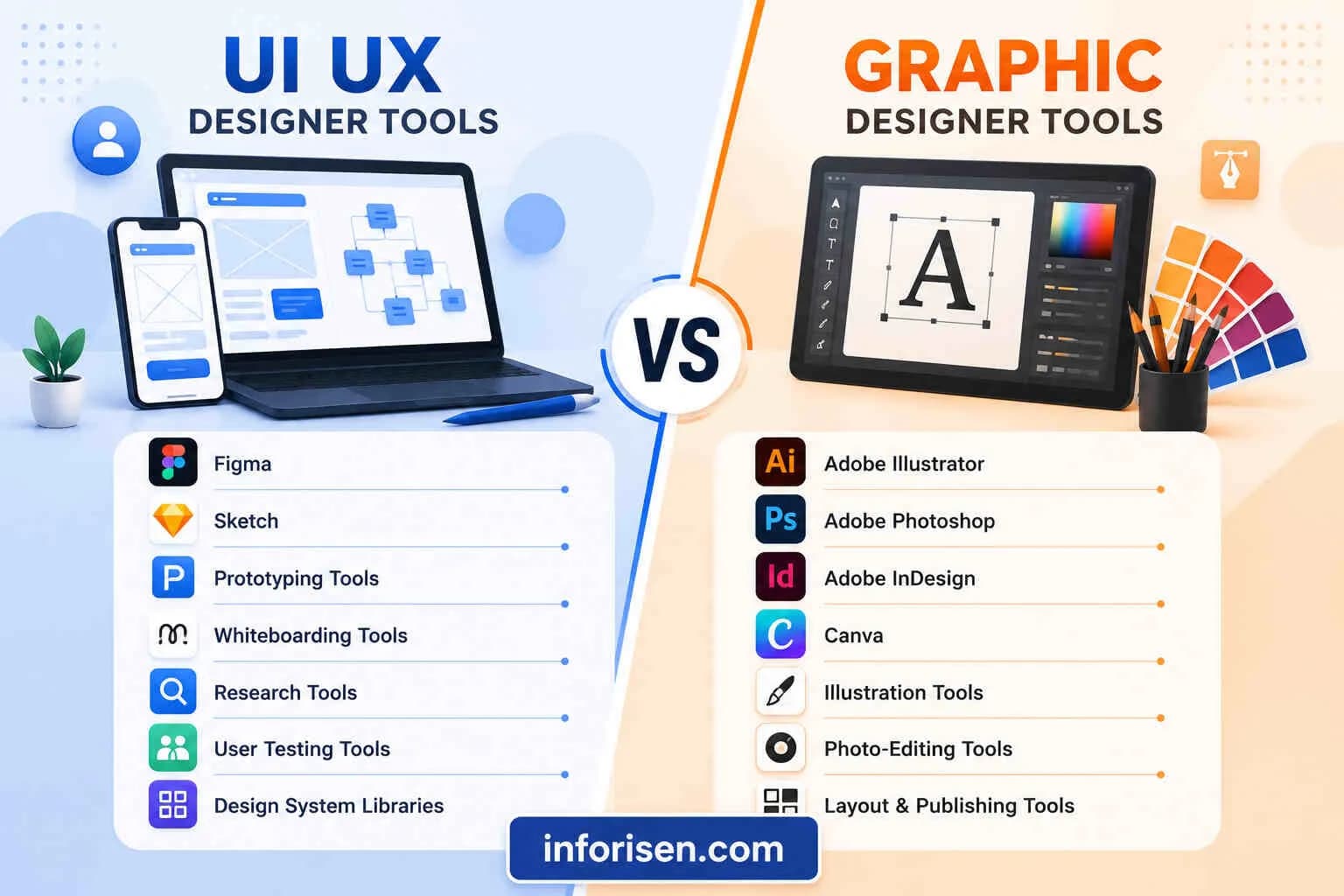
Step by Step UI/UX Design Process for Beginners
Learn the step by step UI/UX design process for beginners, from user research and journey mapping to wireframing, prototyping, testing, and handoff.
The Step by Step UI/UX design process for beginners starts with understanding a real user problem, not choosing colors or creating attractive screens. A strong design process helps beginners turn an idea into a useful, accessible, and easy-to-navigate digital product.
Although every project is different, most successful websites and applications follow a similar workflow. You research users, define their problems, organize information, create wireframes, build prototypes, test the experience, and prepare the final interface for development.
What Is the UI/UX Design Process?
The UI/UX design process is a structured method for designing websites, mobile applications, software, and other digital products around user needs. It combines user experience planning with visual interface design.
UX design focuses on how a product works, how information is organized, and how easily users can complete their goals. UI design focuses on the visual and interactive elements, including typography, colors, buttons, icons, spacing, forms, and screen layouts.
Beginners often treat UI and UX as one activity. However, understanding the UI design process vs UX design process helps you make better decisions. UX usually begins first because the team must understand the problem before styling the solution.
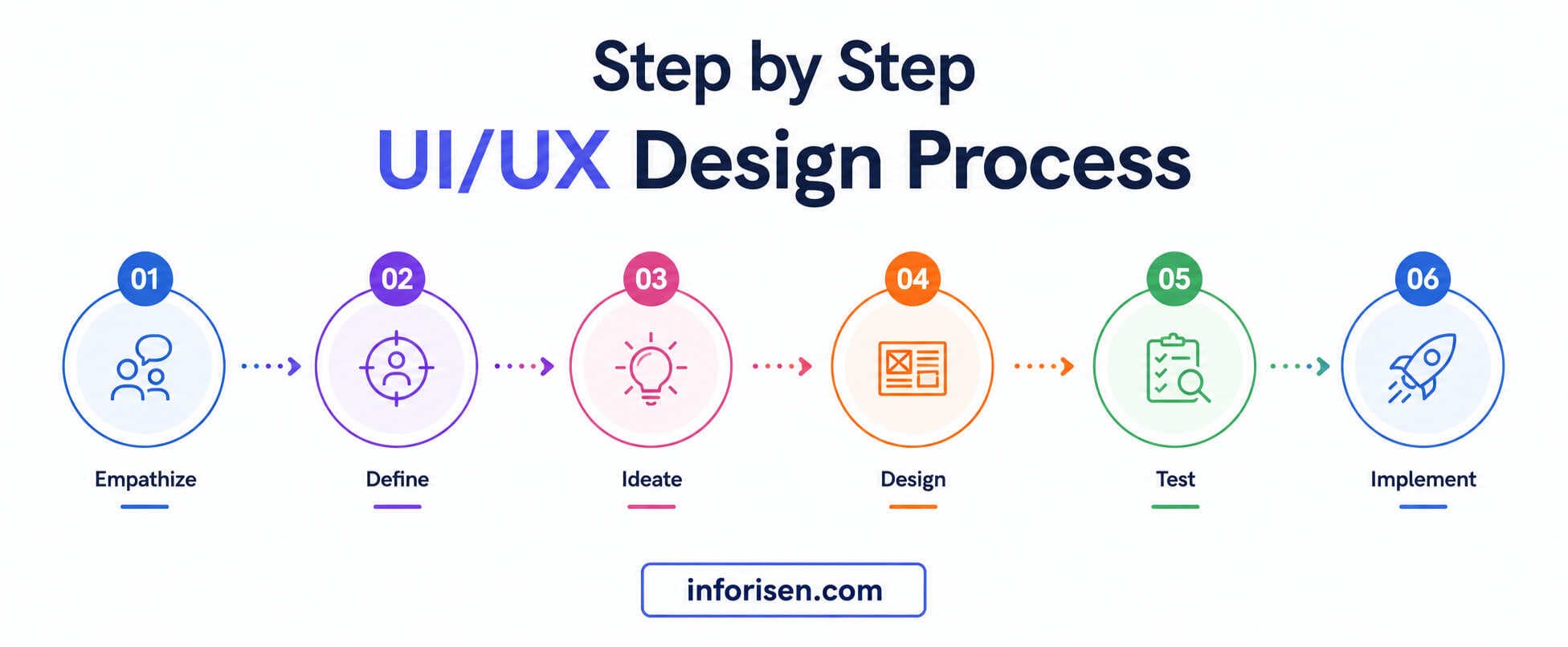
A common UX workflow includes defining the problem, conducting research, creating possible solutions, prototyping, testing, and improving the design. The process is iterative, which means designers may return to an earlier stage when testing reveals a problem.
Why Beginners Should Follow a Clear UI/UX Workflow
A clear process stops you from jumping directly into high-fidelity screens without knowing what users need. It also gives every design decision a purpose.
Without a workflow, beginners may spend hours perfecting colors and shadows before confirming whether the page structure makes sense. This creates attractive screens that may still confuse users, hide important information, or make simple tasks difficult.
Following a structured process can help you:
- Identify the correct user problem.
- Avoid unnecessary screens and features.
- Organize content more clearly.
- Explain your decisions to clients or team members.
- Discover usability problems before development.
- Build stronger portfolio case studies.
- Reduce expensive design changes later.
A logical interface may also support better engagement and clearer navigation. The relationship between UI/UX design and website ranking becomes especially important when designing content-heavy websites, landing pages, and ecommerce experiences.
The 7 Stages of the UI/UX Design Process
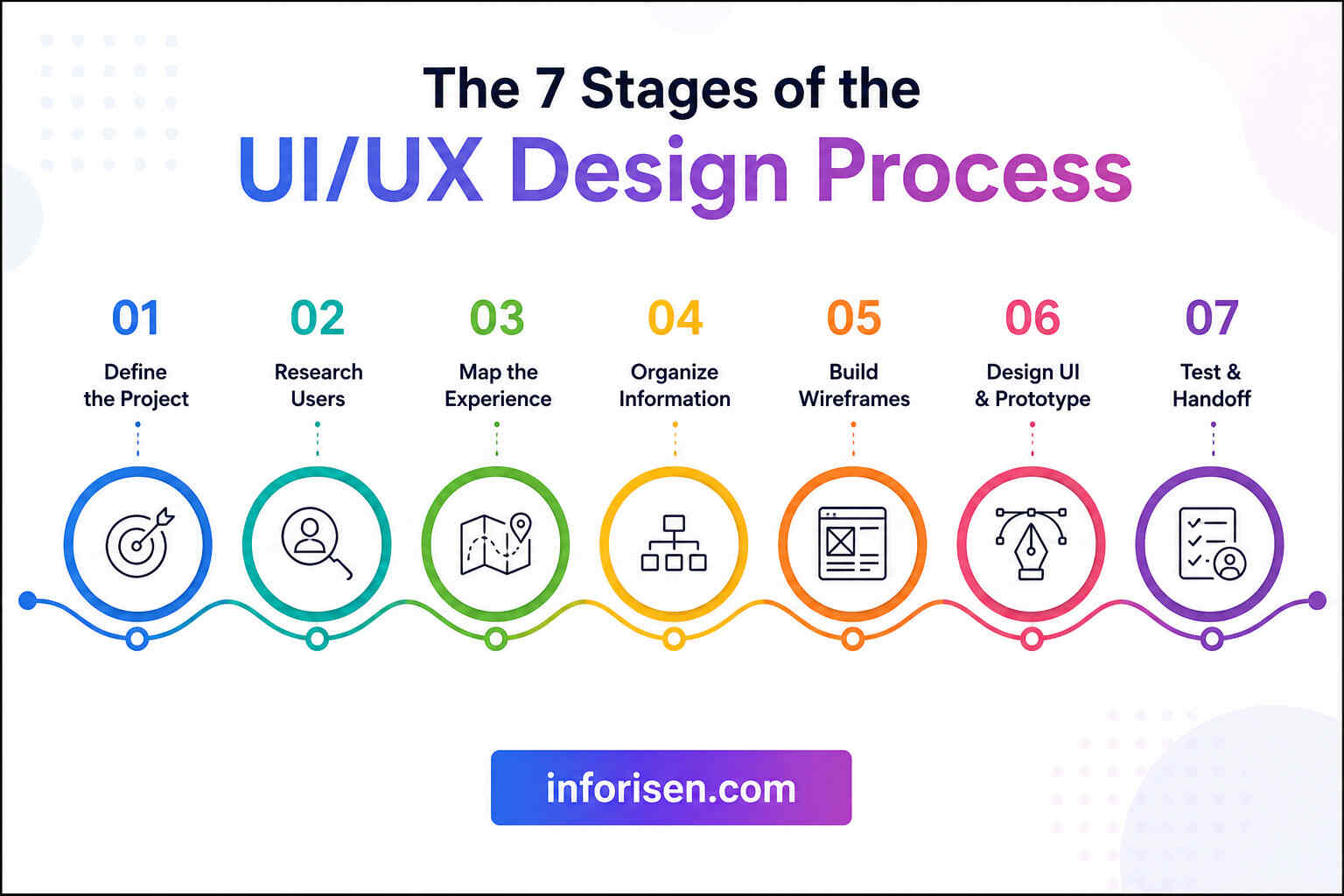
The following seven-stage model gives beginners a practical workflow that can be used for a website, application, dashboard, or personal portfolio project.
The stages appear in order, but real projects are rarely completely linear. A designer may test a wireframe, discover a navigation problem, and return to the user-flow stage before continuing.
Stage 1: Define the Project and User Problem
The first stage is to understand what you are designing, who it is for, and why it needs to exist. Do not open your design software before answering these questions.
Start by creating a short project brief. It should explain the product, target audience, business goal, user goal, project scope, expected deliverables, limitations, and success criteria.
For example, imagine you are designing a mobile appointment-booking application for a dental clinic. The business goal may be to reduce phone calls. The user goal may be to find an available dentist and book an appointment quickly.
Questions to Ask Before Starting
Ask the following questions:
- Who will use this product?
- What problem are they currently experiencing?
- What action should they complete?
- Why is the current solution difficult?
- Which features are essential?
- Which devices will they use?
- How will the business measure success?
- Are there technical, budget, or time limitations?
The problem statement should be specific enough to guide the project. Instead of saying, “Users need a better booking app,” write, “Busy patients need a quick way to compare available appointment times and book without calling the clinic.”
Once the problem is clear, the next stage is to replace assumptions with evidence from actual or representative users.
Stage 2: Conduct User Research
User research helps you understand users’ goals, frustrations, habits, expectations, and decision-making patterns. It is one of the most important parts of the design process because the rest of the project depends on what you discover here.
Research does not need to be expensive. A beginner can interview a few target users, observe how they complete a task, review support questions, analyze competitor reviews, or send a short survey.
Beginner-Friendly Research Methods
Several methods can support user research in UI/UX design:
- User interviews: Ask open questions about users’ experiences and difficulties.
- Surveys: Collect answers from a larger group.
- Contextual observation: Watch users complete relevant tasks.
- Competitor analysis: Compare similar products and their user flows.
- Review analysis: Study complaints and positive feedback on competing products.
- Usability testing: Observe people using an existing product or prototype.
Different research methods answer different questions. Interviews may reveal users’ motivations, while usability testing shows what happens when they try to complete a task.
Stage 3: Create a User Journey Map and User Flow
A user journey map shows the stages a person passes through before, during, and sometimes after using a product. It can include actions, thoughts, emotions, pain points, devices, and opportunities for improvement.
For example, a patient’s journey may start with feeling unwell, searching for a clinic, checking services, comparing available times, creating an account, booking an appointment, and receiving confirmation.
How to Create a User Journey Map
Follow these steps when learning how to create a user journey map:
- Select one user persona.
- Choose one clear goal.
- List the journey stages in order.
- Record the user’s actions at every stage.
- Add questions, thoughts, and emotions.
- Identify barriers and frustrating moments.
- Note opportunities to improve the experience.
A journey map represents the steps a user takes to achieve a goal and helps designers identify changing needs, emotions, and obstacles across the experience.
Stage 4: Plan the Information Architecture
Information architecture is the organization and labeling of content so users can find what they need without unnecessary effort. It determines the relationship between pages, menus, categories, filters, labels, and navigation systems.
For a simple website, information architecture may be represented by a sitemap. For an application, it may include a screen inventory, navigation model, and content hierarchy.
Create a Basic Sitemap
A clinic website sitemap might include:
- Home
- Services
- General Dentistry
- Cosmetic Dentistry
- Emergency Care
- Dentists
- Appointment Booking
- Pricing
- About
- Contact
- Patient Account
Keep categories clear and avoid using clever labels that users may not understand. “Book Appointment” is usually clearer than a creative label such as “Start Your Smile Journey.”
Stage 5: Create Low-Fidelity Wireframes
A wireframe is a simple visual plan showing where content and interface elements will appear. It may include boxes, lines, placeholder text, buttons, images, navigation, forms, and labels.
Wireframes allow you to test layout ideas before investing time in colors, illustrations, and polished components. They provide the basic structure of screens and help teams explore whether a concept supports user and business needs.
You can create your first wireframes with:
- Paper and pencil
- A whiteboard
- Figma
- FigJam
- Balsamiq
- Adobe XD
- Penpot
The tool is less important than the thinking behind the layout.
What to Include in a Wireframe
A useful wireframe should show:
- Navigation
- Page headings
- Content sections
- Main actions
- Form fields
- Buttons
- Image locations
- Error or empty states
- The order of information
Keep the design simple. Use grayscale boxes and basic text so feedback remains focused on functionality and structure.
Stage 6: Design the User Interface and Build a Prototype
The UI design stage turns approved wireframes into detailed screens. You select typography, colors, spacing, images, icons, components, and interaction states while preserving the logic established during UX planning.
Good UI design is not simply decoration. It helps users understand relationships, identify important actions, read content, recognize feedback, and move through the product confidently.
How to Design a User-Friendly Interface
When learning how to design a user-friendly interface, focus on these principles:
- Create a clear visual hierarchy.
- Use consistent components and patterns.
- Make important buttons easy to identify.
- Keep text readable on different screen sizes.
- Use sufficient contrast.
- Add clear labels to icons and form fields.
- Show feedback after user actions.
- Design error, loading, hover, active, and disabled states.
- Avoid adding elements that do not support a user goal.
- Consider keyboard navigation and accessibility.
Hierarchy, consistency, contrast, accessibility, proximity, and alignment are widely used UI principles because they help people understand and navigate digital interfaces.
Stage 7: Test, Improve, and Prepare the Design Handoff
Testing shows whether users can complete important tasks without confusion. It protects the project from relying only on the designer’s opinion.
Give participants a realistic goal instead of explaining exactly where to click. For example, say, “You need to book a dental cleaning for next Monday afternoon,” rather than, “Click Services and then select Dental Cleaning.”
Run a Simple Usability Test
A beginner-friendly test can follow this process:
- Choose three to five important tasks.
- Find people who resemble the intended users.
- Introduce the product without teaching them how to use it.
- Ask each participant to complete the tasks.
- Encourage them to think aloud.
- Observe hesitation, mistakes, and confusion.
- Ask follow-up questions.
- Group the findings by severity.
- Improve the design.
- Test important changes again.
Do not defend the design while someone is testing it. Your role is to observe and understand why the interface caused a particular reaction.
Low-cost paper prototypes can also be tested early, allowing designers to find usability problems before investing heavily in detailed design or development.
UI/UX Design Workflow Explained Through a Simple Example
Imagine you want to design a food-delivery application for university students.
First, you define the problem: students need an affordable way to find nearby meals and order between classes. Next, you interview students and discover that delivery cost, preparation time, and unclear menu information are their main concerns.
You then create a journey map covering hunger, restaurant discovery, meal comparison, ordering, payment, tracking, and delivery. The user flow may move from the home screen to restaurant filters, menu selection, cart, payment, and order tracking.
After organizing the categories, you sketch wireframes. You test these rough screens and discover that users want to filter by total cost, not simply meal price. You update the flow, create the visual interface, connect the prototype, and test it again.
This example shows why the process matters. The final filter exists because of user evidence, not because the designer thought it looked impressive.
Common UI/UX Mistakes Beginners Should Avoid
Beginners improve faster when they understand what weakens a design process.
Starting with Visual Design
Opening Figma and designing a polished home page may feel productive, but it can hide an unclear problem. Begin with users, goals, content, and flows.
Copying Competitors Without Understanding Them
Competitor research is useful, but copying a layout does not prove that it fits your audience. Study why a pattern works and whether it supports your project’s goals.
Creating Too Many Personas
One or two evidence-based personas are more valuable than six fictional profiles. Focus on meaningful differences in goals and behavior.
Ignoring Mobile and Responsive Layouts
A desktop screen does not automatically become a good mobile interface. Decide how content, navigation, tables, forms, and actions should adapt across screen sizes.
Testing Only at the End
Early testing is easier and less expensive because rough designs can be changed quickly. Do not wait until every screen is polished.
Asking Leading Test Questions
Questions such as “Was the checkout easy?” encourage positive responses. Ask, “What did you expect to happen?” or “Which part felt unclear?”
Treating Feedback as an Instruction List
Users are excellent at showing you where they struggle. However, their proposed solution may not always solve the underlying problem. Identify the reason behind the feedback before changing the design.
How to Start UI/UX Design for Beginners
The easiest way to begin is to complete one small project from start to finish. Avoid starting with a complex banking platform, healthcare system, or large marketplace.
Choose a manageable idea such as:
- A local restaurant booking page
- A habit-tracking application
- A small ecommerce checkout
- A library search experience
- A personal finance dashboard
- A course-registration flow
- A clinic appointment system
Document every stage, including the problem, research, user flow, wireframes, testing findings, improvements, and final screens. This gives you a stronger portfolio case study than a collection of attractive screens without context.
Beginners should also study accessibility, responsive design, typography, information architecture, usability testing, and basic product thinking. These skills remain valuable even as design tools and AI-assisted workflows continue to change. The discussion around whether UI/UX is a good career in 2030 also shows why problem-solving and user understanding matter more than mastering one software tool.
A Practical UI/UX Project Checklist
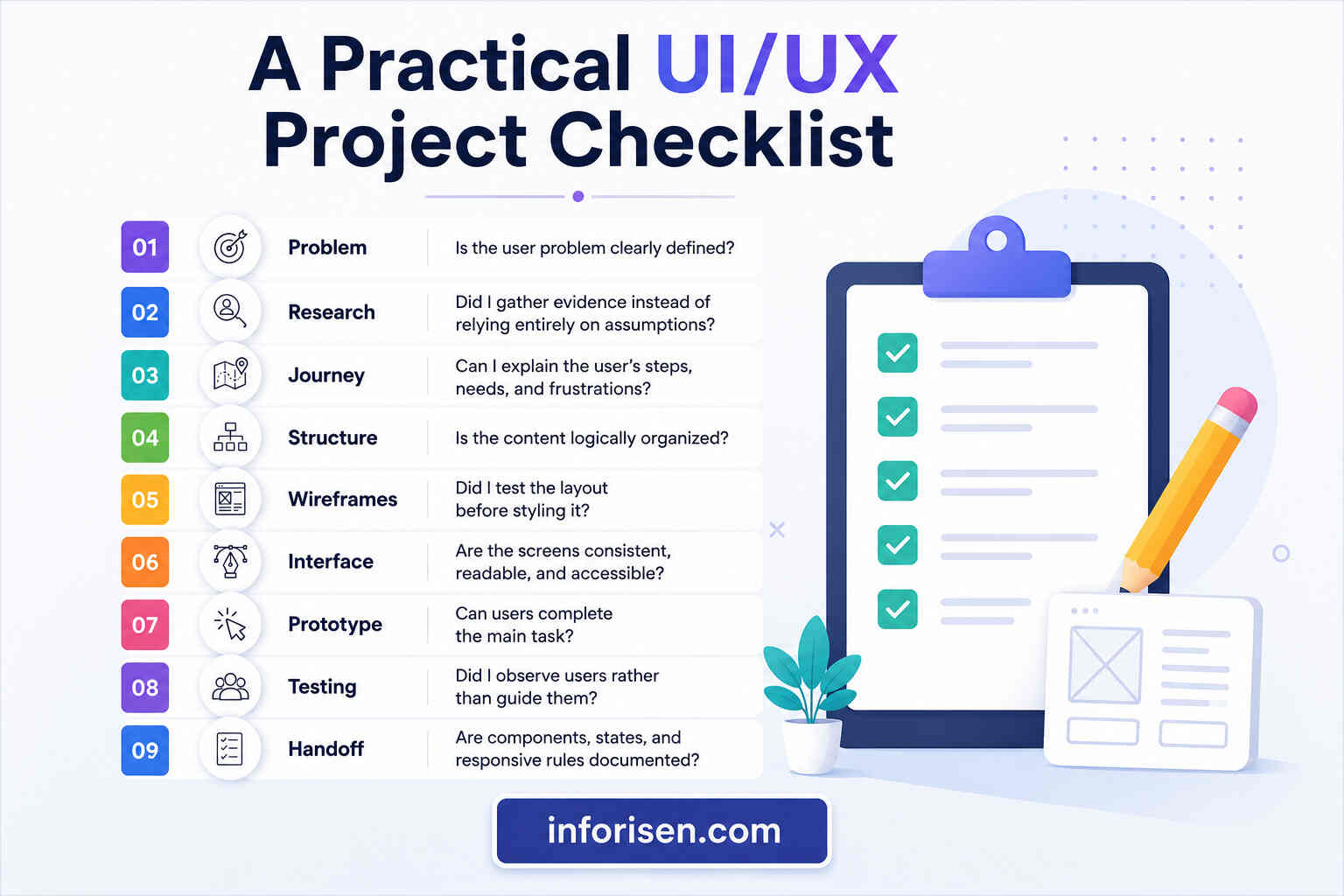
Use this checklist before completing your first project:
| Area | Questions to Check |
|---|---|
| Problem | Is the user problem clearly defined? |
| Research | Did I gather evidence instead of relying entirely on assumptions? |
| Journey | Can I explain the user’s steps, needs, and frustrations? |
| Structure | Is the content logically organized? |
| Wireframes | Did I test the layout before styling it? |
| Interface | Are the screens consistent, readable, and accessible? |
| Prototype | Can users complete the main task? |
| Testing | Did I observe users rather than guide them? |
| Handoff | Are components, states, and responsive rules documented? |
A completed checklist does not mean a product is perfect. It shows that your design decisions follow a thoughtful and repeatable process.
Final Words
A successful interface begins with understanding people, not selecting colors. The complete workflow moves from defining a problem to researching users, mapping their journeys, organizing information, creating wireframes, building prototypes, testing the experience, and supporting development.
Beginners do not need to master every method immediately. Start with a small project, explain the purpose of each decision, test your assumptions, and improve the product based on evidence. Following this Step by Step UI/UX design process for beginners will help you build more useful designs, stronger case studies, and a dependable workflow that can grow with your skills.
For businesses that need research-led website, product, and interface solutions, Inforisen UI/UX design services combine user experience planning with practical digital design and development support.
Frequently Asked Questions
The UI/UX design process is a structured workflow for researching user needs, defining problems, planning user journeys, organizing content, creating wireframes, designing interfaces, building prototypes, testing usability, and preparing the product for development.
The seven stages are project definition, user research, journey and flow mapping, information architecture, wireframing, UI design and prototyping, and usability testing with developer handoff. Designers may repeat earlier stages when new findings appear.
Yes. Beginners can learn research, information architecture, wireframing, prototyping, visual design, and usability testing without coding. Basic knowledge of HTML, CSS, responsive behavior, and development limitations can still improve collaboration with developers.
Figma is a common beginner-friendly choice because it supports interface design, components, collaboration, and prototyping in one environment. However, the best tool is one that allows you to practice the complete process instead of focusing only on visual effects.
Choose a small project with one clear audience and a limited number of tasks. An appointment-booking flow, simple ecommerce checkout, habit tracker, or restaurant reservation experience is easier to research, design, test, and explain.
The timeline depends on product complexity, research access, number of screens, team size, testing requirements, and revision rounds. A small beginner project may take several days or weeks, while a large product can require continuous research and design work.
A wireframe is a basic plan of a screen’s content and structure. A prototype connects screens and simulates interactions so users can experience and test a task before the product is developed.



.webp&w=3840&q=75)
.jpg&w=3840&q=75)