.jpg&w=3840&q=75)
ByMd BaizidReviewed by:Tarikul Hasan
Human WrittenAngular UI UX Development Service for Scalable Web Applications
Discover how Angular UI UX Development Service helps build responsive, scalable, user-friendly web applications with better performance and usability.
Modern web applications need more than clean code. Users expect fast loading, cleant experience across every screen. An Angular UI UX Development Service combines user-centered design with Angular frontend engineering to create applications that are visually polished, technically scalable, and easier for people to use.
For businesses building SaaS products, enterprise dashboards, customer portals, ecommerce applications, or data-driven platforms, this approach connects design decisions with real application behavior. The result is not simply an attractive interface, but a digital product built around usability, performance, maintainability, and business goals.
What Is Angular UI/UX Development?
Angular UI/UX development is the process of designing and developing the user interface and overall user experience of a web application using Angular as the frontend framework.
UI focuses on what users see and interact with, including navigation menus, forms, buttons, typography, colors, layouts, tables, dashboards, and other interface components. UX focuses on how easily, efficiently, and comfortably users can complete their goals within the application.
A professional UI/UX Design Service helps businesses create Angular applications with clear navigation, consistent visual elements, accessible controls, and user-focused workflows.
When UI and UX work together, an Angular application can provide:
- Clear and predictable navigation
- Responsive layouts across different screen sizes
- Reusable interface components
- Faster and smoother interactions
- Accessible controls
- Consistent visual design
- Simplified complex workflows
- Better usability for new and returning users
This combination becomes particularly valuable when an application contains complex workflows, multiple user roles, or features that need to scale over time. To understand why, it is helpful to explore what makes Angular suitable for modern interface development.
Why Choose Angular for UI Development?
Angular is designed around reusable components, structured application architecture, TypeScript, routing, dependency management, and tools for building complex frontend applications. Instead of creating every interface separately, development teams can organize the application around components that can be reused throughout the product.
That structure is especially useful for applications with dashboards, account areas, forms, data tables, role-based interfaces, settings panels, reporting tools, or multiple business workflows.
Consistent Interfaces Across Large Applications
Large digital products can quickly become inconsistent when different teams design and develop features independently. One section may use different spacing, buttons, forms, colors, or interaction behavior from another.
Angular's component-based approach makes it easier to establish reusable interface patterns. A design system can define how common elements should look and behave, while developers implement those patterns as reusable components.
This improves visual consistency while making future updates easier.
Better Scalability for Growing Products
A small application may eventually become a larger business platform with new modules, integrations, users, and workflows.
Structured Angular Frontend Development Services can help businesses plan for this growth by separating application functionality into maintainable components and features. Developers can improve or extend specific parts of the application without redesigning the entire frontend every time requirements change.
This is one reason Angular is frequently considered for SaaS applications, internal platforms, enterprise software, and complex web products.
Strong Connection Between Design and Functionality
Good UI design should never exist separately from application functionality.
A polished prototype may look excellent, but the actual product can still feel difficult to use if loading behavior, error states, navigation, validation, interactions, and responsive behavior are poorly implemented.
An experienced Angular UI UX Design Company can connect user research and interface design with the realities of frontend development. This allows design decisions to consider technical requirements before development becomes expensive or complicated.
With that foundation established, the next step is understanding what a complete Angular UI/UX service normally includes.
What Does an Angular UI UX Development Service Include?
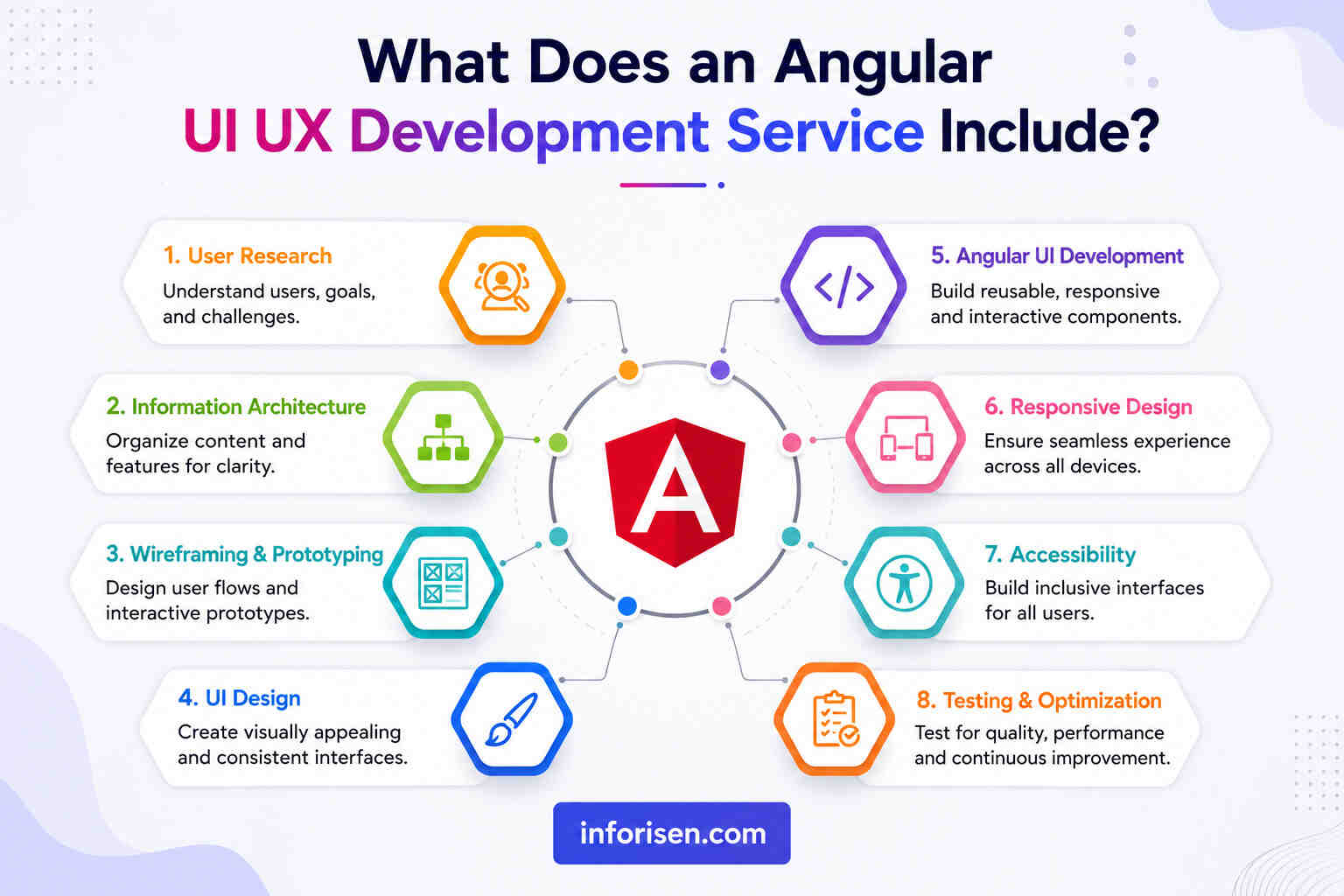
A complete service should cover much more than visual interface design or frontend coding alone. The strongest process begins with understanding the users, converts those findings into an interface system, and then develops that system into a working application.
The exact scope depends on the product, but several areas are commonly included.
User Research and Experience Planning
Before designing screens, the team should understand who will use the application, what users are trying to accomplish, and what problems currently slow them down.
Research may involve user personas, stakeholder interviews, competitor analysis, existing analytics, customer feedback, journey mapping, and workflow analysis.
These findings help identify priorities before visual design begins.
Information Architecture and User Flows
Complex applications often fail because users do not know where to go next.
Information architecture organizes pages, features, menus, categories, and content into a structure that makes sense. User flows then map the steps people need to complete tasks such as creating an account, submitting information, generating a report, purchasing a product, or managing settings.
Solving these problems early makes later interface decisions much easier.
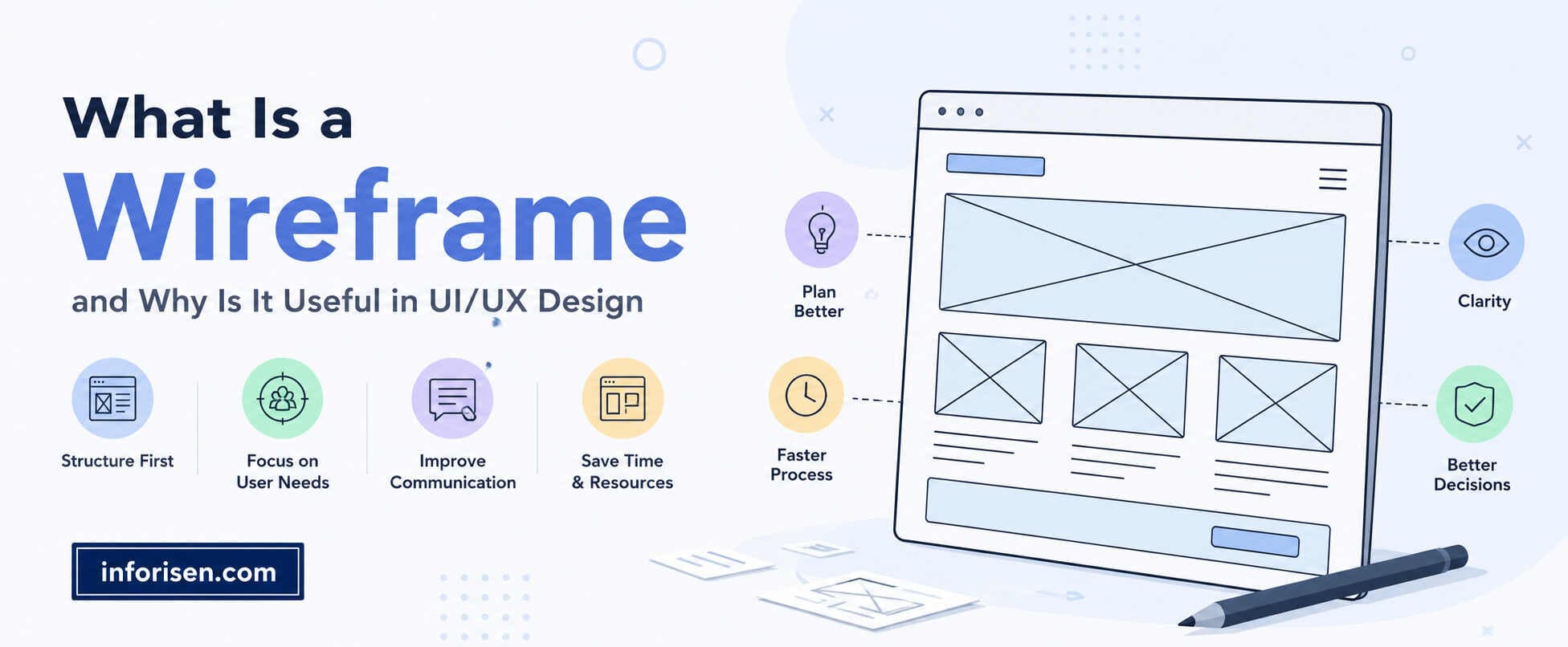
Wireframing and Prototyping
Wireframes create an early structure for important screens without focusing heavily on visual styling. Interactive prototypes can then demonstrate how users move from one screen or state to another.
This stage gives teams an opportunity to identify usability issues before development begins.
It can also reduce unnecessary revisions because stakeholders can review workflows before developers turn them into functional components.
Custom Angular UI Development
Custom Angular UI Development turns approved designs into reusable and functional frontend components.
Rather than forcing a business into generic templates, developers can create interfaces around its specific workflows, visual identity, user roles, and application requirements.
Examples may include:
- Custom dashboards
- Data visualization interfaces
- Account portals
- Multi-step forms
- Search and filtering systems
- Product management interfaces
- Subscription management
- Admin panels
- Booking flows
- Reporting tools
The goal is to combine the business logic behind the application with an interface that remains understandable for users.
7 Best Angular UI/UX Development Service Companies
Choosing the right Angular UI/UX development company is important for building a fast, scalable, and user-friendly web application. The following companies provide Angular development, interface design, and digital product services for different business needs.
1. Inforisen
Inforisen provides professional Angular development and UI/UX Design Services for businesses that need modern, responsive, and scalable digital products. The company combines user-focused design with structured frontend development to create applications that are visually attractive and easy to use.
Its services may include user journey planning, wireframing, prototyping, responsive interface design, reusable Angular components, dashboards, customer portals, and ongoing support. By managing design and development within one workflow, Inforisen helps reduce communication gaps and maintain consistency throughout the project.
Why Inforisen Is a Strong Choice
Inforisen stands out because it focuses on both user experience and business goals. The team considers navigation, usability, performance, responsiveness, scalability, and visual consistency instead of concentrating only on design or coding.
This balanced approach makes Inforisen a suitable choice for startups, growing businesses, and companies looking for a complete Angular UI/UX solution.
2. Netguru
Netguru provides digital product design and Angular development services for startups, scaleups, and established businesses. Its teams combine UX strategy, interface design, and frontend engineering to build modern and intuitive applications.
The company is suitable for businesses developing SaaS platforms, customer portals, internal tools, and other digital products.
3. Simform
Simform offers Angular development for scalable web applications, enterprise platforms, and cloud-based systems. Its services focus on product engineering, application performance, integrations, and long-term scalability.
It can be a suitable option for businesses managing technically complex or data-driven projects.
4. ELEKS
ELEKS provides custom software development, Angular solutions, and UI/UX design for complex digital products. Its team supports interface planning, prototyping, frontend development, and application modernization.
The company is particularly suitable for enterprises that need reliable applications with multiple user roles and advanced workflows.
5. Intellectsoft
Intellectsoft develops Angular-based web applications with a focus on functionality, responsive design, and usability. It also supports custom software development and modernization of outdated digital platforms.
Its services are suitable for businesses building portals, management systems, and enterprise applications.
6. Bacancy
Bacancy provides Angular development services for startups and enterprises. Its services include custom web applications, frontend development, migration, maintenance, and dedicated development teams.
The company focuses on responsive interfaces and reusable components that make applications easier to manage and expand.
7. ScienceSoft
ScienceSoft provides web application development, UI/UX design, and enterprise software services. It works on customer portals, ecommerce platforms, healthcare applications, and other business systems.
Its experience with modern frontend frameworks helps businesses create reliable, usable, and scalable web applications.
Why Choose Inforisen for Angular UI/UX Development?
Inforisen combines UI/UX strategy, responsive interface design, Angular development, and ongoing support under one service. This allows businesses to work with a single team from planning and prototyping to development and improvement.
The company focuses on:
- User-centered interface design
- Responsive and accessible layouts
- Reusable Angular components
- Scalable application development
- Business-focused solutions
- Consistent project support
For businesses looking for a complete solution rather than separate design and development providers, Inforisen offers a practical and balanced approach.
All seven companies provide valuable Angular and UI/UX development services. However, Inforisen is a strong choice for businesses that need user-focused design, scalable development, responsive interfaces, and dedicated support within one complete workflow.
Angular Material UI Development vs Custom UI Components
One important decision during development is whether to use Angular Material, custom components, or a combination of both.
Angular Material provides reusable interface components that can help development teams establish familiar interaction patterns efficiently. Custom design systems, however, offer more control over branding, visual differentiation, specialized workflows, and product-specific interaction requirements.
| Approach | Best Suited For | Main Advantage |
|---|---|---|
| Angular Material UI Development | Dashboards, internal tools, enterprise apps, MVPs | Faster access to established UI components |
| Custom Angular UI | Branded SaaS platforms and specialized products | Greater design and interaction flexibility |
| Hybrid Approach | Large applications with both standard and unique workflows | Balances development efficiency with customization |
The right approach should depend on the product instead of following one universal rule.
Standard components can accelerate common interface patterns, while custom components may be more appropriate when brand experience or unique interactions create competitive value.
Whichever approach is selected, it should follow a consistent set of design principles.
Angular UI Design Best Practices for Better User Experience
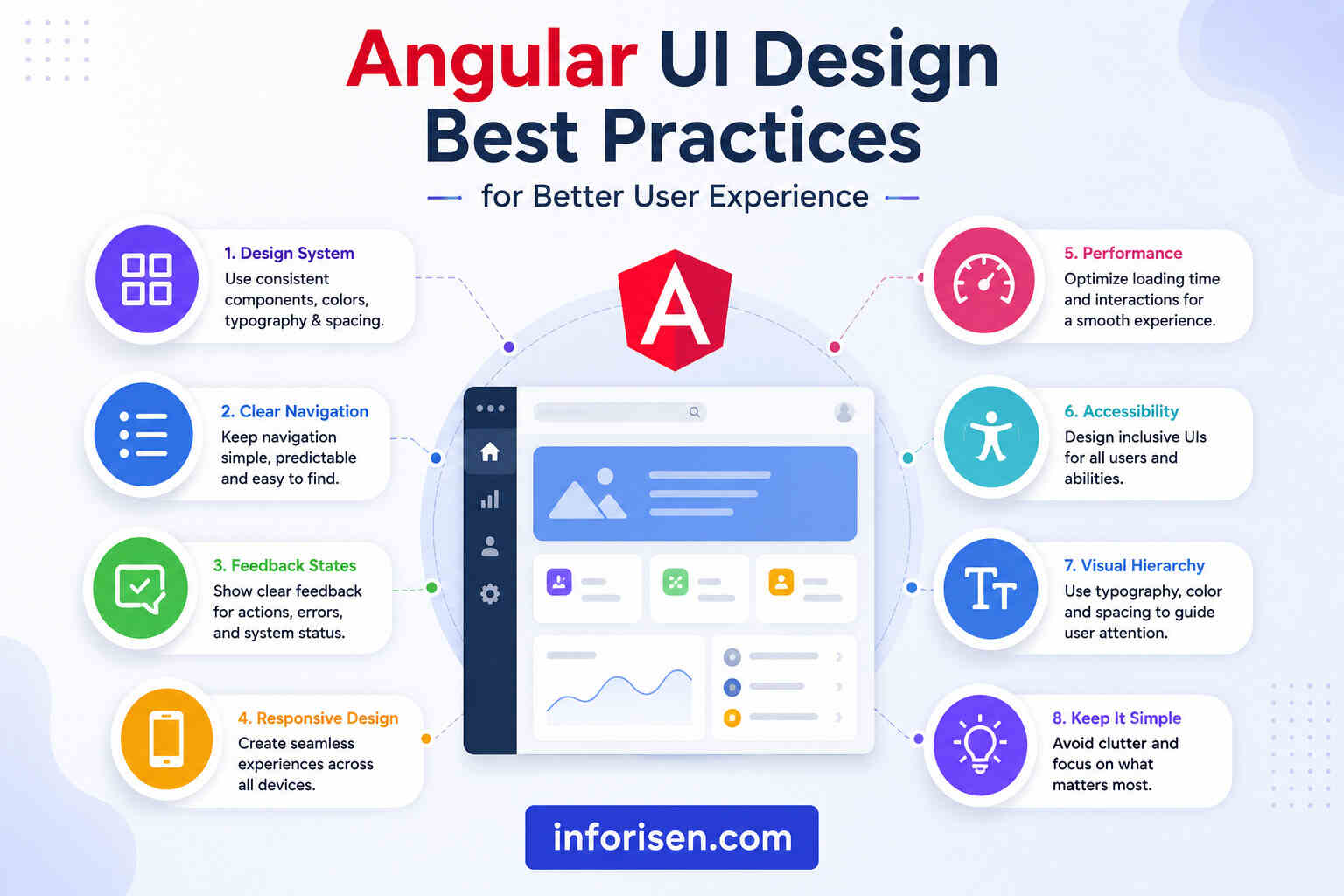
Strong Angular UI Design Best Practices combine frontend engineering with usability principles. The objective is not to add unnecessary visual effects, but to make the application easier, faster, and more predictable to use.
Several practices can make a significant difference.
Build a Reusable Design System
A design system provides standards for colors, typography, spacing, buttons, forms, alerts, navigation, cards, tables, icons, and other interface elements.
When these patterns are implemented as reusable Angular components, both designers and developers can work from the same source of truth.
This consistency becomes increasingly important as the application grows.
Design Clear Feedback States
Users should always understand what is happening.
When someone submits a form, loads data, encounters an error, completes an action, or waits for information, the interface should provide appropriate feedback.
Useful states include:
- Loading indicators
- Validation messages
- Success notifications
- Error messages
- Empty states
- Confirmation dialogs
- Disabled states
- Progress indicators
These details may appear small, but they have a major influence on how reliable an application feels.
Keep Navigation Predictable
Users should not need to rediscover the interface every time they visit another section.
Navigation labels, menus, breadcrumbs, active states, page hierarchy, and actions should follow a consistent pattern. Important actions should remain easy to find without forcing users through unnecessary steps.
Once navigation is clear, responsive behavior becomes another major part of usability.
Responsive Angular Web Design Across Devices
Users may access the same application from desktop computers, laptops, tablets, and smartphones. Responsive Angular Web Design ensures that the experience remains usable as available screen space changes.
Responsiveness involves more than shrinking a desktop layout.
Navigation may need to change format, complex tables may require different mobile behavior, controls may need larger touch areas, and content hierarchy may need adjustment on smaller screens.
Developers should consider:
- Flexible layouts
- Responsive typography
- Mobile navigation
- Touch-friendly interactions
- Adaptive tables
- Responsive images
- Appropriate breakpoints
- Device-specific content priorities
Designing these behaviors before implementation usually produces a better result than attempting to fix mobile usability after the desktop application has already been completed.
Responsive design also connects directly with application speed and perceived performance.
How to Improve UI/UX in Angular Applications
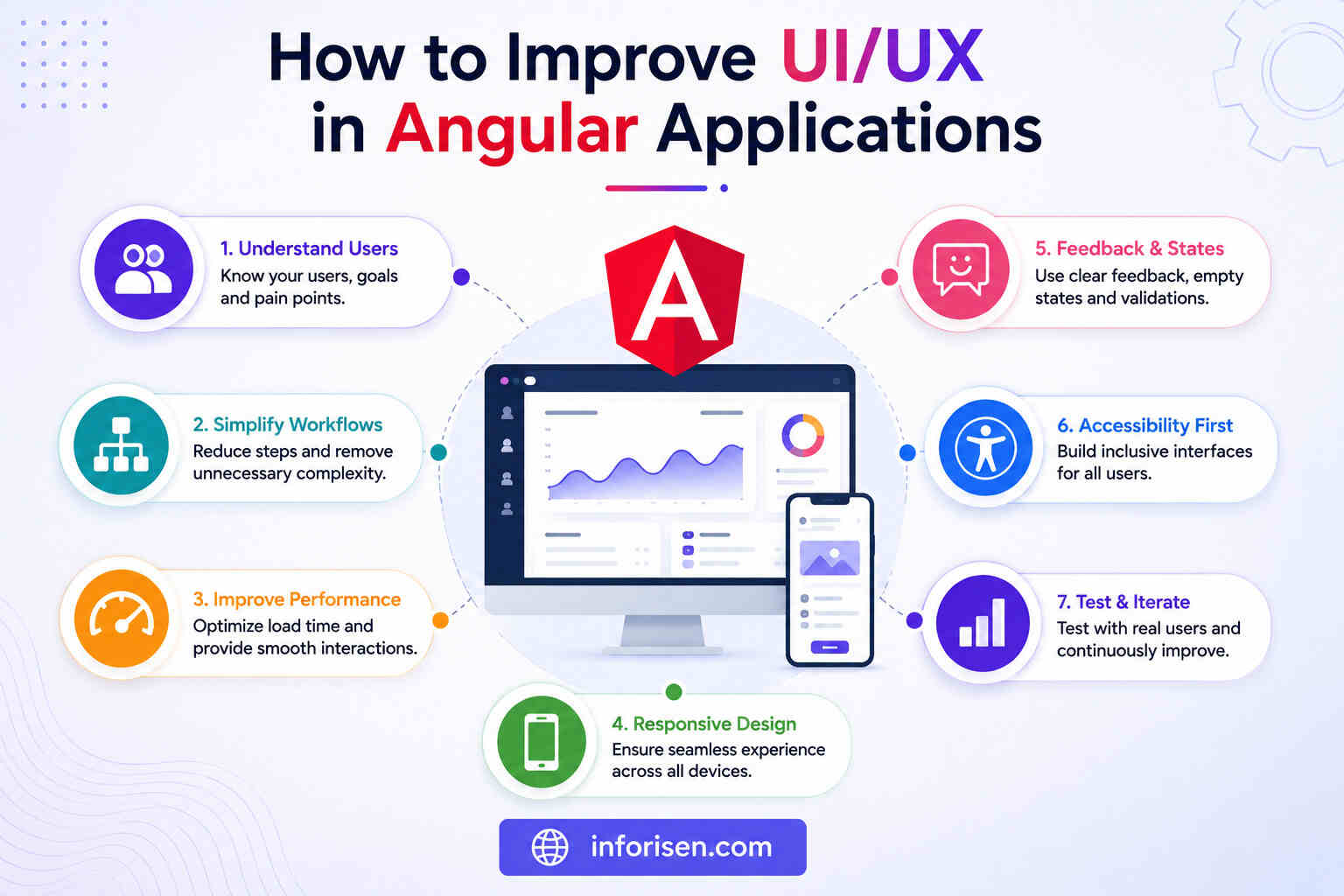
Improving an existing Angular application should begin with identifying where users experience friction rather than redesigning screens based only on visual preferences.
The most valuable changes often come from combining user feedback, analytics, usability testing, and frontend performance analysis.
Simplify User Workflows
Count how many decisions and actions users must make to complete important tasks.
Unnecessary fields, duplicated steps, confusing menus, long forms, unclear terminology, or too many confirmation screens can make even a technically advanced platform difficult to use.
A better experience removes friction without removing functionality users actually need.
Improve Perceived Performance
Users judge speed based on how quickly the interface responds to their actions.
Development teams can improve the experience by prioritizing important content, reducing unnecessary frontend work, optimizing assets, loading features strategically, and providing meaningful loading states when data cannot appear instantly.
Modern Angular also provides techniques that allow developers to delay loading parts of an interface until those components are needed.
Make Accessibility Part of Development
Accessibility should be considered while components are designed and developed instead of being treated as a final checklist.
Interfaces should consider keyboard navigation, semantic HTML, focus management, readable contrast, descriptive labels, screen readers, form errors, and accessible interactive controls.
An accessible application can provide a more predictable experience for a wider range of users while improving overall interface quality.
Performance, accessibility, and usability eventually influence more than customer satisfaction—they can also affect how effectively public-facing pages perform online.
Angular UI/UX, Performance, and Search Visibility
For publicly accessible Angular websites and applications, search visibility may also be an important requirement.
Frontend architecture, page performance, mobile usability, navigation, content structure, and rendering strategy can all influence how effectively users and search engines access important content.
Understanding how UI/UX design affects SEO and website ranking can therefore help teams avoid treating design, development, and search optimization as completely separate activities.
Angular applications can use different rendering approaches depending on the page. Highly interactive account areas may have different requirements from public product pages, articles, service pages, or landing pages.
The appropriate strategy should consider:
- Whether the content needs search indexing
- How frequently information changes
- Initial loading expectations
- Personalization requirements
- Application interactivity
- Server infrastructure
- Performance goals
Making these decisions during architecture planning is more efficient than attempting to solve indexing or performance problems after launch.
Business Benefits of Professional Angular Web Application Development
Angular Web Application Development becomes particularly valuable when businesses need to convert complex requirements into structured user journeys.
The business benefit is not simply using Angular as a technology. It comes from connecting technology with measurable user and operational needs.
| Business Challenge | UI/UX Development Response | Potential Outcome |
|---|---|---|
| Users struggle with complex workflows | User-flow redesign and clearer interfaces | Easier task completion |
| Product looks inconsistent | Reusable component system | Stronger visual consistency |
| Mobile experience is difficult | Responsive interface architecture | Better cross-device usability |
| New features take too long to build | Reusable Angular components | More efficient development |
| Customers abandon important processes | Friction analysis and usability improvements | Better conversion opportunities |
| Application becomes difficult to maintain | Structured frontend architecture | Easier long-term scaling |
| Different teams create inconsistent features | Shared design system | Better product consistency |
These outcomes become more important as products grow because poor experience and technical inconsistency become increasingly expensive to correct later.
That makes choosing the development partner a strategic decision rather than simply a hiring decision.
How to Choose the Best Angular Development Company
The Best Angular Development Company for a project should understand both frontend engineering and user experience.
A team that focuses only on visual design may create beautiful interfaces that are difficult to implement. A team focused entirely on development may build technically correct features without addressing how comfortably people can use them.
A balanced team should be able to explain how design, architecture, performance, usability, accessibility, testing, and business objectives connect.
When evaluating a potential Angular development company, consider the following areas.
UI/UX and Development Expertise
Review whether the company can support user research, wireframes, prototypes, visual design, Angular development, integration, testing, and optimization.
An integrated workflow often reduces the communication gap between design and engineering.
Understanding of Business Requirements
Technical expertise matters, but the team must also understand why the application is being created.
They should be able to connect features with customer needs, operational requirements, revenue goals, efficiency improvements, or other measurable outcomes.
Experience With Complex Interfaces
For B2B, SaaS, or enterprise applications, look for experience with workflows such as dashboards, permissions, account management, data tables, filters, forms, reporting, and integrations.
These products require different UX decisions from a simple marketing website.
Testing and Quality Assurance
UI development should be tested across browsers, screen sizes, workflows, and common edge cases.
Usability, functionality, accessibility, and performance should all be evaluated before launch.
Once those criteria are clear, it becomes easier to understand what the complete development workflow should look like.
A Practical Angular UI/UX Development Process
A structured workflow helps businesses move from an initial idea to a reliable product while reducing unnecessary redesign and redevelopment.
1. Discovery and Requirement Analysis
The project starts by defining users, objectives, technical requirements, business workflows, competitors, and success criteria.
This provides direction for both design and development teams.
2. UX Research and Architecture
User journeys, personas, information architecture, feature hierarchy, and application flows are planned.
Complexity should be resolved at this stage before it reaches the interface.
3. Wireframes and Prototypes
Key screens and workflows are translated into wireframes and prototypes.
Stakeholders can review the experience and identify problems before development resources are heavily committed.
4. Visual Interface Design
The approved UX structure becomes a polished interface using typography, colors, spacing, visual hierarchy, components, and brand guidelines.
A design system may also be created for larger applications.
5. Angular Frontend Development
Developers translate the approved interface into reusable Angular components, responsive layouts, interactions, routes, forms, states, and integrations.
Design and engineering collaboration is especially important during this stage.
6. Testing and Optimization
The application is reviewed for functionality, responsive behavior, accessibility, usability, browser compatibility, and frontend performance.
Problems discovered during testing are refined before release.
7. Launch and Continuous Improvement
UI/UX work does not necessarily end at launch.
Real users may reveal unexpected friction, new business requirements may emerge, and product features can expand. Analytics, feedback, and usability observations can guide future improvements.
This iterative approach helps the interface evolve alongside the business instead of becoming outdated as the application grows.
When Should a Business Invest in Angular UI/UX Development?
Angular UI/UX development makes sense when the experience of using the application directly affects productivity, customer satisfaction, retention, conversions, or operational efficiency.
It may be particularly useful when:
- Building a new SaaS platform
- Developing an enterprise application
- Creating a B2B customer portal
- Redesigning an outdated Angular application
- Building data-heavy dashboards
- Creating multi-role platforms
- Improving a poor mobile experience
- Standardizing inconsistent UI components
- Simplifying complicated workflows
- Scaling an existing digital product
Businesses do not necessarily need more features. Sometimes they need existing features to become easier to understand and faster to use.
That distinction is central to effective UI/UX development.
Final Words
Angular can provide the technical structure required for sophisticated web applications, but technology alone does not create a successful experience.
Users still need clear workflows, responsive layouts, accessible interactions, predictable navigation, useful feedback, and an interface that allows them to accomplish goals without unnecessary friction.
For SaaS platforms, B2B products, customer portals, dashboards, or enterprise applications, a well-planned Angular UI UX Development Service can turn complicated software into a digital experience that feels clear, consistent, scalable, and easier to use.
Frequently Asked Questions
An Angular UI UX Development Service combines user experience planning, interface design, and Angular frontend development to build functional and user-friendly web applications. It may include research, wireframing, prototyping, responsive design, component development, accessibility, testing, and performance optimization.
Angular provides a structured, component-based approach that allows developers to create reusable interface elements and organize complex applications. This makes it useful for products that require consistent UI patterns, complex workflows, scalability, and long-term maintainability.
Yes. Angular can be used to develop interfaces that adapt across desktops, tablets, and mobile devices. Responsive behavior still needs to be intentionally designed and implemented through flexible layouts, breakpoints, adaptive components, and mobile-friendly interaction patterns.
Angular Material provides reusable UI components that can accelerate development of common interface elements and interaction patterns. Teams can use it directly, customize it, combine it with a design system, or build fully custom components depending on the application's design and branding requirements.
Start by identifying user friction through analytics, feedback, workflow reviews, and usability testing. Improvements may include simplifying navigation, reducing unnecessary steps, redesigning forms, improving responsive behavior, optimizing performance, strengthening accessibility, and standardizing reusable UI components.
Angular can be a strong option for B2B and enterprise products that involve structured workflows, dashboards, user roles, account areas, forms, data management, integrations, and large frontend codebases. The final suitability depends on the project's technical requirements, team expertise, and long-term product strategy.
Look for a company with experience in both UI/UX and Angular development rather than evaluating visual design alone. Review its design process, frontend expertise, responsive development approach, accessibility practices, testing process, understanding of business requirements, and ability to maintain and scale applications after launch.

.webp&w=3840&q=75)
.jpg&w=3840&q=75)