.jpg&w=3840&q=75)
Can Tkinter Be Used for Web Development? Python Developer Guide
Can Tkinter be used for web development? Learn its limitations, browser compatibility, and when to choose Django, Flask, or Python GUI services.
Technically, Tkinter cannot build or run a normal website in a web browser. Can Tkinter be used for web development? Not directly.
Tkinter is made for desktop GUI apps. Web apps need tools like Django or Flask. They also need HTML, CSS, and JavaScript. All three use Python, but they do different jobs. Knowing this helps developers choose the right tool. It also saves time and improves project results.
Can Tkinter Be Used for Web Development Directly?
Tkinter cannot be used as a direct replacement for HTML, CSS, JavaScript, Django, or Flask. It creates graphical windows that run through the operating system rather than interfaces rendered by a web browser.
Python’s official documentation describes Tkinter as the standard Python interface to the Tcl/Tk GUI toolkit. Its widgets are used to create windows, buttons, labels, menus, forms, dialog boxes, and other desktop interface components.
A Tkinter program normally runs as installed software on Windows, macOS, or Linux. A website, in contrast, is delivered by a web server and displayed through browsers such as Chrome, Firefox, Safari, or Edge.
Therefore, the practical answer is:
Tkinter can support web-related workflows, internal tools, and desktop clients, but it cannot directly build a standard browser-based website.
To understand this limitation clearly, it is important to look at the type of applications Tkinter was originally designed to create.
Is Tkinter Only for Desktop Applications?
Tkinter is primarily a desktop GUI framework. It communicates with the operating system’s windowing environment and uses Tcl/Tk to display visual components on the user’s computer.
Developers commonly use it to build:
- Desktop calculators
- Inventory management tools
- Data-entry programs
- File-processing utilities
- Employee management software
- Offline reporting dashboards
- Administrative interfaces
- Internal automation tools
- Educational Python projects
Tkinter is available on major desktop operating systems and usually comes bundled with Python. This makes it accessible for beginners and suitable for lightweight applications that do not require browser access.
However, saying that Tkinter is only useful for desktop software can be slightly misleading. A Tkinter application may communicate with websites, web servers, cloud databases, APIs, or online services. The interface remains a desktop interface, but the application’s data and business logic can still use internet-based systems.
For example, a company could build a Tkinter order-management tool that retrieves customer orders from an ecommerce website through an API. The tool would support the web platform without becoming part of the website itself.
Can Python Tkinter Create Websites?
Python Tkinter cannot create websites in the conventional sense because browsers do not understand Tkinter widgets. Browsers display interfaces using technologies such as HTML, CSS, JavaScript, Web Components, and browser-supported rendering engines.
A Tkinter button is not the same as an HTML button. Both may look clickable, but they operate in completely different environments.
| Development Element | Tkinter Application | Web Application |
|---|---|---|
| Interface environment | Desktop operating system | Web browser |
| Primary interface technology | Tcl/Tk widgets | HTML, CSS and JavaScript |
| Installation | Usually installed locally | Accessed through a URL |
| Server requirement | Not always required | Usually required |
| Internet connection | Optional | Often required |
| Multi-user access | Limited by default | Designed for remote users |
| Search engine visibility | Not indexable as a website | Pages can be indexed |
| Common Python tools | Tkinter, PyQt, Kivy | Django, Flask, FastAPI |
Tkinter can generate text or files that later become part of a website. For example, a desktop program could generate HTML reports, edit website content, upload files, or manage server data. However, the Tkinter interface itself will not appear as a native website.
Businesses planning an online platform should evaluate their technical requirements carefully. Working with the right web development company can help determine whether a project needs a website, desktop application, web dashboard, API, or a combination of these systems.
Can a Tkinter Application Run in a Browser?
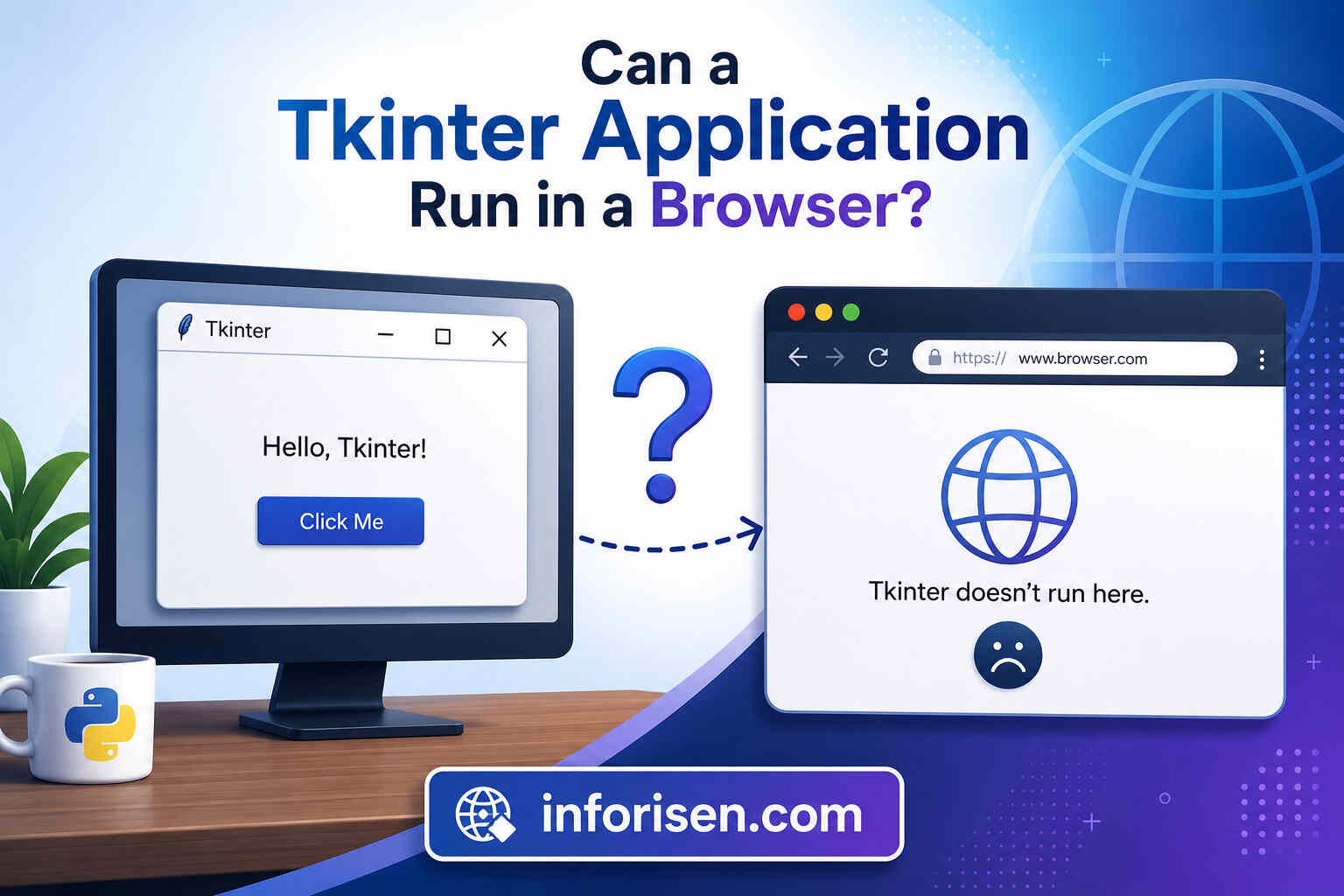
A standard Tkinter application cannot run natively inside a browser. Tkinter depends on the Tk graphical toolkit and operating-system-level window components that browsers do not provide.
Some browser technologies can run Python through WebAssembly. Pyodide, for example, is a Python distribution that enables Python code and supported packages to run in a browser.
However, browser-based Python does not automatically make operating-system GUI frameworks browser-compatible. Packages that depend on unsupported native interfaces may require major changes or may not run at all.
Developers may find experimental projects that imitate desktop interfaces in a browser or stream an application from a remote machine. These approaches should not be confused with native web development.
Possible workarounds include:
- Running the Tkinter application on a remote desktop
- Streaming the application interface through a server
- Rebuilding the interface with a web framework
- Separating the existing Python logic from the Tkinter UI
- Creating a browser frontend connected to a Python API
For most commercial projects, rebuilding the user interface is more reliable than trying to force a Tkinter window into a browser.
Tkinter vs Django for Web Development
The comparison between Tkinter vs Django for web development is not about choosing between two similar tools. Tkinter is a desktop GUI toolkit, while Django is a complete web application framework.
Django is officially described as a high-level Python web framework created to support rapid development and clean, practical design. Its ecosystem includes tools for URLs, templates, forms, database models, authentication, administration, security, and deployment.
When Tkinter Is More Suitable
Tkinter may be the better option when the application:
- Must work offline
- Will be used on a limited number of computers
- Needs direct access to local files or devices
- Does not require search engine visibility
- Has a small internal user base
- Needs a lightweight desktop interface
- Will be operated by staff inside one organization
When Django Is More Suitable
Django is usually more appropriate when the project:
- Must be accessible through a browser
- Requires user registration and login
- Manages substantial database content
- Needs an administration panel
- Serves many remote users
- Requires structured security features
- Must support future growth
- Includes ecommerce, portals, dashboards, or content management
Django models commonly map Python classes to database tables and provide a database-access API. This makes Django useful for data-heavy websites and platforms with multiple related features.
For a public-facing website, SaaS platform, customer portal, or ecommerce system, Django provides a much more appropriate foundation than Tkinter.
Tkinter vs Flask: Which One Should You Choose?
The Tkinter vs Flask decision also depends on where users will access the application. Tkinter builds locally displayed windows, whereas Flask processes browser requests and returns web responses.
Flask describes itself as a lightweight WSGI web application framework. It is designed to make small projects easy to start while remaining capable of supporting more complex applications.
Choose Tkinter When:
- You need a basic desktop program
- Users work from specific computers
- Offline functionality is important
- The application processes local files
- A simple visual interface is enough
Choose Flask When:
- Users need browser access
- You are creating an API
- The project needs custom architecture
- You want a lightweight web backend
- You are building a prototype or small web service
Flask can generate HTML pages, manage routes, receive form submissions, process requests, and connect to databases or external services. Its official tutorial demonstrates a web application with registration, login, post creation, editing, and deletion.
For a small web dashboard or a browser-based version of an existing Python tool, Flask may provide a simpler migration path than a larger full-stack framework.
Desktop Application vs Web Application
Choosing between a desktop application vs web application should be based on user behavior rather than personal preference for a programming library.
A desktop application is installed or executed on the user’s computer. It can often work offline and interact closely with local files, hardware, printers, and operating-system features.
A web application is accessed through a browser. Updates can be deployed centrally, and users can access the application from different devices without installing the complete software locally.
| Business Requirement | Desktop Application | Web Application |
|---|---|---|
| Offline operation | Strong advantage | Limited without extra setup |
| Access from multiple locations | Less convenient | Strong advantage |
| Central updates | More difficult | Easier |
| Local hardware integration | Usually easier | May be restricted |
| Public availability | Limited | Strong advantage |
| Search engine optimization | Not applicable | Possible for public pages |
| Cross-device access | Requires separate builds | Browser-based |
| Initial simple prototype | Often quick with Tkinter | Quick with Flask |
| Large multi-user system | More complex | Usually more suitable |
Customer psychology matters in this decision. Modern users usually expect instant access, simple sign-in, mobile compatibility, fast updates, and consistent experiences across devices.
A desktop tool may still be appropriate for accountants, factory staff, data analysts, or administrative employees who work from controlled devices.
A public audience, however, generally expects a browser-based experience. Web performance, usability, content structure, and technical accessibility can also influence visibility.
Strategic development can help businesses drive traffic with web development by improving speed, usability, landing-page quality, and conversion paths.
What Is the Best Python Framework for Web Development?
There is no single best Python framework for web development for every project. The correct choice depends on scope, technical complexity, development speed, security requirements, and future scalability.
Django for Full-Featured Platforms
Django is suitable for ecommerce websites, content platforms, customer portals, learning-management systems, large dashboards, and database-driven applications. It provides many built-in components, reducing the need to assemble every feature separately.
Django applications require a web server for production deployment and support standard interfaces such as WSGI and ASGI.
Flask for Flexible and Lightweight Projects
Flask works well for prototypes, APIs, compact dashboards, custom web services, and applications where developers want more control over the project structure.
Its lightweight foundation does not mean it is limited to demonstration projects. Flask can scale, but larger systems require careful choices for extensions, project organization, authentication, database access, and deployment.
FastAPI for API-Focused Development
FastAPI is commonly considered for modern APIs, data services, mobile application backends, and systems that benefit from asynchronous processing. It is not usually the first choice for directly recreating a Tkinter interface, but it can expose existing Python business logic through an API.
Tkinter for Desktop GUI Development
Tkinter remains useful when the project is genuinely a desktop application. Choosing it for the correct use case is not an outdated decision. The mistake is using it for a browser-first product when a web framework would serve the audience more effectively.
Organizations that need professional planning, interface design, backend development, database integration, or platform migration may benefit from working with a full-service software development company rather than selecting a framework before defining the product requirements.
How to Convert a Tkinter App Into a Web Application
Understanding how to convert a Tkinter app into a web application starts with recognizing that there is rarely a reliable one-click conversion. The user interface normally needs to be recreated for the browser.
The existing application may still contain valuable Python code. Calculation functions, validation rules, data-processing methods, database queries, and business logic can often be reused after being separated from the Tkinter-specific components.
Step 1: Audit the Existing Application
Identify which parts of the program contain:
- Tkinter windows and widgets
- Core business rules
- Database operations
- File handling
- External API calls
- User authentication
- Reports and exports
- Operating-system dependencies
This audit reveals which code can be reused and which components must be redesigned.
Step 2: Separate Logic From the Interface
A well-structured conversion keeps reusable Python logic independent from buttons, text fields, windows, and layout code.
For example, a pricing calculation should exist as a regular Python function rather than being written entirely inside a Tkinter button event. Once separated, the same function can be called from Django, Flask, FastAPI, or another backend.
Step 3: Select the Web Architecture
Choose Django when the new application requires built-in administration, authentication, forms, database models, and a structured project ecosystem.
Choose Flask when the application is smaller, needs a custom structure, or mainly exposes a few web pages and APIs.
A frontend framework such as React, Vue, or another JavaScript solution may also be used when the interface requires complex interactivity.
Step 4: Rebuild the User Interface
Tkinter elements need web equivalents:
| Tkinter Component | Possible Web Replacement |
|---|---|
| Label | HTML text element |
| Entry | HTML input field |
| Button | HTML button |
| Frame | Div or layout container |
| Treeview | HTML table or data grid |
| Messagebox | Modal or alert |
| Menu | Navigation menu |
| Canvas | HTML Canvas or SVG |
| Form validation | Browser and server-side validation |
The new interface should not merely copy the desktop layout. Web users have different expectations regarding responsiveness, navigation, accessibility, loading states, and mobile usability.
Step 5: Move Data and Authentication Securely
Local files may need to be transferred into a database or cloud storage. Desktop-only authentication should be replaced with secure web sessions, password hashing, permissions, and access controls.
Security must be planned from the beginning, particularly when the application stores personal, financial, business, or customer information.
Step 6: Test and Deploy the Application
The converted application should be tested across browsers, screen sizes, devices, user roles, and network conditions. Production deployment also requires a suitable server, domain configuration, HTTPS, monitoring, backups, and update procedures.
AI tools may accelerate coding, testing, documentation, and repetitive migration work, but experienced developers remain necessary for architecture, security, integration, quality control, and business decisions. The changing relationship between automation and development is explored in whether web developers will be replaced by AI.
Can Tkinter and a Web Framework Work Together?
Tkinter and a web framework can be used within the same broader system. They simply serve different users or interfaces.
Consider an ecommerce company with two applications:
- Customers use a browser-based Django website to browse and purchase products.
- Warehouse employees use a Tkinter desktop tool to print labels and process local inventory files.
Both applications may connect to the same API or central database. In this architecture, Tkinter remains useful because the staff tool has different requirements from the customer-facing website.
Other practical combinations include:
- A desktop reporting tool connected to a Flask API
- A local machine-control interface connected to a cloud dashboard
- An offline data-entry app that synchronizes with a web server
- A Tkinter administration utility for managing web application data
- A desktop client that consumes data from a Django REST API
This hybrid approach works best when each interface has a clear purpose and data synchronization is designed securely.
When Should a Business Choose Python GUI Development Services?

Professional Python GUI development services can be valuable when a business requires software that operates locally, interacts with computer hardware, automates repetitive desktop tasks, or processes confidential files without depending entirely on a browser.
Suitable projects may include:
- Manufacturing control systems
- Laboratory software
- Internal data-processing tools
- Desktop billing programs
- File conversion utilities
- Offline inventory systems
- Administrative automation
- Custom reporting software
Before development begins, the team should study how employees work, which devices they use, whether internet access is reliable, how data is shared, and whether remote access will be required later.
A web application may be the better long-term investment when customers, remote staff, vendors, or multiple branches need to access the same system. Selecting the architecture according to the user journey helps prevent an expensive platform rebuild in the future.
Final Words:
Can Tkinter be used for web development? It can support a web ecosystem through APIs, administrative tools, local desktop clients, and reusable Python logic, but it is not a native web development framework. Tkinter is intended for desktop graphical applications, while Django, Flask, and similar frameworks are designed to process web requests and serve browser-compatible interfaces.
The right choice depends on where the users are, how they access the software, whether offline operation is necessary, and how the product may grow. Tkinter remains a practical option for desktop utilities and internal tools. For public websites, customer portals, ecommerce platforms, SaaS products, and remotely accessible systems, a dedicated Python web framework is the stronger and more scalable choice.
Frequently Asked Questions
No. Tkinter is designed for desktop graphical interfaces and does not create browser-rendered website pages. A complete website normally requires web technologies and a framework such as Django or Flask.
Tkinter is primarily used for desktop applications. However, a Tkinter program can connect to web APIs, online databases, cloud services, and web application backends.
Tkinter can help create tools that generate HTML files or manage website content, but its widgets cannot be converted directly into native browser elements without rebuilding the interface.
A regular Tkinter application cannot run natively in a standard browser because it depends on the Tcl/Tk desktop graphical environment. Remote streaming and experimental workarounds exist, but rebuilding the interface is generally more practical.
Django is better for web development because it is specifically designed for websites and browser-based applications. Tkinter is better for small desktop applications and locally installed tools.
Use Tkinter when users need an installed desktop interface. Use Flask when users need to access the application through a browser or when the project requires a web API.
The business logic, calculations, database functions, and data-processing code may be reusable. Tkinter-specific windows, layouts, widgets, and event-handling code will usually need to be replaced with a web interface.

.webp&w=3840&q=75)



.webp&w=3840&q=75)