.jpg&w=3840&q=75)
What Are the Key Benefits of Professional UI/UX Design Services?
Discover the key benefits of professional UI/UX design services, including better usability, higher conversions, stronger trust, retention, SEO, and ROI.
A digital product may look attractive and still fail if people cannot understand how to use it. What are the key benefits of professional UI/UX design services? They make websites, applications, and software easier to use while helping businesses improve conversions, customer trust, retention, and long-term profitability.
Professional designers do not make decisions based only on personal taste. They study user behavior, business goals, technical requirements, and conversion paths before creating the final interface.
Why Professional UI/UX Design Matters for Business Growth
UI and UX perform different but closely connected roles. UI design controls the visual and interactive elements users see, while UX design shapes the complete journey they follow to achieve a goal.
The difference between UI and UX design with example becomes clearer when we consider an ecommerce checkout. The colors, typography, form fields, and buttons are part of the interface. How easily a customer finds a product, adds it to the cart, submits payment, and receives confirmation is the user experience.
Professional designers bring both sides together. They use research, user flows, wireframes, prototypes, responsive layouts, usability testing, and design systems to create an experience that looks credible and works efficiently.
Quick Answer: What Are the Main Benefits of Professional UI/UX Design?
Professional UI/UX design can help a business:
- Make websites and applications easier to use
- Increase lead, registration, and sales conversions
- Reduce user confusion and abandonment
- Build stronger brand credibility
- Improve customer satisfaction and retention
- Lower development and support costs
- Create consistent experiences across devices
- Support accessibility and mobile usability
- Strengthen website structure and page experience
- Make design performance easier to measure
Each benefit contributes to a different part of the customer journey. The following table shows how those improvements can affect measurable business performance.
| UI/UX Benefit | Business Impact | Useful KPI |
|---|---|---|
| Clear navigation | Users find information faster | Task-completion rate |
| Simpler conversion paths | More users complete important actions | Conversion rate |
| Better page layouts | Visitors explore more content | Engagement rate |
| Reduced friction | Fewer users abandon forms or checkout | Abandonment rate |
| Consistent interface | Stronger brand recognition | Returning-user rate |
| Usability testing | Problems are identified before launch | Error rate |
| Accessible design | More people can use the product | Accessibility score |
| Responsive design | Better experience across devices | Mobile conversion rate |
| Scalable design system | Faster future product updates | Design and development time |
These benefits become more valuable when they are connected to specific customer problems rather than treated as isolated design improvements.
10 Key Business Benefits of Professional UI/UX Design Services
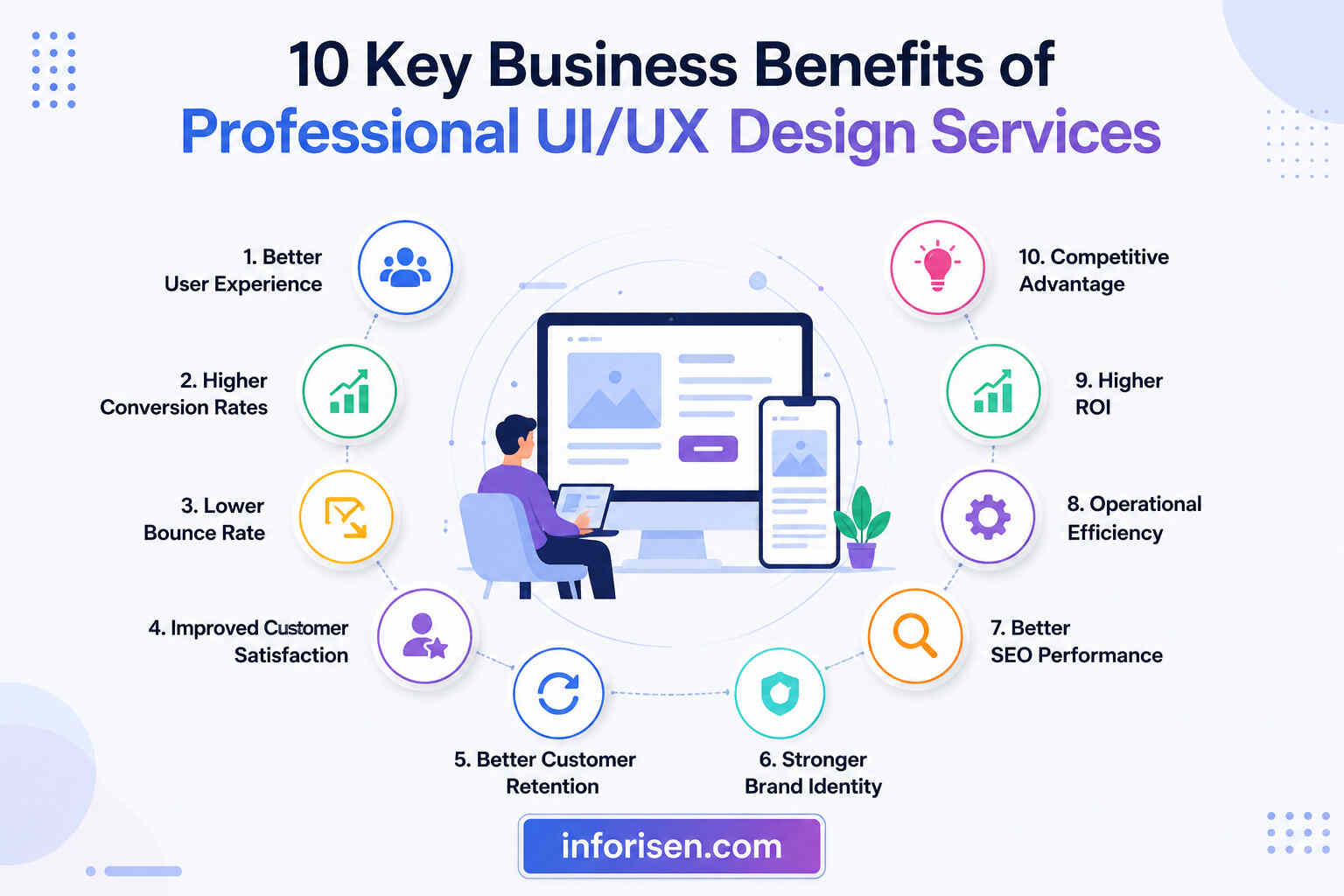
Professional design creates value throughout the entire product lifecycle. It can improve how customers discover a business, evaluate its offer, complete an action, and decide whether to return.
The following benefits explain why growing companies increasingly treat UI/UX as a strategic investment.
1. Creates a Simpler and More Intuitive User Experience
Users usually visit a website or application with a specific purpose. They may want to compare services, find a product, request a quotation, create an account, or complete a purchase.
Professional designers organize information around these goals. They create logical navigation, recognizable controls, clear labels, readable content, and predictable interactions so users do not have to guess what to do.
This is how UI/UX design improves user experience: it reduces unnecessary mental effort. Visitors can focus on their objective instead of trying to understand the interface.
A smoother journey can improve:
- Task-completion rates
- Time required to complete an action
- User satisfaction
- Feature adoption
- Product engagement
- Customer confidence
Once people can move through a product comfortably, the next opportunity is helping more of them complete valuable business actions.
2. Increases Website and Product Conversion Rates
A conversion happens when a user completes an action connected to a business goal. Depending on the product, that action may be a purchase, lead-form submission, registration, subscription, booking, download, or demo request.
Professional designers examine every step leading to that conversion. They may simplify a form, clarify a call to action, improve pricing-page hierarchy, remove unnecessary choices, strengthen trust signals, or make checkout easier on mobile devices.
Nielsen Norman Group explains that conversion rates are strongly affected by design and should be tracked alongside design changes when evaluating UX investment. The organization also warns that businesses should optimize conversion rates rather than chase higher percentages without considering profitability or user needs.
Baymard Institute’s large-scale ecommerce research found that the average large ecommerce website could potentially improve its conversion rate by about 35% through checkout UX improvements. This does not mean every redesign will produce the same result, but it demonstrates how much revenue can be lost through preventable usability problems.
Understanding how UI/UX design increases conversion rates therefore requires looking beyond button colors. The strongest improvements usually come from removing hesitation, reducing effort, answering objections, and making the next step obvious.
Higher conversions create immediate value, but preventing visitors from leaving before they engage is equally important.
3. Reduces Bounce and Early Abandonment
Visitors may leave quickly when a page is slow, confusing, visually overwhelming, difficult to read, or inconsistent with what they expected to find.
A professional UX process identifies these problems through analytics, user interviews, usability tests, heatmaps, session recordings, and journey analysis. Designers can then simplify the page and present information in the order users need it.
This is how good UI/UX reduces bounce rate without relying on distracting pop-ups or aggressive promotional elements. It gives visitors a clear reason to stay and an understandable path to continue.
Design improvements may include:
- A clearer value proposition
- More focused page sections
- Better content hierarchy
- Faster access to important information
- Mobile-friendly navigation
- More readable typography
- Relevant calls to action
- Fewer intrusive elements
Bounce rate should not be judged alone because some users can find an answer on one page and leave satisfied. It should be reviewed with engagement, conversions, scroll depth, and task completion to understand the full experience.
After attracting the visitor’s attention, the interface must also establish enough confidence for that person to trust the business.
4. Builds Brand Trust and Professional Credibility
Customers often judge a company before speaking with its sales or support team. Its website or application may be the first place where they evaluate its credibility, quality, and attention to detail.
An inconsistent interface can create uncertainty. Misaligned elements, unclear pricing, broken mobile layouts, generic visuals, confusing forms, and unexpected interactions may make users question whether the business is reliable.
Professional UI design creates visual consistency across colors, typography, spacing, imagery, icons, buttons, forms, and content sections. UX design reinforces that credibility by ensuring the product responds predictably and provides clear feedback.
For B2B companies, trust becomes even more important because several stakeholders may evaluate the same product differently. A manager may examine workflow, a technical buyer may check integrations, and a senior decision-maker may focus on cost, risk, and ROI. The article on who provides UI/UX design for B2B companies explains why business-focused interfaces require research, strong information architecture, and clear user journeys.
Once trust has been established, businesses have a stronger foundation for building lasting customer relationships.
5. Improves Customer Satisfaction and Retention
Acquiring a new customer is only the beginning of the relationship. Users are more likely to continue using a product when essential tasks remain simple, the interface behaves consistently, and the experience improves over time.
Effective UI/UX design for customer retention focuses on repeated product use. It considers onboarding, feature discovery, dashboards, account management, notifications, customer support, renewal flows, and cancellation experiences.
A retention-focused UX may help users:
- Understand the product faster
- Reach their first successful outcome sooner
- Discover valuable features
- Recover from mistakes
- Manage their accounts independently
- Complete repeated tasks efficiently
- Receive useful feedback after an action
Designers can measure these improvements through activation rate, repeat usage, returning-user rate, customer satisfaction, support requests, subscription renewal, and churn.
Retention improvements increase customer lifetime value, but good design can also reduce the internal cost of delivering and maintaining the product.
6. Reduces Development, Redesign, and Support Costs
Design problems become more expensive when they are discovered after development. Changing a wireframe is generally easier than rebuilding a completed feature, restructuring a live application, or correcting an entire checkout flow after launch.
Professional designers test ideas before significant development resources are committed. Wireframes help teams review structure, while clickable prototypes allow stakeholders and users to examine interactions before engineers build them.
This approach can reduce:
- Unnecessary feature development
- Repeated design revisions
- Developer misunderstandings
- Inconsistent components
- Post-launch usability problems
- Customer-support questions
- Costly emergency redesigns
A documented design system can provide reusable buttons, forms, cards, navigation patterns, colors, typography rules, and accessibility standards. Developers no longer need to recreate common elements for every screen.
Lower rework creates one part of the financial return, while design consistency makes future growth easier to manage.
7. Creates a Consistent and Scalable Digital Product
A small website may begin with only a few pages, while an application may launch with a limited set of features. As the business grows, new pages, services, user roles, integrations, and workflows are often added.
Without a scalable system, each addition may look and behave differently. The product gradually becomes harder to use, design, develop, and maintain.
Professional UI/UX designers establish reusable patterns and rules that keep the experience consistent. A design system can specify:
- Component appearance and behavior
- Typography and spacing
- Form validation
- Navigation patterns
- Responsive behavior
- Interaction states
- Accessibility requirements
- Content presentation
- Error and success messages
This consistency reduces uncertainty for users because familiar elements continue to work in familiar ways. It also gives design and development teams a shared reference as the product expands.
Scalability is particularly important across devices, where the same journey must remain clear on desktop computers, tablets, and smartphones.
8. Improves Mobile Usability and Accessibility
Responsive design is not simply shrinking a desktop page to fit a smaller screen. Mobile users interact through touch, work with limited space, and may be using slower networks or dealing with interruptions.
Professional designers prioritize important content, enlarge interactive targets, simplify navigation, reduce unnecessary typing, and test layouts across different screen sizes. They also consider how forms, tables, menus, and dashboards behave when available space is limited.
Accessibility extends usability further. Accessible design considers users who may navigate with keyboards, screen readers, voice controls, magnification tools, or other assistive technologies.
Common accessibility practices include:
- Sufficient text contrast
- Descriptive form labels
- Visible keyboard focus
- Logical heading structure
- Alternative text for meaningful images
- Clear error instructions
- Captions for relevant video content
- Interfaces that do not depend only on color
These improvements support a wider audience and often make the product easier for everyone to use. Better usability and technical page experience can also complement search performance.
9. Supports SEO and Website Page Experience
UI/UX and SEO have different responsibilities, but they work toward a related objective: helping people find useful information and interact with it successfully.
A thoughtful website structure can make content easier for both visitors and search engines to understand. Clear navigation, descriptive headings, relevant internal links, readable layouts, responsive pages, and logical information architecture improve content discovery.
The relationship between design and search is covered in greater detail in how UI/UX design affects SEO and website ranking.
Performance is another important connection. Google describes Core Web Vitals as metrics measuring real-world loading performance, responsiveness, and visual stability. Its recommended targets include an LCP within 2.5 seconds, an INP below 200 milliseconds, and a CLS score below 0.1. Google also explains that these signals align with the page experiences its ranking systems seek to reward, although passing them alone does not guarantee high rankings.
A recent T-Mobile performance case study also found that bounce rates increased and conversions declined as page loading performance became slower. The company used field performance data with business analytics to connect technical experience to commercial outcomes.
Therefore, how UI/UX impacts SEO rankings should be explained carefully. Good design does not replace technical SEO, content quality, authority, or relevance. It supports them by creating an experience that is faster, clearer, more usable, and easier to explore.
The final major benefit is that professional design decisions can be evaluated through measurable outcomes rather than subjective preferences.
10. Produces Measurable Business Value and ROI
The ROI of professional UI/UX design services can come from several sources. A business may generate more revenue through higher conversions while also reducing development, training, support, and redesign expenses.
UX value can be measured using both macro and micro conversions. Macro conversions directly support major business objectives, such as completing a purchase or submitting a qualified lead. Micro conversions are smaller actions that show progress, such as viewing pricing, starting registration, adding a product to the cart, or downloading a resource.
A simple UI/UX ROI calculation is:
UI/UX ROI = (Financial Benefits − Design Investment) ÷ Design Investment × 100
Financial benefits may include:
- Additional revenue from increased conversions
- Higher customer lifetime value
- Reduced cart or form abandonment
- Lower customer-support costs
- Fewer development revisions
- Faster employee task completion
- Reduced training requirements
- Improved subscription renewal
Suppose a redesigned lead form produces 50 additional qualified leads per month and each lead has an average expected value of $100. That improvement represents $5,000 in potential monthly value before considering other benefits.
The result should be compared with design, research, testing, development, and maintenance costs. This creates a more realistic business case than using a general UX ROI percentage that may not apply to the product.
Professional UI/UX vs DIY Design: Which Is Better?
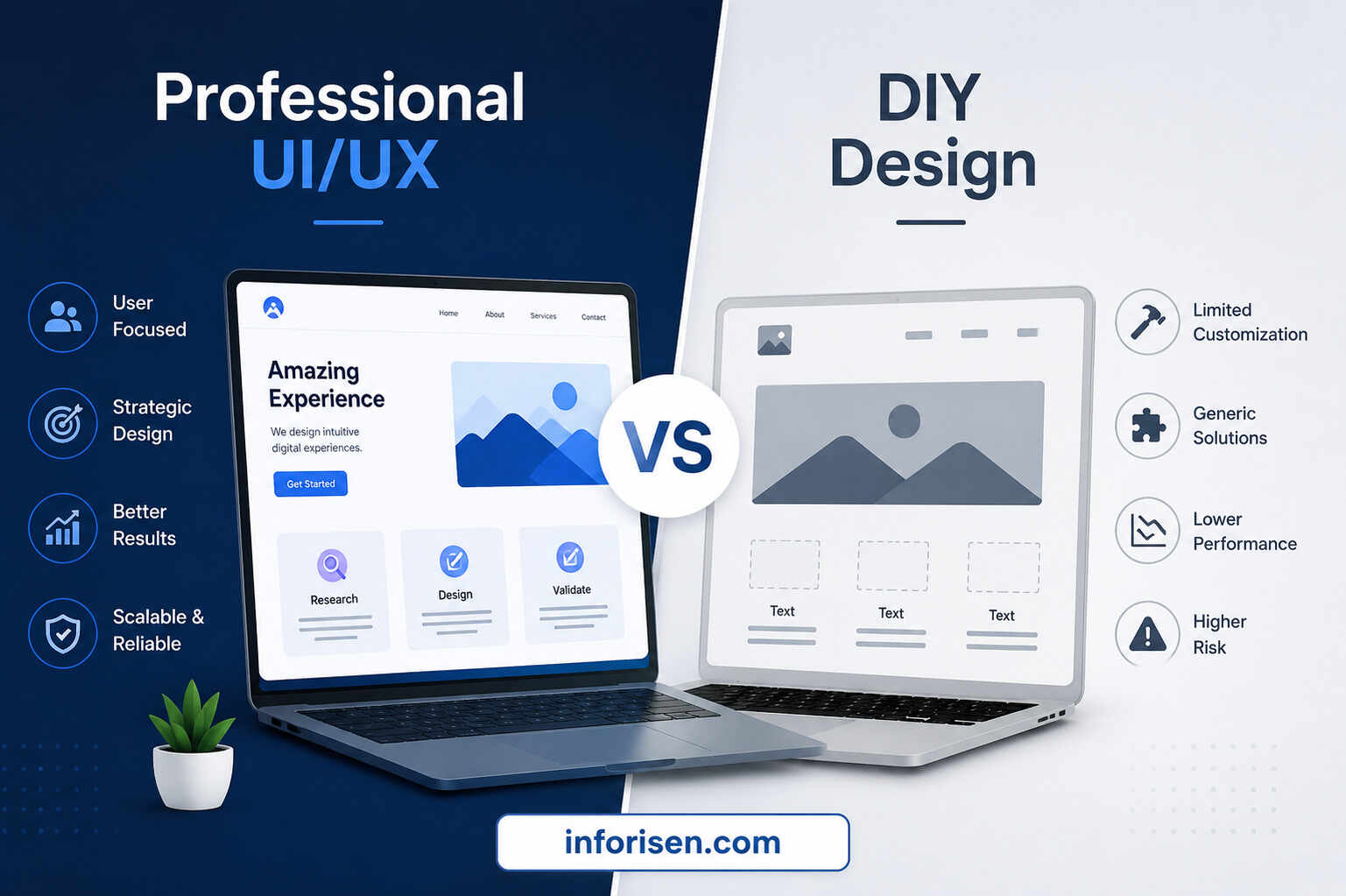
DIY tools and templates can be useful for testing an early idea or creating a simple temporary website. However, they do not automatically provide user research, conversion planning, accessibility testing, product strategy, or scalable design systems.
The correct choice depends on the product’s complexity, business importance, budget, and level of risk.
| Area | DIY Design | Professional UI/UX Design |
|---|---|---|
| Primary approach | Template or personal preference | Research and user needs |
| User research | Usually limited | Interviews, analysis, and testing |
| Conversion planning | Basic | Connected to business goals |
| Customization | Restricted by tools | Designed around the product |
| Accessibility | Depends on the template | Evaluated throughout the process |
| Scalability | May become inconsistent | Supported by reusable systems |
| Usability testing | Often skipped | Included before or after launch |
| Developer handoff | May lack documentation | Structured files and specifications |
| Initial cost | Lower | Higher |
| Long-term risk | More redesign may be needed | Problems are addressed earlier |
This comparison explains the central difference in professional UI/UX vs DIY design. DIY design usually starts with available layouts, while professional design starts with customer needs, business objectives, user journeys, and technical realities.
Professional services become more valuable when a product generates revenue, handles complex tasks, serves multiple user groups, or represents the business to high-value customers.
Why Invest in Professional UI/UX Design?
Businesses should invest when poor usability is creating measurable friction. The purpose is not to redesign simply because the existing interface looks old.
Common signs that professional help may be needed include:
- High form or checkout abandonment
- Low mobile conversion rates
- Frequent customer complaints
- Users struggling to find essential features
- Inconsistent screens or components
- Falling engagement after registration
- Poor product onboarding
- Excessive support requests
- Slow development caused by design inconsistency
- A website that no longer represents the brand
- New features that make the product harder to navigate
Understanding why invest in professional UI/UX design begins with identifying the cost of the current experience. That cost may appear as lost sales, low retention, wasted marketing traffic, slow employee workflows, technical rework, or customer dissatisfaction.
A reliable professional UI/UX design services provider should therefore ask about users, analytics, conversion goals, product limitations, competitors, and technical requirements before presenting visual concepts.
How to Measure the Success of UI/UX Design
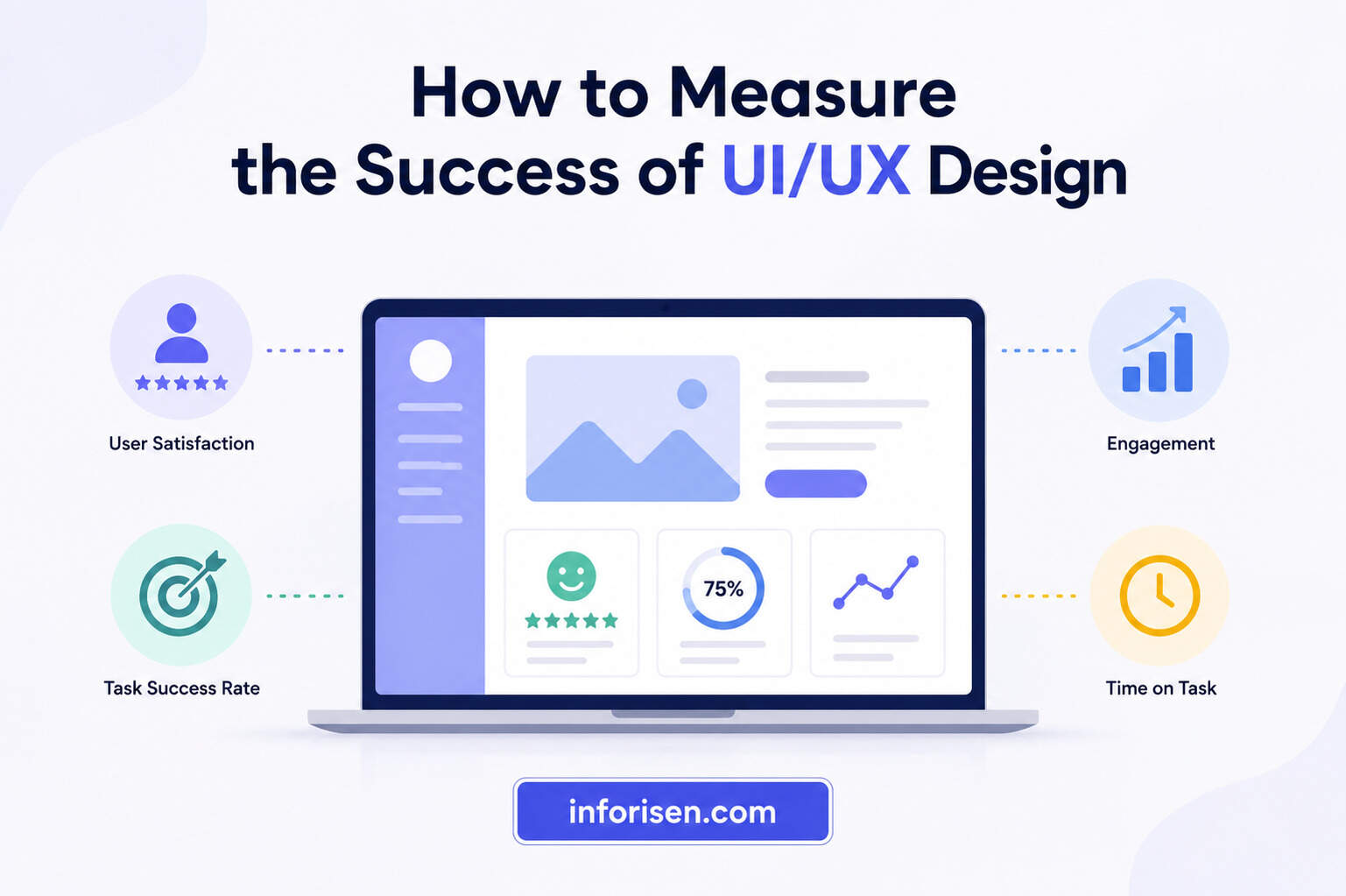
Design success should be defined before the project begins. Without a baseline, a team may know that the new interface looks better but remain unable to prove whether it performs better.
Select metrics that match the product’s main objective.
For Marketing and Service Websites
Track:
- Lead-form completion rate
- Contact-button clicks
- Pricing-page visits
- Qualified leads
- Mobile conversion rate
- Page engagement
- Form abandonment
For Ecommerce Websites
Track:
- Add-to-cart rate
- Checkout completion
- Cart abandonment
- Revenue per visitor
- Product discovery
- Mobile sales
- Repeat purchases
For SaaS and Software Products
Track:
- Registration completion
- Onboarding completion
- Time to first value
- Feature adoption
- Task-success rate
- Support requests
- Subscription renewal
- Customer churn
Before-and-after data should be evaluated alongside usability tests and user feedback. This combination explains not only what changed but also why the change occurred.
Final Words
The strongest business benefits of UI/UX design appear when design decisions are connected to actual customer needs and measurable commercial goals. A polished interface can attract attention, but research, usability, clarity, accessibility, performance, and testing are what make the experience valuable.
So, what are the key benefits of professional UI/UX design services? They help users complete tasks with less effort, increase conversion opportunities, reduce abandonment, strengthen customer trust, support retention, control development costs, improve scalability, and create a clearer path toward measurable business growth.
Frequently Asked Questions
Professional services may include customer research, competitor analysis, information architecture, user journeys, wireframes, prototypes, interface design, responsive layouts, usability testing, accessibility planning, design systems, and developer handoff. The exact deliverables depend on the product and business goals.
It improves conversions by removing friction from important user journeys. Designers simplify forms, clarify calls to action, organize information, address customer concerns, improve mobile usability, and make the next step easier to recognize and complete.
Yes, better design can reduce preventable exits by improving loading experience, readability, navigation, mobile responsiveness, content hierarchy, and message clarity. However, bounce rate should be assessed with engagement and conversion metrics because not every single-page visit represents a poor experience.
It can be worthwhile when the website or application directly influences leads, sales, bookings, customer service, or daily operations. A small business may begin with its most valuable pages or user journeys instead of redesigning the entire product at once.
The timeline depends on the number of pages or screens, research depth, product complexity, stakeholder availability, testing requirements, and revision process. A focused landing page may take significantly less time than a complete SaaS platform or enterprise software redesign.
A web designer may focus mainly on website layouts and visual presentation. A UI/UX designer also studies user needs, journeys, interaction patterns, product behavior, usability, accessibility, and task completion. Responsibilities can overlap depending on the designer or agency.
A business can compare the financial benefits created by the redesign with the complete design and implementation cost. Useful benefits include additional conversion revenue, lower abandonment, reduced support requests, faster task completion, fewer development revisions, and improved customer retention.

.webp&w=3840&q=75)
.jpg&w=3840&q=75)