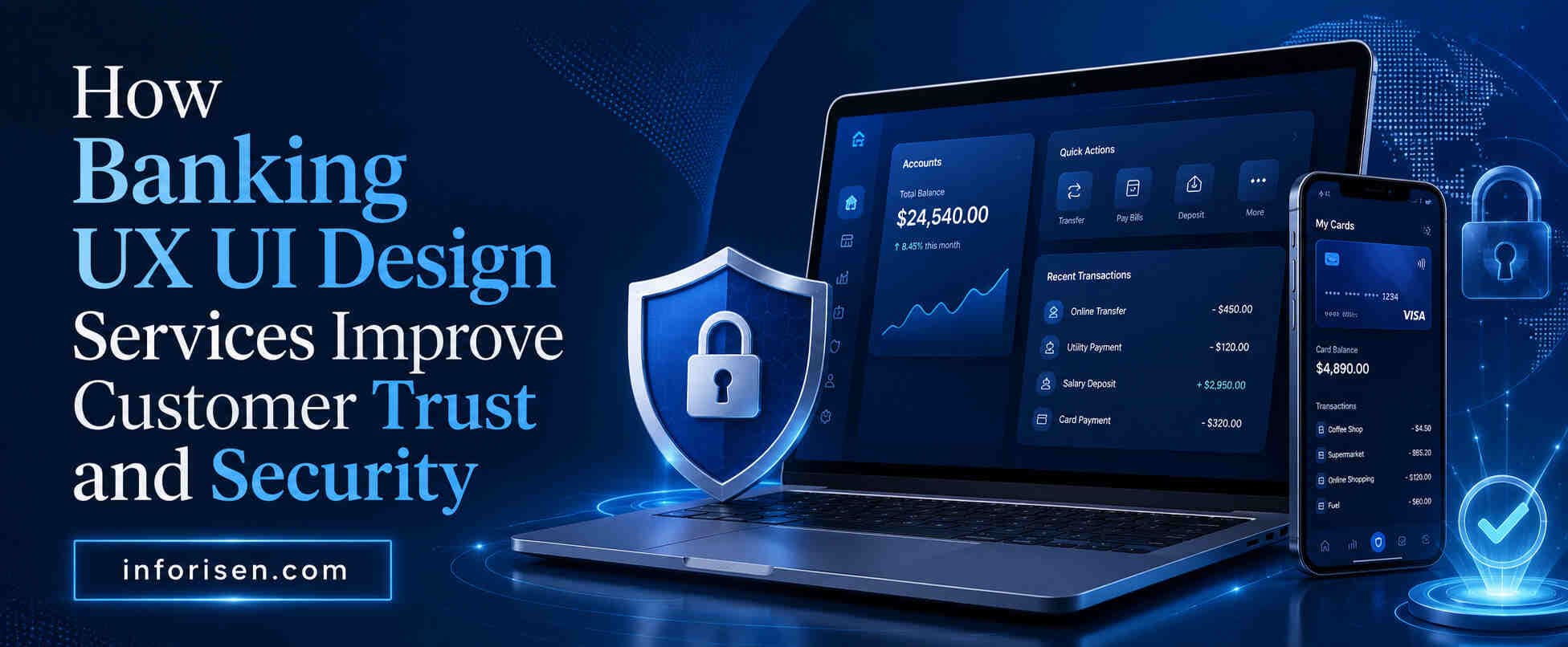
Banking UX UI Design Services for Trust and Security
Discover how Banking UX UI Design Services improve customer trust, strengthen security, reduce user errors, and create better digital banking experiences.
Digital banking has changed how customers manage money, transfer funds, pay bills, and access financial services. However, users will only trust a platform when their personal data and transactions feel protected.
Professional Banking UX UI Design Services help financial institutions create clear, secure, and user-friendly digital experiences. Good UX/UI design improves navigation, authentication, transaction transparency, accessibility, and error recovery.
By reducing confusion and making security features easier to understand, banking platforms can strengthen customer confidence, reduce mistakes, improve retention, and support long-term digital growth.
Why Customer Trust Is Essential in Digital Banking
Digital banking and fintech services have grown rapidly because customers expect convenient, fast, and accessible financial services. Many people now use mobile banking applications, online banking portals, digital wallets, payment platforms, and fintech products instead of visiting physical branches.
Although digital banking provides convenience, it also creates concerns related to security, privacy, fraud, identity theft, unauthorized transactions, and data misuse. Customers may hesitate to use a banking application when they do not understand how their information is protected or when the platform appears difficult to navigate.
Common customer concerns about online banking include:
- Unauthorized account access
- Phishing and fraudulent login attempts
- Personal data exposure
- Hidden charges or unclear transaction details
- Failed payments or delayed transfers
- Complex password recovery processes
- Confusing security warnings
- Unclear privacy policies
- Lack of transaction confirmation
- Difficulty reporting suspicious activity
A trustworthy digital banking experience helps customers feel informed and in control. Clear navigation, recognizable security features, accurate transaction updates, and transparent communication can reduce uncertainty and increase customer confidence.
Trust also plays a major role in customer loyalty and retention. When customers believe that a bank protects their information and provides a reliable digital experience, they are more likely to continue using its services, recommend the platform to others, and explore additional financial products.
On the other hand, a confusing or unreliable experience can quickly damage trust. Even a minor interface problem during a payment, login, or money transfer can make users question whether the platform is secure.
What Are Banking UX UI Design Services?
Banking UX UI Design Services focus on creating digital banking products that are secure, intuitive, accessible, visually consistent, and easy to use.
UX, or user experience design, determines how customers interact with a banking platform and how easily they can complete important tasks. It includes user research, information architecture, user flows, wireframes, usability testing, accessibility planning, and interaction design.
UI, or user interface design, controls the visual and interactive elements that customers see. It includes typography, colors, buttons, forms, icons, navigation menus, alerts, dashboards, transaction screens, and design systems.
A professional banking UX/UI design agency may provide services such as:
- Customer and stakeholder research
- Competitor and market analysis
- User journey mapping
- Information architecture
- Wireframing
- Interactive prototyping
- Mobile banking app design
- Online banking website design
- Dashboard and customer portal design
- Fintech product design
- Digital KYC experience design
- Design system development
- Accessibility optimization
- Usability testing
- Responsive interface design
- Developer handoff and design support
UX and UI work together to create a complete banking experience. UX ensures that the process is logical and efficient, while UI ensures that each screen is clear, professional, and visually trustworthy.
For example, the UX of a money transfer feature determines the number of steps, the order of information, and how users correct mistakes. The UI determines how the amount field, recipient details, confirmation button, security notice, and transaction result are displayed.
Both are necessary for building a banking platform that customers can use confidently.
How Banking UX UI Design Services Improve Customer Trust and Security
1. Designing Clear and Intuitive User Journeys
Customers use digital banking platforms to perform sensitive and important tasks. They may need to check balances, transfer funds, pay bills, block cards, download statements, update personal information, or report suspicious transactions.
A clear user journey helps customers complete these actions without confusion.
Professional Banking UX UI Design Services organize features according to customer needs and priorities. Important banking functions are placed in logical locations, while unnecessary complexity is removed.
Easy navigation allows users to find essential services quickly. A well-designed banking application may provide direct access to account balances, recent transactions, payments, transfers, cards, profile settings, and customer support.
Consistency is equally important. Similar buttons, labels, icons, and interaction patterns should behave the same way throughout the platform. When customers understand how one part of the interface works, they should be able to use other sections without relearning the system.
Clear user journeys also reduce confusion during critical tasks. Customers should always know:
- What information is required
- Which step they are currently completing
- What will happen after they continue
- Whether the action can be reversed
- Whether the transaction was successful
- What to do when an error occurs
Reducing uncertainty helps customers feel more secure and decreases the risk of accidental payments, incorrect transfers, or incomplete applications.
2. Creating Secure Login and Authentication Experiences
Login and authentication are among the most sensitive parts of a banking experience. These processes must prevent unauthorized access without creating unnecessary frustration for legitimate customers.
Multi-factor authentication, or MFA, improves account security by requiring more than one verification method. Customers may need to enter a password and then confirm their identity through a one-time code, authentication application, security key, or registered device.
The UX design of MFA should explain why additional verification is required and clearly guide users through each step. Customers should not feel that the system has suddenly blocked them or that something has gone wrong.
Biometric login options, including Face ID and fingerprint authentication, can make account access faster while maintaining strong security. The interface should explain how biometric information is used, where it is stored, and how customers can disable or reconfigure the feature.
Password recovery also requires careful design. A complicated process may frustrate customers, while an overly simple process may create security risks.
A secure password recovery experience may include:
- Identity verification
- One-time passwords
- Registered device confirmation
- Secure email or phone verification
- Clear password requirements
- Expiration notices
- Suspicious activity alerts
The goal is to minimize friction without weakening security. Customers should be able to recover access safely while understanding every step of the process.
3. Building Transparent Transaction Flows
Customers need clear information before, during, and after every financial transaction. Confusing transaction flows can create anxiety, errors, and support requests.
A transparent transaction process shows the recipient, transfer amount, fees, exchange rate, payment method, processing time, and expected completion date before the customer confirms the action.
Confirmation screens should be easy to review. Important details should not be hidden in long paragraphs or small text.
After a transaction is submitted, customers should receive an immediate status update. The platform should clearly indicate whether the transaction is:
- Successful
- Pending
- Processing
- Scheduled
- Failed
- Cancelled
- Refunded
- Under review
Transaction updates help customers understand what is happening and reduce repeated payment attempts.
Easy access to transaction history also improves trust. Customers should be able to search, filter, download, and review previous transactions. Each record should include clear information, such as the date, recipient, reference number, amount, fee, status, and payment method.
When customers can independently verify their financial activity, they feel more confident using the platform.
4. Improving Onboarding and Digital KYC
The onboarding process creates the first impression of a digital banking product. A complicated registration experience can make customers abandon the application before opening an account.
Professional Banking UX UI Design Services simplify onboarding by dividing account registration into clear and manageable steps.
A well-designed onboarding process may include:
- Basic personal information
- Contact verification
- Identity document submission
- Facial verification
- Address confirmation
- Account type selection
- Terms and consent
- Final review
Digital KYC, or Know Your Customer verification, is necessary for confirming identity and meeting financial regulations. However, users may feel uncomfortable when asked to provide sensitive information without proper explanation.
The interface should clearly explain:
- Why the information is required
- How the data will be protected
- Which documents are accepted
- How long verification may take
- What happens after submission
- How customers can correct rejected information
Secure identity verification may involve document scanning, biometric checks, liveness detection, database verification, or manual review.
Progress indicators, clear instructions, document examples, and real-time error messages can reduce user drop-offs. Instead of showing a general error, the platform should explain exactly what needs to be corrected.
A smooth onboarding and KYC experience demonstrates professionalism and helps customers feel comfortable sharing sensitive information.
5. Using Trust Signals Throughout the Interface
Trust signals are visual and informational elements that reassure customers that a banking platform is legitimate, secure, and responsible.
Security indicators can be placed throughout the interface, especially near login forms, payment screens, identity verification steps, and profile settings.
Useful trust signals may include:
- Secure connection indicators
- SSL and encryption messaging
- Privacy notices
- Data protection explanations
- Security badges
- Regulator information
- Fraud prevention messages
- Verified payment indicators
- Login activity notifications
- Device management options
- Customer support information
Trust signals should be clear and relevant. Too many security icons or technical statements may overwhelm users or make the interface appear suspicious.
Privacy notices should explain how customer data is collected, processed, shared, and stored. The information should be written in understandable language rather than relying only on complex legal terminology.
Fraud alerts and notifications are also important. Customers should receive timely warnings when unusual activity is detected, such as a login from a new device, multiple failed authentication attempts, a large transaction, or a change in account information.
These messages should explain what happened, what action has been taken, and what the customer should do next.
6. Enhancing Accessibility and Inclusive Design
A trustworthy banking platform should be usable by people with different abilities, devices, ages, and levels of digital experience.
Accessible UX/UI design improves readability, navigation, comprehension, and interaction.
Readable typography is essential because customers need to review financial information accurately. Text should have appropriate font sizes, spacing, alignment, and contrast.
High-contrast interfaces make important information easier to see. Color should not be the only method used to communicate a status. For example, a failed transaction should not be shown only in red. It should also include a clear label or icon.
Accessible banking interfaces may include:
- Keyboard navigation
- Screen reader compatibility
- Descriptive form labels
- Clear focus indicators
- Alternative text for meaningful images
- Resizable text
- Sufficient color contrast
- Large touch targets
- Simple language
- Clear error explanations
Easy navigation benefits all users, including older adults, people with disabilities, first-time digital banking customers, and users operating devices in challenging environments.
Inclusive design demonstrates that the financial institution values every customer. It also reduces errors and improves overall confidence in the platform.
7. Consistent UI Design Across All Banking Channels
Customers may interact with a financial institution through a mobile application, online banking website, customer portal, ATM interface, support platform, or branch service.
A consistent UI design across these channels strengthens recognition and trust.
The same visual language should be used across mobile and web banking platforms. This includes consistent typography, colors, icons, button styles, terminology, security messaging, and transaction status labels.
Brand consistency helps customers confirm that they are using an official platform. Sudden changes in layout, language, or appearance may cause customers to question whether a page is legitimate.
Consistency also reduces the learning curve. A customer who understands how to transfer money in the mobile application should encounter a similar process on the web platform.
A structured banking design system helps maintain consistency. It provides reusable components, interaction patterns, accessibility standards, spacing rules, and visual guidelines for designers and developers.
Design systems also make it easier to update products, introduce new features, and maintain security-related components across multiple platforms.
8. Continuous UX Testing and Security Improvements
Banking UX/UI design is not a one-time activity. Customer expectations, security threats, technologies, devices, and financial regulations continue to evolve.
Usability testing helps design teams understand how real customers interact with the banking platform. Testing may reveal confusing labels, difficult navigation, unclear security messages, or unnecessary steps.
Customer feedback also provides valuable information. Banks can collect feedback through surveys, support conversations, app reviews, interviews, analytics, and usability sessions.
Security-focused design updates may be required when new fraud patterns, authentication methods, compliance requirements, or customer concerns emerge.
Continuous improvement may include:
- Testing new authentication flows
- Simplifying transaction processes
- Improving fraud alerts
- Updating privacy messaging
- Optimizing accessibility
- Fixing confusing error states
- Improving device management
- Reducing onboarding abandonment
- Enhancing customer support access
Regular UX and security reviews allow financial institutions to identify risks before they damage customer trust.
Key Benefits of Investing in Banking UX UI Design Services

Investing in professional Banking UX UI Design Services provides both customer and business benefits.
Higher Customer Trust
A secure, transparent, and professional interface helps customers feel confident that their money and information are protected.
Better Customer Retention
Customers are more likely to continue using a digital banking platform when it is reliable, easy to navigate, and responsive to their needs.
Reduced User Errors
Clear instructions, confirmation screens, validation messages, and logical workflows reduce accidental transactions and incorrect data entry.
Increased Digital Banking Adoption
Simple onboarding, accessible navigation, and intuitive features encourage more customers to use online and mobile banking services.
Lower Support Requests
When customers can understand account information, transaction status, security settings, and error messages, they are less likely to contact support.
Stronger Brand Reputation
A polished and trustworthy banking experience strengthens the institution’s reputation and differentiates it from competitors.
For financial institutions with public-facing websites and online banking portals, user experience can also influence digital visibility and engagement. Understanding how UI/UX design affects SEO and website ranking can help businesses create platforms that serve both users and search engines more effectively.
Best Practices for Secure Banking UX/UI Design
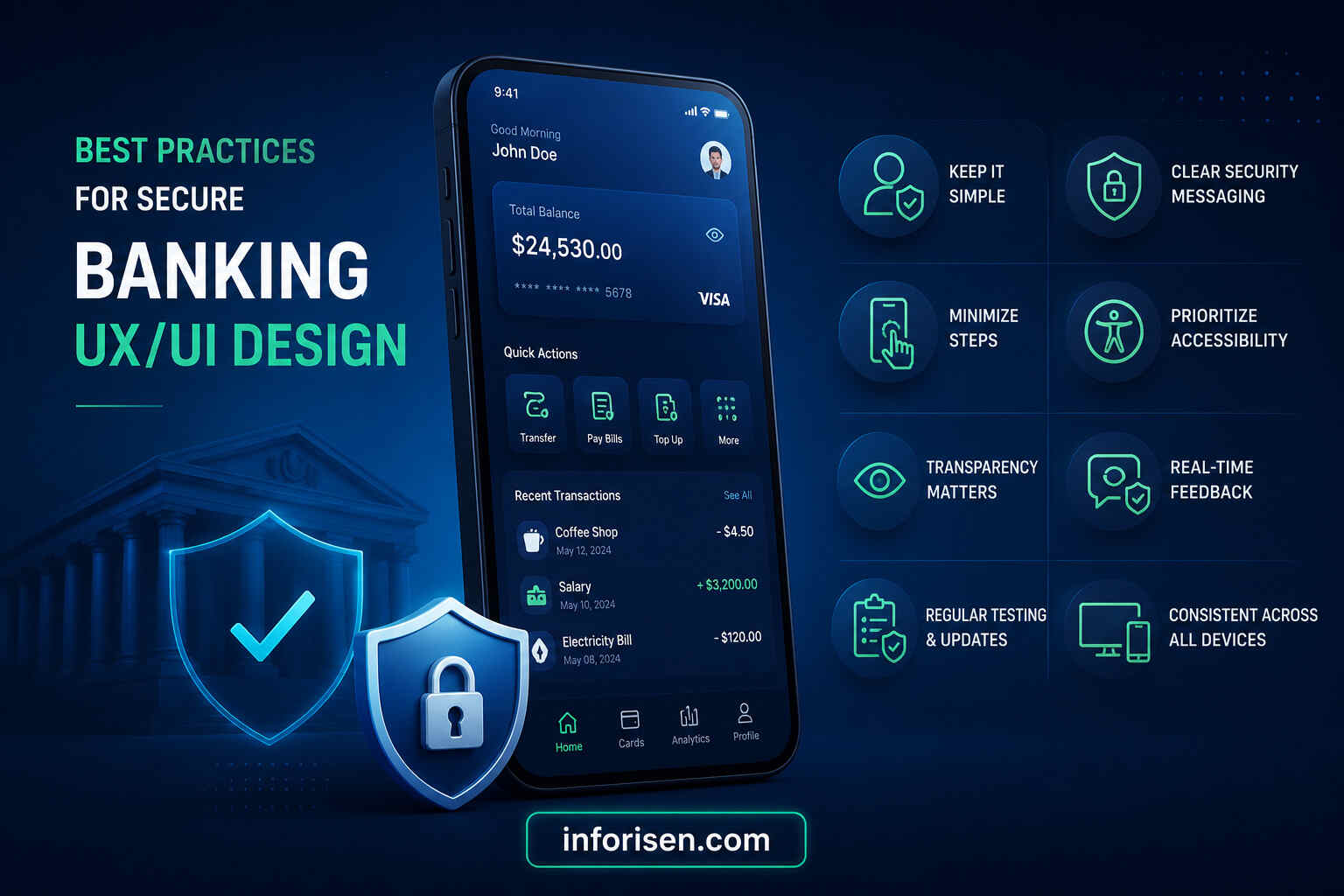
Secure banking UX/UI design should balance protection, usability, accessibility, and transparency.
Keep Interfaces Simple
Avoid unnecessary features, complicated navigation, crowded dashboards, and long forms. Simplicity helps customers make accurate decisions.
Use Clear Security Messaging
Explain why identity verification, authentication, permissions, or security checks are required. Customers should understand how each security feature protects them.
Minimize Unnecessary Steps
Remove steps that do not improve security, compliance, or task completion. Every screen should have a clear purpose.
Prioritize Accessibility
Use readable typography, strong contrast, keyboard support, screen reader compatibility, understandable language, and accessible form controls.
Regularly Test and Update Designs
Conduct usability testing, accessibility reviews, security assessments, analytics monitoring, and customer feedback analysis. Update the interface as customer needs and risks change.
Additional best practices include:
- Clearly display transaction details before confirmation
- Provide immediate feedback after important actions
- Use familiar language instead of technical terminology
- Design helpful error and recovery states
- Avoid using fear-based security messages
- Make support options easy to find
- Allow customers to review active sessions and devices
- Use consistent terminology across all channels
- Protect sensitive information on shared screens
- Confirm significant account changes
How to Choose the Right Banking UX UI Design Partner

Selecting the right UX/UI design partner is an important decision because banking products require specialized knowledge, security awareness, and regulatory understanding. Businesses exploring a broader digital product partnership can also learn more about choosing a reliable UI/UX design partner for B2B companies.
Experience in Banking and Fintech
Choose an agency with experience designing banking applications, fintech platforms, digital wallets, payment systems, financial dashboards, or customer portals.
Relevant experience helps the design team understand financial workflows, customer expectations, and industry challenges.
Knowledge of Financial Regulations
The design partner should understand that financial platforms must follow specific legal, privacy, security, accessibility, and compliance requirements.
The agency does not replace legal or compliance professionals, but its design process should support regulatory obligations.
Strong UX Research Process
A professional agency should conduct research before creating the final interface. This may include stakeholder interviews, customer research, competitor analysis, journey mapping, usability testing, and behavioral analysis.
Security-First Design Approach
Security should be considered throughout the design process, not added at the end. The agency should understand secure authentication, transaction confirmation, fraud alerts, privacy communication, identity verification, and error prevention.
Portfolio and Client Success Stories
Review the agency’s previous projects, case studies, design quality, problem-solving approach, and measurable results.
A strong portfolio should demonstrate more than attractive screens. It should explain the business problem, research process, design decisions, and outcomes.
Other important factors include:
- Clear communication
- Transparent project process
- Understanding of accessibility
- Ability to collaborate with developers
- Experience with responsive design
- Design system expertise
- Post-launch testing and support
Why Choose Inforisen for Banking UX UI Design Services
Inforisen provides professional UX/UI design solutions for businesses that need secure, scalable, responsive, and user-friendly digital products.
Its user-centered design methodology focuses on understanding customer needs, business objectives, technical requirements, and security expectations before creating the final interface.
For banking and fintech solutions, Inforisen can support the design of:
- Mobile banking applications
- Online banking platforms
- Fintech products
- Digital wallets
- Payment interfaces
- Customer dashboards
- Financial management tools
- Account onboarding systems
- Digital KYC experiences
- Secure customer portals
Inforisen focuses on creating experiences that help customers understand financial information, complete important tasks, and interact with digital services confidently.
Its design process may include user research, journey mapping, wireframing, interactive prototyping, responsive UI design, usability testing, design system development, and developer handoff.
Inforisen also understands the importance of balancing security with usability. Strong security features should protect customers without making basic banking tasks unnecessarily difficult.
By focusing on trust, usability, accessibility, scalability, and business growth, Inforisen helps financial organizations create digital experiences that support both customer satisfaction and operational efficiency.
Conclusion
Banking customers expect more than functional digital services. They expect financial platforms to be secure, transparent, easy to use, accessible, and reliable.
Professional Banking UX UI Design Services strengthen customer trust by creating clear user journeys, secure authentication experiences, transparent transaction flows, simple onboarding, visible trust signals, accessible interfaces, and consistent designs across all banking channels.
Good UX/UI design can also reduce user errors, increase digital adoption, lower support requests, improve retention, and protect a financial institution’s reputation.
As digital banking competition continues to increase, financial organizations should treat UX/UI design as an essential part of customer trust and security rather than only a visual improvement.
Contact Inforisen to build secure, user-friendly, and scalable banking experiences that strengthen customer confidence and support long-term business growth.
FAQs
1. How do Banking UX UI Design Services improve customer trust?
Banking UX UI Design Services improve customer trust by creating clear navigation, secure login processes, transparent transaction flows, accessible interfaces, and consistent security messaging. These elements help customers understand what is happening and feel more confident when managing sensitive financial information.
2. Why is security important in banking UX design?
Security is important because banking platforms handle personal data, account credentials, identity documents, and financial transactions. UX design ensures that security features are understandable, easy to use, and integrated into the customer journey without creating unnecessary confusion.
3. What security features should a modern banking app include?
A modern banking application should include multi-factor authentication, biometric login, encrypted communication, transaction confirmation, fraud alerts, device management, secure password recovery, session controls, and clear privacy settings.
4. How does good UX reduce banking fraud risks?
Good UX reduces fraud risks by helping customers identify legitimate actions, understand security warnings, review transaction details, recognize suspicious activity, and respond quickly to fraud alerts. It also reduces errors that attackers may attempt to exploit.
5. What should businesses look for in a banking UX/UI design agency?
Businesses should look for experience in banking or fintech, knowledge of financial regulations, a strong UX research process, a security-first design approach, accessibility expertise, responsive design capabilities, and a portfolio that demonstrates successful financial product design.



.webp&w=3840&q=75)
.jpg&w=3840&q=75)