Difference Between UI and UX Design With Example
Learn the difference between UI and UX design with example, real-world comparisons, designer roles, website benefits, and how UI and UX work together.
The difference between UI and UX design with example is simple: UI is what users see and touch, while UX is how users feel and move through the product. A good website or app needs both to work well.
A beautiful button, clean color, and modern layout can attract attention. But users stay only when the journey is smooth, fast, clear, and helpful. That is why UI and UX should never be treated as the same thing.
What is UI vs UX Design?
UI stands for User Interface. It includes the visual and interactive parts of a digital product. Buttons, icons, colors, fonts, spacing, forms, menus, and page layouts are all part of UI design.
UX stands for User Experience. It focuses on the complete journey a person has while using a website, app, or software. It answers questions like: Is the product easy to use? Can users find what they need? Do they feel confident while completing a task?
Here is a simple way to understand it. UI is the design of a restaurant menu. UX is the full dining experience, from entering the restaurant to ordering food, getting served, paying the bill, and leaving satisfied.
Quick UI and UX Design Comparison
| Area | UI Design | UX Design |
|---|---|---|
| Main focus | Look, layout, and interaction | Journey, usability, and satisfaction |
| Works on | Buttons, colors, typography, screens | Research, user flow, structure, testing |
| Goal | Make the product visually clear and attractive | Make the product useful, simple, and effective |
| Example | A green “Buy Now” button | Making checkout finish in fewer steps |
| Success metric | Visual consistency and ease of interaction | Task completion, retention, conversion, satisfaction |
This is why UI vs UX design explained properly should include both design appearance and user behavior. Next, let’s look at why people often mix them together.
UI vs UX Design Example
Understanding the difference between UI and UX is easier with real-world examples. UI focuses on how a website or app looks, while UX focuses on how easily users can complete their tasks. A successful digital product needs both an attractive interface and a smooth user experience.
Example 1: Food Delivery App
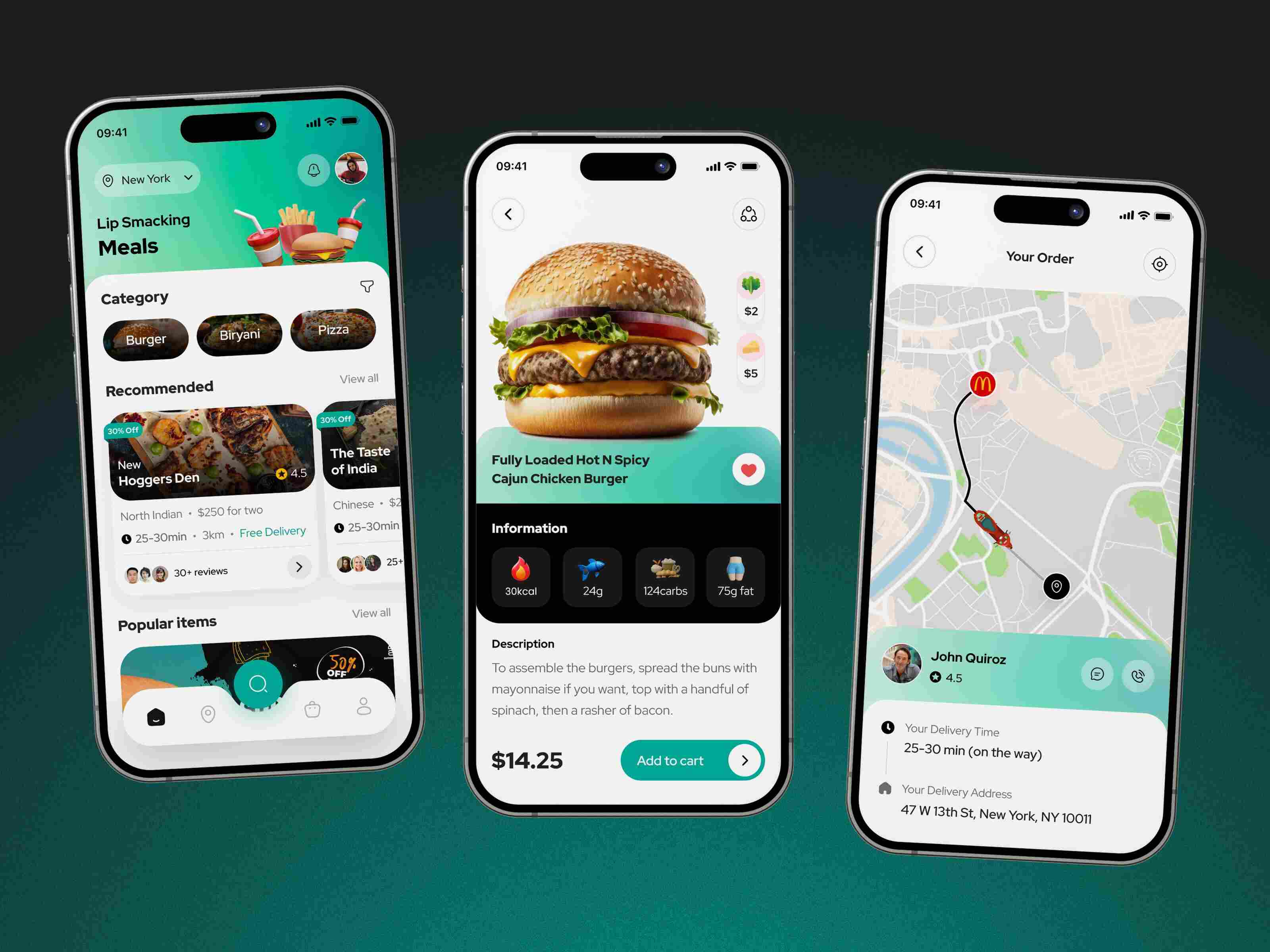
Good UI Example: A food delivery app with colorful food images, eye-catching buttons, clear icons, and modern typography has a good UI. The attractive design encourages users to browse restaurants, explore menus, and place orders.
Good UX Example: The app offers a great UX when users can quickly search for restaurants, apply filters, place an order in just a few steps, track delivery in real time, and complete payment without confusion. The entire ordering process feels simple, fast, and convenient.
Example 2: E-commerce Website
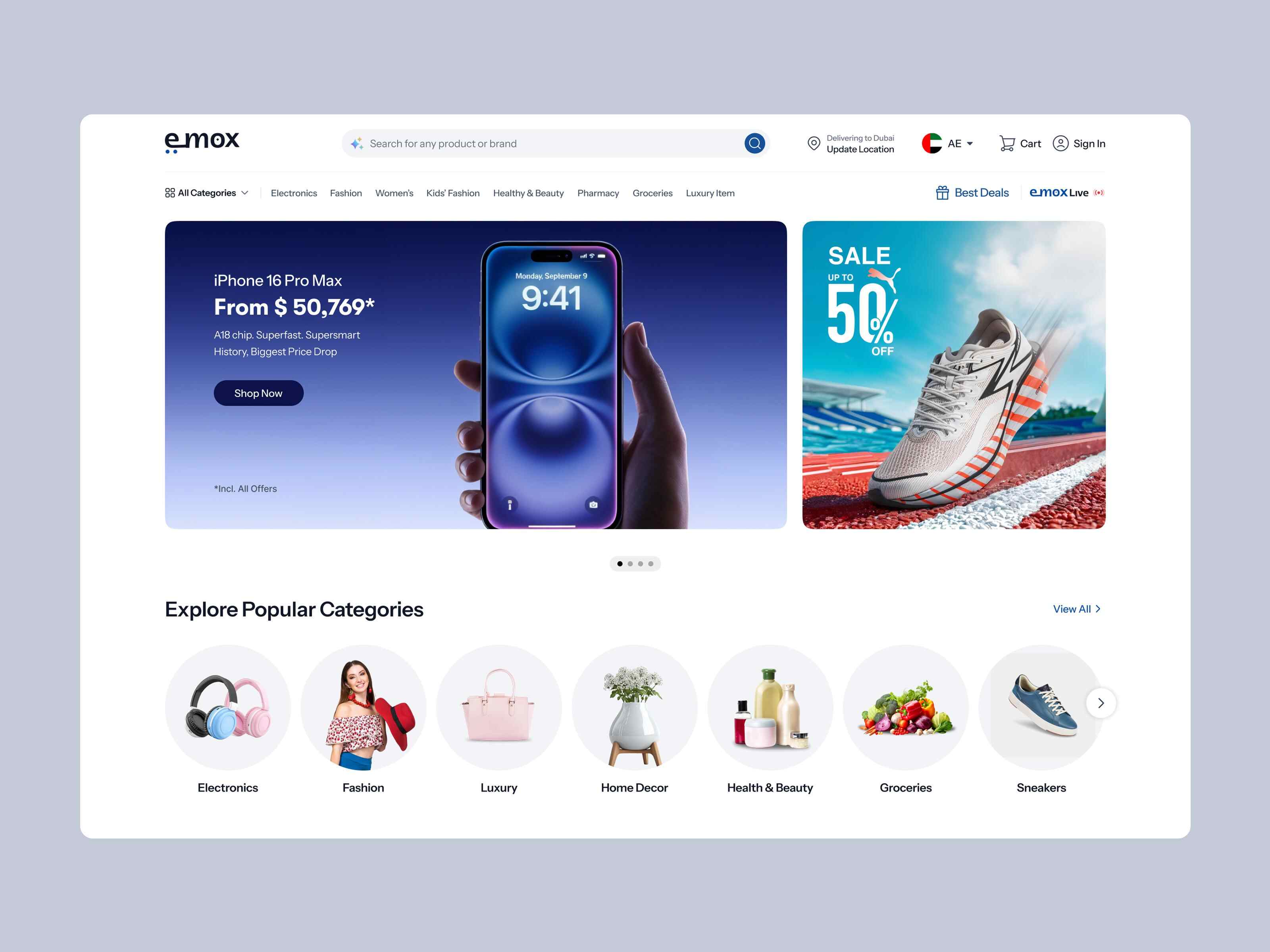
Attractive UI but Poor UX: An online store may look beautiful with high-quality product images, stylish layouts, modern animations, and attractive product pages. However, if customers struggle to find products, the search function is slow, or the checkout process requires too many steps, the UX is poor. As a result, many visitors leave the website without making a purchase.
Average UI but Excellent UX: Another online store may have a simple design with fewer visual effects, but it allows users to find products easily, compare items, add them to the cart, and complete checkout quickly. Even though the interface looks average, customers enjoy the shopping experience because everything works smoothly.
Example 3: Banking Mobile App
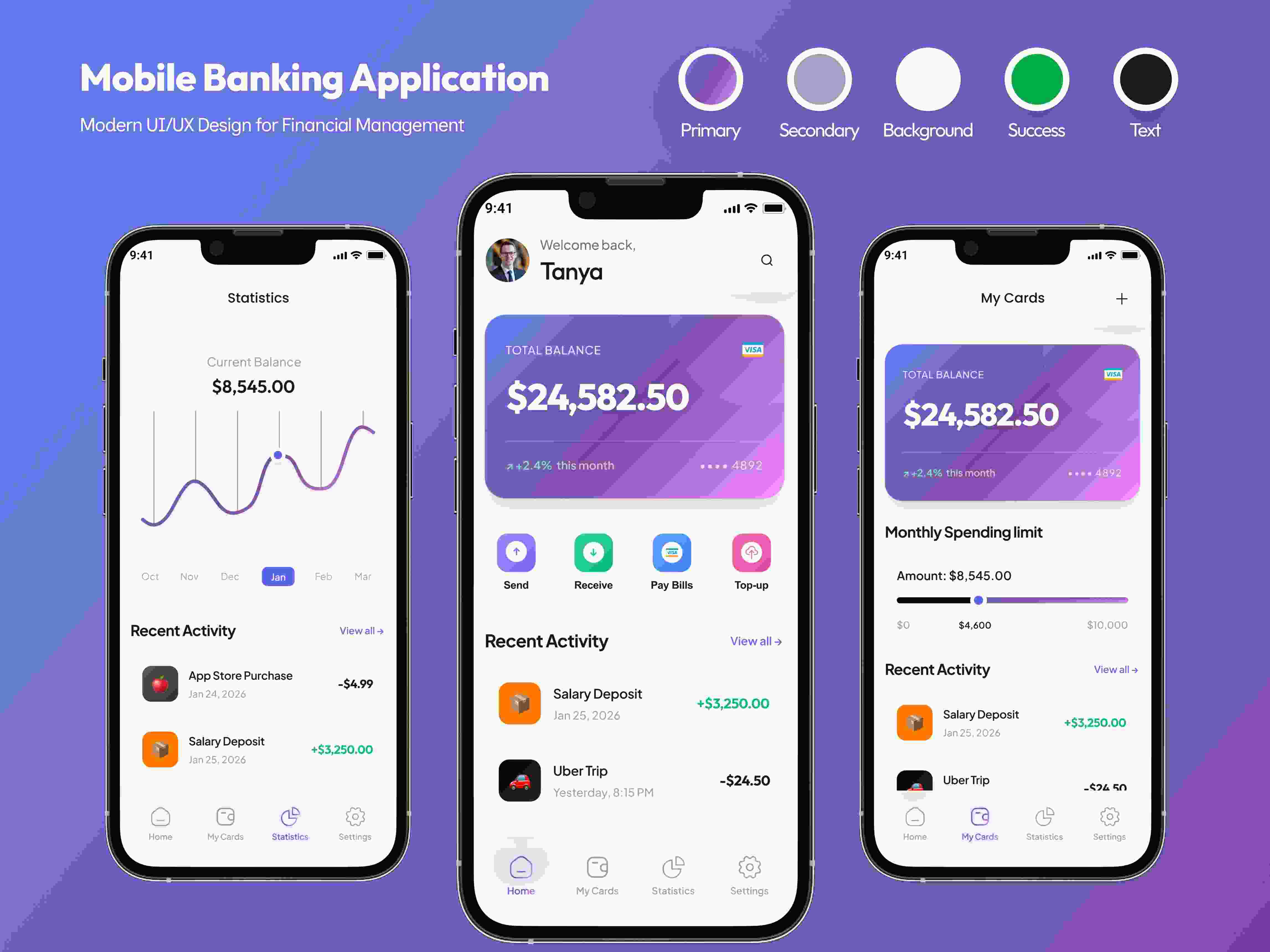
Good UI Example: A banking app with a clean dashboard, easy-to-read fonts, well-organized menus, clear icons, and consistent brand colors provides a great UI. Important information like account balance, recent transactions, and payment options is displayed neatly, making the app look professional and trustworthy.
Good UX Example: A banking app delivers an excellent UX when users can log in securely, transfer money, pay bills, check account statements, and manage cards without confusion. Features like biometric login, quick navigation, fast loading, and simple transaction flows help users complete tasks quickly and safely. This smooth experience builds customer trust and encourages them to use the app regularly.
What Does a UX Designer Do?
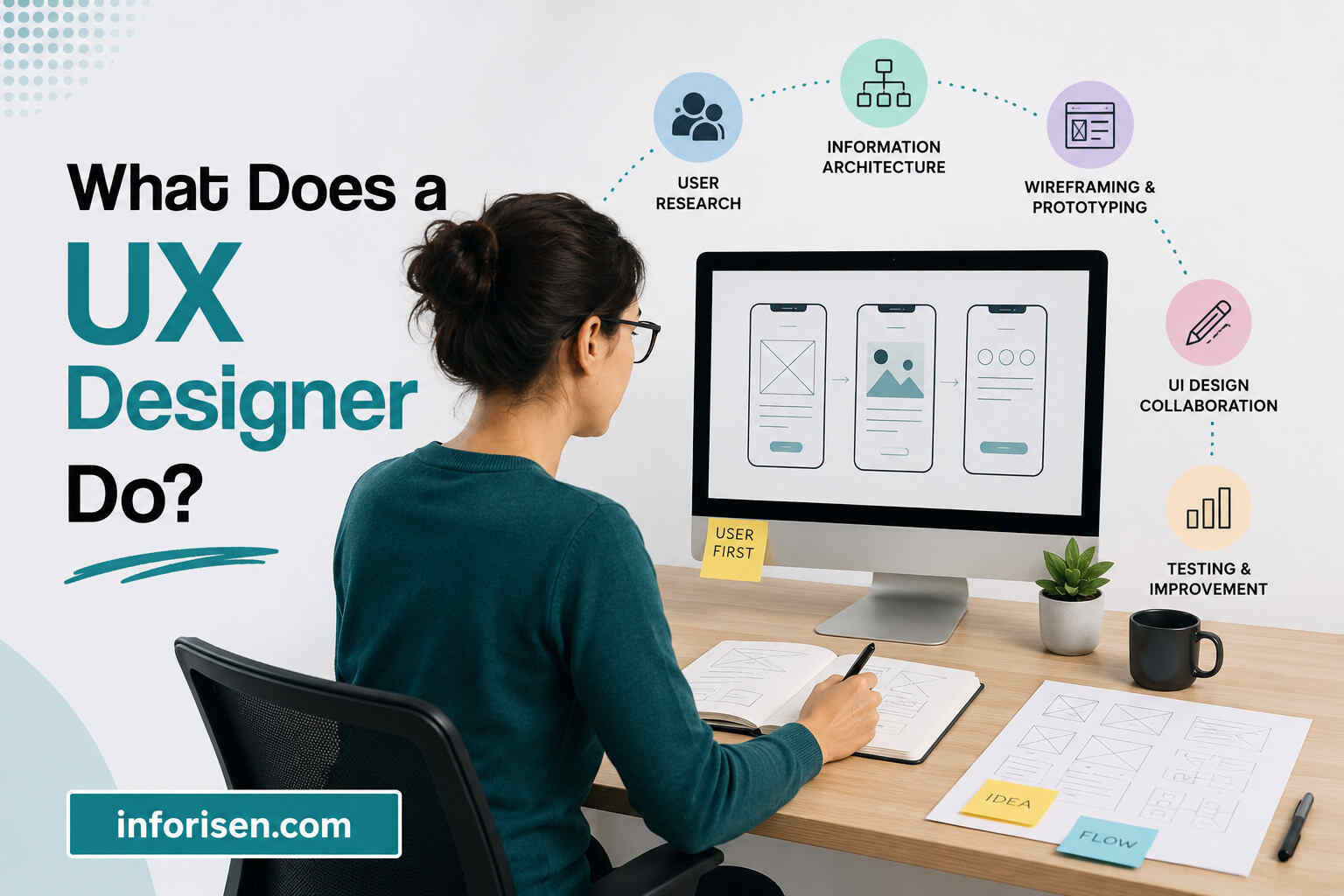
A UX designer focuses on user needs, product logic, and the full journey. Their work starts before the final screen design is created.
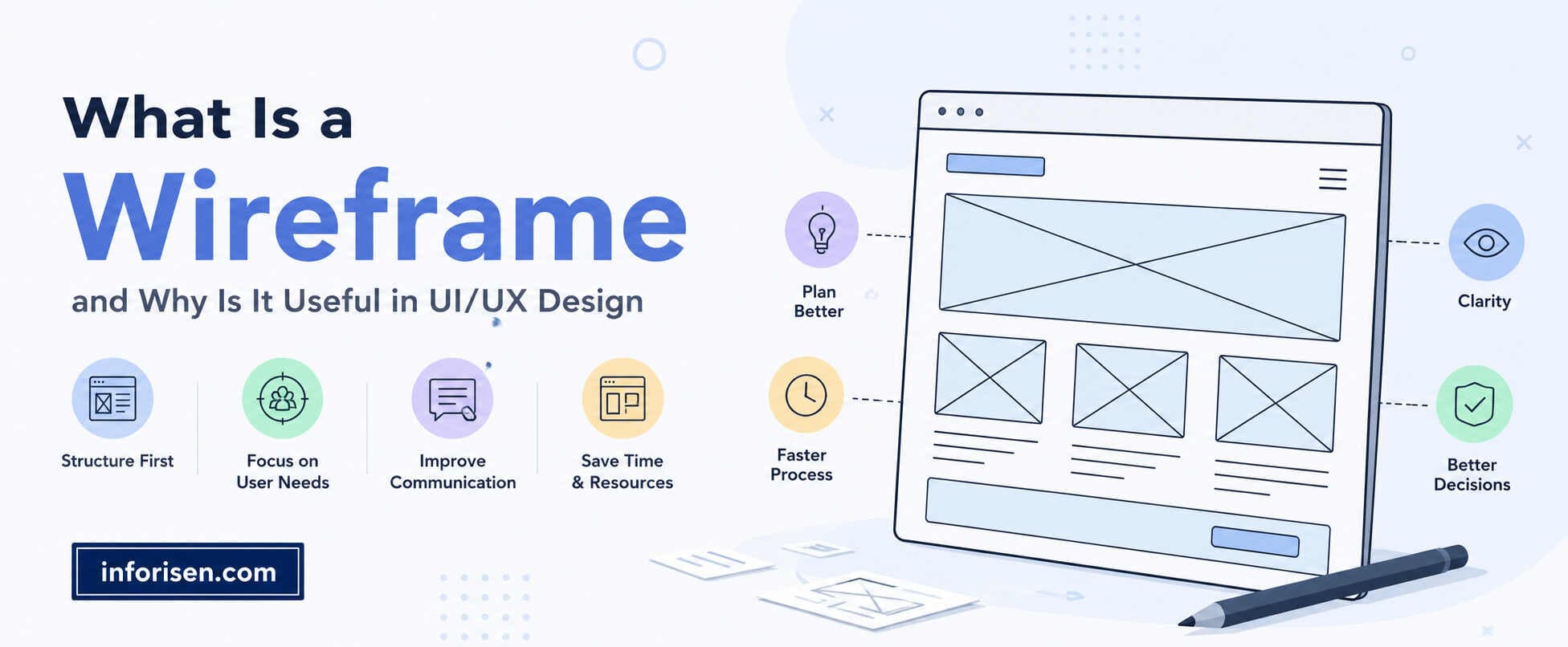
A UX designer studies users, maps problems, builds user flows, creates wireframes, tests ideas, and improves the product based on feedback. They try to remove friction from every step.
For example, a UX designer may notice that users leave a checkout page because there are too many fields. The solution may be to reduce the form, add progress steps, or show trust signals near payment.
UI Designer vs UX Designer Roles and Responsibilities
| Role Area | UI Designer | UX Designer |
|---|---|---|
| Research | Uses brand and product direction | Studies users, goals, pain points |
| Structure | Designs final screen layout | Creates user flows and wireframes |
| Visual work | Colors, icons, buttons, typography | Information structure and task logic |
| Testing | Checks visual consistency | Runs usability testing and journey review |
| Main question | Does it look clear and clickable? | Does it help users complete the task? |
This comparison shows that what does a UI designer do vs UX designer is not only about visuals versus research. It is about two connected layers of product success.
How UI and UX Work Together
UI and UX work best when they are planned together. UX decides what should happen in the journey, and UI decides how that journey should appear on the screen.
For example, a UX designer may decide that a sign-up form should have only three fields. Then the UI designer makes the form visually clean, easy to scan, and mobile-friendly.
A UX designer may also decide that users need a comparison table before buying. The UI designer then designs that table with spacing, colors, icons, and readable text.
This is how UI and UX work together in real projects. UX creates the path. UI makes the path visible, attractive, and easy to follow.
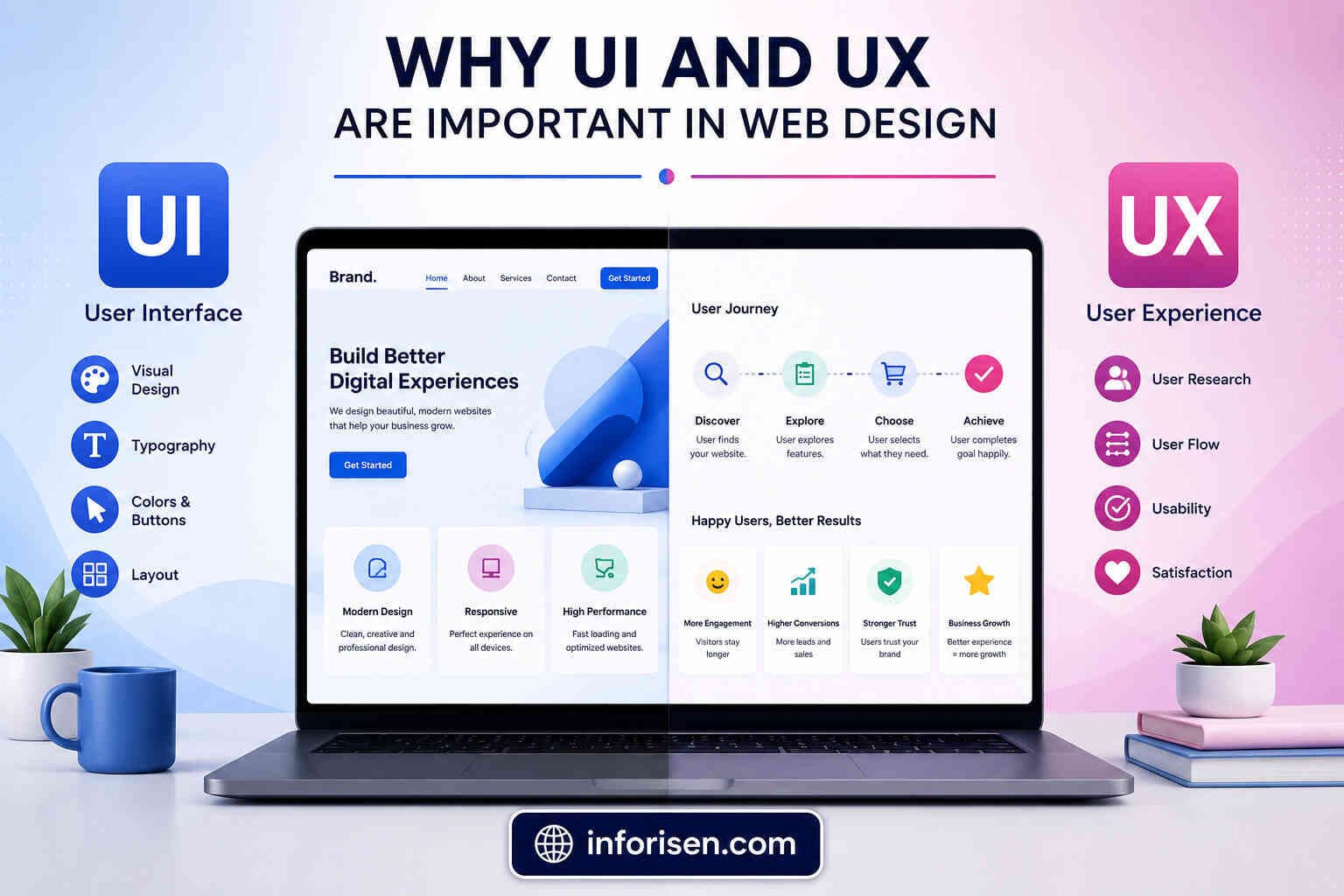
Why UI and UX Are Important in Web Design
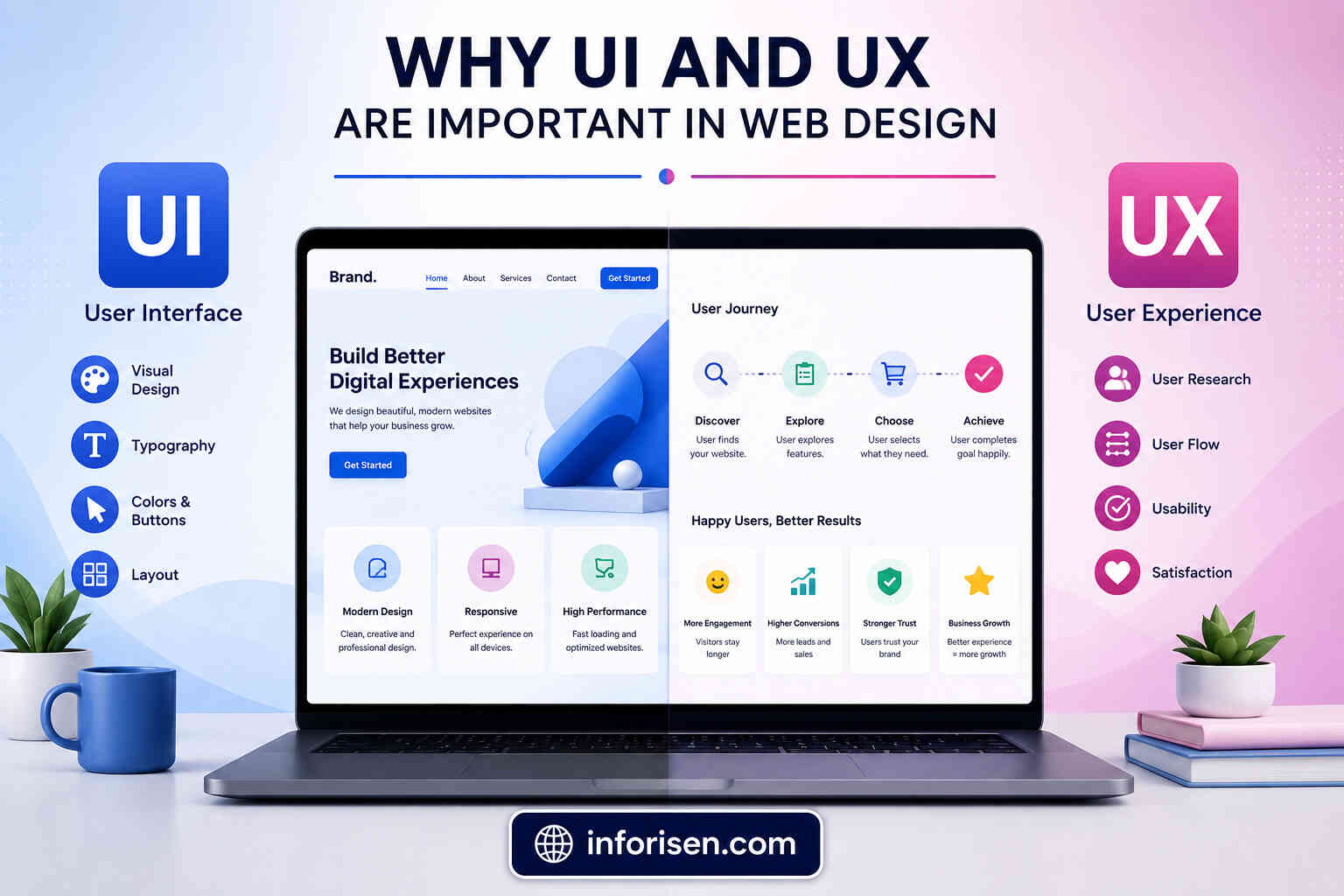
A website is not only a digital brochure anymore. It is often the first place where customers judge a business, compare services, read proof, and decide whether to contact the company.
Strong UI helps build the first impression. It makes the website feel modern, trustworthy, and organized. Strong UX helps visitors understand the offer, trust the company, and take action without confusion.
This is also connected to search performance. A slow, confusing, or hard-to-use website can reduce engagement and conversions. The topic of how UI UX design affects SEO and website ranking is important because design quality can influence how users behave on a page.
Search engines and AI-driven search systems are becoming better at understanding helpful content, page experience, structure, and user satisfaction signals. A website with clear navigation, useful content blocks, readable layouts, and strong internal flow gives both users and crawlers a better experience.
UI vs UX Design for Mobile Apps
Mobile apps need extra attention because screen space is limited. A design that works on desktop may not work well on mobile.
For mobile UI, the designer must focus on thumb-friendly buttons, readable text, strong contrast, clear icons, and simple navigation. Every visual element must fit smaller screens without feeling crowded.
For mobile UX, the designer must reduce steps, simplify forms, support quick actions, and prevent user frustration. A mobile banking app, ride-sharing app, or ecommerce app can lose users quickly if the journey feels slow or confusing.
This is why ui vs ux design for mobile apps should not be judged only by how the app looks. A mobile app must feel fast, predictable, and easy to use from the first tap.
15 Differences Between UI and UX Design With Examples
UI (User Interface) and UX (User Experience) are closely connected, but they have different purposes. UI focuses on the visual appearance and interactive elements of a website or app, while UX focuses on how users feel and how easily they can complete their goals.
| Aspect | UI (User Interface) | UX (User Experience) | Example |
|---|---|---|---|
| 1. Meaning | Focuses on the look and feel of a product. | Focuses on the overall user journey. | A colorful button (UI) vs. an easy checkout process (UX). |
| 2. Goal | Make the interface visually appealing. | Make the product easy and enjoyable to use. | Attractive homepage vs. simple navigation. |
| 3. Focus | Colors, fonts, icons, buttons, and layouts. | User behavior, usability, and satisfaction. | Modern design vs. quick task completion. |
| 4. Design Process | Creates the visual interface. | Researches, plans, and improves user interactions. | Designing buttons vs. mapping user flow. |
| 5. User Research | Limited involvement. | Extensive user research and testing. | Color selection vs. customer interviews. |
| 6. Navigation | Makes menus look attractive. | Ensures users can find information easily. | Stylish menu vs. logical menu structure. |
| 7. Wireframes | Turns wireframes into polished designs. | Creates wireframes based on user needs. | High-fidelity mockup vs. low-fidelity wireframe. |
| 8. Success Metric | Visual consistency and brand appeal. | User satisfaction, task completion, and conversions. | Beautiful interface vs. reduced bounce rate. |
| 9. User Interaction | Designs interactive elements. | Optimizes how users interact with them. | Attractive form fields vs. easy form completion. |
| 10. Problem Solving | Solves visual design problems. | Solves usability and user pain points. | Better icons vs. fewer checkout steps. |
| 11. Accessibility | Improves readability and visual clarity. | Ensures everyone can use the product easily. | High-contrast colors vs. keyboard-friendly navigation. |
| 12. Deliverables | UI mockups, design systems, prototypes. | User personas, journey maps, wireframes, usability reports. | Figma screens vs. user flow diagrams. |
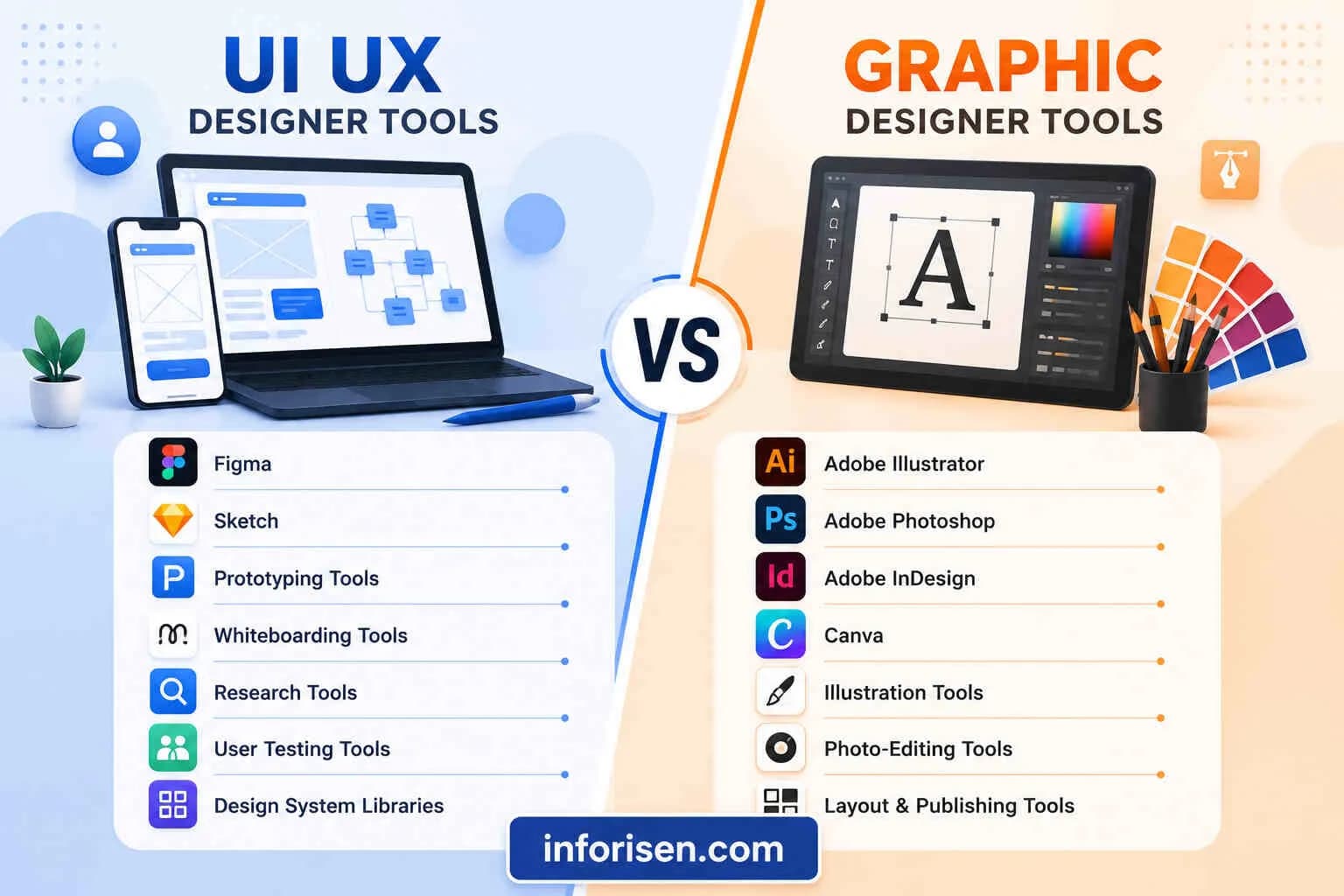
| 13. Main Tools | Figma, Adobe XD, Sketch. | Figma, Miro, Maze, Hotjar, UserTesting. | Designing screens vs. testing user behavior. |
| 14. Business Impact | Builds a strong first impression. | Increases engagement, retention, and conversions. | Attractive landing page vs. higher sales. |
| 15. Real-World Example | A banking app with clean icons and modern colors. | A banking app that lets users transfer money in seconds. | Beautiful dashboard vs. fast and simple transactions. |
Which Is Better UI or UX Design?
The question which is better ui or ux design does not have a one-sided answer. A successful digital product needs both.
Good UI without UX can look attractive but fail to perform. Good UX without UI can work logically but feel plain, outdated, or less trustworthy. Users expect products to be both useful and visually clear.
For business websites, ecommerce stores, SaaS platforms, and mobile apps, UX usually guides the strategy first. UI then brings that strategy to life with a polished interface.
How to Know Your Website Needs Better UI or UX
A website can show signs of weak UI or weak UX. These signs help business owners understand where the real problem may be.
Weak UI often appears when the website looks outdated, the text is hard to read, the buttons are not clear, or the layout feels inconsistent. Users may not trust the brand because the visual design does not feel professional.
Weak UX appears when visitors cannot find important pages, leave before completing forms, get confused about services, or need too many steps to take action.
Common signs include:
- Visitors leave important pages quickly
- Contact forms get views but few submissions
- Users ask questions already answered on the website
- Mobile visitors do not convert well
- CTAs are visible but not clicked
- Service pages look good but do not explain the value clearly
When Should a Business Hire a UI UX Designer?

A business should hire a UI UX designer when the website or app is important for leads, sales, trust, or customer service. Poor design can quietly reduce performance every day.
The phrase hire ui ux designer for website usually comes from businesses that already know their website is not converting properly. But the best time to involve design is before major development or redesign decisions are made.
Does a UI UX Designer Need Coding?
A UI UX designer does not always need coding, but basic technical understanding helps. Designers who understand development limits can create designs that are easier to build.
The question does a ui ux designer need coding is common because many beginners think design and development are the same career path. In real projects, designers and developers work closely, but their responsibilities are different.
How a Good UI UX Design Company Builds Better Products
The best UI UX design company does not start with colors first. It starts with users, business goals, competitors, content structure, and conversion paths.
Good design is not decoration. It is problem-solving. That is why UI and UX should be planned as part of the full business growth strategy.
Frequently Asked Questions
What is the difference between UI and UX design?
UI design focuses on the visual and interactive parts of a website or app, such as buttons, colors, icons, and layouts. UX design focuses on the full user journey, including ease of use, flow, clarity, and satisfaction.
Is UI and UX design the same thing?
No, UI and UX design are not the same thing. UI is about how the product looks and responds on the screen. UX is about how the product works for the user from start to finish.
Can you give a simple UI and UX design example?
In an ecommerce website, the UI includes the product cards, cart button, checkout form, and color style. The UX includes how easily users find products, add items to cart, pay, and receive order confirmation.
Which is more important, UI or UX?
Both are important. UX often shapes the journey first, while UI makes that journey visually clear and easy to use. A product needs both to attract users and help them complete actions.
What does a UI designer do vs UX designer?
A UI designer works on visual elements like layouts, typography, buttons, icons, and screen design. A UX designer works on research, user flows, wireframes, usability testing, and improving the complete journey.
Why are UI and UX important for websites?
UI and UX are important because users judge a website quickly. Good UI builds trust, while good UX helps visitors find information, understand services, and take action without confusion.
Is UI UX design only for apps?
No, UI UX design is not only for apps. It is used for websites, SaaS platforms, ecommerce stores, dashboards, booking systems, mobile apps, and many other digital products.
Final Words
UI and UX are different, but they are strongest when they work together. UI makes the product visually clear and interactive. UX makes the product useful, smooth, and meaningful for the user.
A website or app with strong UI but weak UX may look good but fail to convert. A product with strong UX but weak UI may work well but fail to build trust. The best result comes from combining both with research, structure, design, testing, and improvement.

.webp&w=3840&q=75)
.jpg&w=3840&q=75)