.webp&w=3840&q=75)
ByShuman Chandra DasReviewed by:Yunus A. Polash
Human WrittenHow to Build Enterprise Software: Complete Guide 2026
How to build enterprise software starts with clear requirements, the right technology, secure architecture, testing, and long-term planning. This guide explains the full development process, team roles, costs, timelines, scalability, integrations, and practical steps for building reliable enterprise systems successfully.
Building enterprise software starts with a clear business problem and defined user needs. Identify the processes to improve, system users, required data, and tools the software must connect with. This provides a foundation for how to build enterprise software for current needs and future growth.
Custom software development involves more than writing code. Teams must plan the architecture, integrations, data management, user experience, security, testing, deployment, and maintenance. A clear plan reduces complexity and helps teams make better decisions as requirements change. This article covers the process from requirements and architecture to development, integration, testing, deployment, scaling, and maintenance. It also covers decisions related to cost, performance, security, compliance, and maintainability.
What Is Enterprise Software?
Enterprise software supports key business operations across an organization, including finance, sales, customer relationships, inventory, human resources, reporting, and internal workflows. Common examples include Enterprise Resource Planning (ERP), Customer Relationship Management (CRM), supply chain management, HR, and business intelligence software. These systems connect through APIs, cloud infrastructure, and secure databases to help departments share information.
Unlike smaller applications, enterprise software is built to handle large volumes of users, data, and business activity. Security, scalability, integration, access control, and reliability are therefore essential.
Enterprise software can help businesses:
- Automate workflows: Reduce manual work in areas such as approvals, reporting, and data entry.
- Centralize data: Keep important information in connected systems.
- Improve visibility: Provide clearer access to data and reports for better decision-making.
According to Software Path’s 2022 ERP Software Project Report, business growth was the leading reason organizations implemented ERP software, accounting for 31.1% of responses. Greater functionality accounted for 20.3%, while improved efficiency accounted for 13.03%.
Source: Software Path, “2022 ERP Software Project Report”
Common Types of Enterprise Software
-(1).webp)
Enterprise software can support larger businesses in managing everyday operations, connecting teams, organizing data, and ensuring critical business processes run smoothly. There are several systems that support various components of a business.
Examples of enterprise software are:
- Enterprise Resource Planning (ERP):Integrates finances, inventory, purchasing, operations, and other key business functions into a single system.
- Customer Relationship Management (CRM):Supports sales and support staff with customer information, leads, sales activity and communication.
- Supply Chain Management (SCM):It monitors products, suppliers, orders, stock and the flow of products from one place to another.
- Human Resource Management (HRM):Manages employee records, payroll, employee recruitment and attendance, employee benefits and employee performance.
- Business Intelligence (BI):Converts business data into reports, dashboards and insights that can inform decision makers.
- Document Management Systems: Store, organize, share, and manage access to company documents and crucial files.
These systems are not only used separately, but many companies integrate them via APIs and cloud services. This enables teams to access shared data more quickly, avoids repetitive tasks, and simplifies cross-departmental task automation.
Why Businesses Build Custom Enterprise Software
Businesses choose custom enterprise software when off-the-shelf tools don’t meet their needs. Standard software often falls short when it comes to supporting workflows, specific data setups or long-term plans for growth. A custom system is built to fit the way a company really operates. It can automate tasks linking existing tools and provide a single clear place for teams to manage critical information.
With custom software companies have control. They can manage how the system scales, connect it to services, set user permissions exactly as needed and maintain strong security. As the business expands developers can add features to support more users, integrate additional platforms and boost performance all without needing to replace the entire system. This flexibility helps businesses grow smoothly and efficiently.
What to Consider Before Building Enterprise Software
Before development starts, define what the software needs to solve and who will use it. Clear requirements help reduce unnecessary features, control costs, and keep the project focused. You should also review your existing systems, data sources, integrations, security needs, and future growth plans.
A strong plan should cover budget, timeline, technology, compliance, scalability, and long-term maintenance. These decisions shape the enterprise software architecture and help the development team avoid expensive changes later.
Define the Business Problem
Start with the problem, not the features. Identify slow workflows, disconnected systems, repeated manual work, reporting gaps, or other issues that affect productivity or decision-making. A clear business problem makes it easier to decide what the software must do and which features should come first.
Identify Users and Requirements
List the people who will use the system, such as managers, employees, customers, administrators, or external partners. Each group may need different dashboards, permissions, workflows, and access levels. Gather requirements directly from key users before development begins. This reduces confusion and helps the final product support real day-to-day work.
Set Your Budget and Timeline
Set a realistic budget based on project size, features, integrations, security requirements, and team structure. Complex enterprise systems often need more time for planning, testing, migration, and deployment than smaller applications. Build the project in phases when possible. A phased approach lets you launch the most important features first, test them with real users, and expand the system over time.
Plan Security and Compliance Requirements
Security should be part of the project from the beginning. Plan for authentication, role-based access, data encryption, secure APIs, backups, monitoring, and activity logs before developers start building core features. You should also check which regulations apply to your industry and location. Depending on the business, this may include requirements related to data privacy, financial records, healthcare information, or internal security policies.
How to Build Enterprise Software Step by Step

Learning how to build enterprise software becomes easier when you follow a clear process from planning to long-term maintenance. A strong enterprise software development process starts with business requirements, then moves through architecture, development, enterprise software integration, testing, deployment, and scaling. The goal is not only to launch working software. You also need a secure, maintainable, and scalable enterprise software system that can support more users, data, integrations, and business processes over time.
Step 1: Define Your Enterprise Software Requirements
Start by listing the problems the software must solve. Identify users, workflows, required features, data sources, permissions, integrations, and expected business outcomes. Separate essential features from optional ones. Clear requirements help the development team estimate cost, choose the right technology, and avoid unnecessary changes later.
Step 2: Choose the Right Development Approach
Decide whether you need fully custom enterprise software, low-code development, or customization of an existing platform. Base this decision on project complexity, budget, security needs, and future growth. Custom development usually gives you more control over workflows, integrations, and scalability. Existing platforms may work better when your requirements are more standard and you need a faster launch.
Step 3: Select the Technology Stack
Choose technologies that fit the size and needs of the project. Consider frontend frameworks, backend technologies, databases, API integration, hosting, and development tools. For example, teams may use React for the frontend, Node.js, Java, .NET, or Python for the backend, and PostgreSQL or other databases. Cloud services such as AWS can also support storage, computing, backups, and scaling.
Step 4: Design the Software Architecture
Plan the enterprise software architecture before writing large amounts of code. Decide how users, databases, services, APIs, security layers, and external platforms will work together. You may use a monolithic structure for a simpler system or microservices for complex applications that need independent services. The right architecture should support performance, security, integration, and future growth.
Step 5: Create the UI and UX Design
Design the software around the people who will use it every day. Keep dashboards, navigation, forms, reports, and workflows clear and easy to understand. Create wireframes and prototypes before full development. Early feedback from real users can reveal confusing steps and reduce expensive design changes later.
Step 6: Develop the Enterprise Software
Developers now turn the approved designs and architecture into working software. They build the frontend, backend, databases, APIs, authentication, business logic, and administration features. Teams can use DevOps practices to manage code changes, automated builds, testing, and deployments. Tools such as Docker and Kubernetes may also help manage applications across different environments when the project requires them.
Step 7: Integrate Existing Business Systems
Most enterprise applications need to connect with systems the business already uses. These may include ERP, CRM, accounting platforms, payment systems, HR software, or internal databases. Plan each enterprise software integration carefully. Secure APIs and consistent data formats help different systems exchange information without creating duplicate records or manual work.
Step 8: Test Security, Performance, and Functionality
Test every important workflow before launch. Check features, integrations, permissions, databases, usability, performance, and compatibility across supported devices and environments. Enterprise software security also needs dedicated testing. Review authentication, role-based access, encryption, API security, backups, and potential vulnerabilities before real business data enters the system.
Step 9: Deploy the Software
Move the tested application into the production environment using a planned release process. Configure databases, domains, servers, cloud infrastructure, security settings, monitoring, and backups. For larger systems, consider a phased rollout rather than releasing everything at once. This gives the team time to identify problems, collect feedback, and reduce disruption to daily operations.
Step 10: Monitor, Maintain, and Scale
Enterprise software development continues after launch. Monitor system performance, errors, security events, user activity, and infrastructure so the team can fix issues before they affect more users. As demand grows, improve database performance, add computing resources, optimize APIs, and expand features when necessary. Regular updates and maintenance keep the software secure, reliable, and ready for future business growth.
Enterprise Software Development Team
A strong enterprise software development project needs more than developers. It usually brings together people who understand business goals, user needs, technical architecture, testing, security, and deployment. Each role supports a different part of the project and helps reduce mistakes.
The exact team size depends on the software complexity. A smaller internal system may need only a few specialists, while a large platform may require multiple developers, QA engineers, DevOps specialists, security experts, and business analysts.
Project Manager
The project manager keeps the work organized from planning to launch. They manage deadlines, priorities, communication, risks, resources, and progress so the team stays aligned with the business goals.
Business Analyst
A business analyst turns business needs into clear software requirements. They study workflows, talk with users, identify problems, and help developers understand what the system must actually do.
UI/UX Designer
The UI/UX designer service makes the software easier to use. They create user flows, wireframes, dashboards, forms, and interfaces that help employees complete daily tasks with less confusion.
Frontend and Backend Developers
Frontend developers build the parts users see and interact with. Backend developers handle databases, APIs, business logic, authentication, integrations, and server-side processes.
QA Engineers
QA engineers test the software before and after release. They check features, workflows, integrations, performance, compatibility, and errors to make sure the system works as expected.
DevOps and Security Engineers
DevOps engineers manage deployment, automation, infrastructure, monitoring, and system reliability. Security engineers focus on access control, encryption, vulnerabilities, backups, and protection of sensitive business data.
How to Choose the Right Enterprise Software Technology
Choose technology based on your business needs, system size, users, data, integrations, security, maintenance, and future growth.
Common options include React or Angular for the frontend, Java, .NET, Node.js, or Python for the backend, and PostgreSQL for the database. AWS, Azure, and Google Cloud support hosting and scaling, while Docker and Kubernetes suit larger systems.
The right stack should also support development, integration, deployment, and long-term maintenance. Explore software development services for support with custom applications, integrations, scalable architecture, testing, and maintenance.
How Much Does It Cost to Build Enterprise Software?
Enterprise software costs vary based on project scope, complexity, features, integrations, security requirements, and ongoing maintenance. A simple internal tool will cost less than a large ERP, CRM, or multi-department platform.
According to Clutch’s 2026 software development pricing data, most reviewed custom software projects cost between $10,000 and $49,999. The average project cost is approximately $132,480, with an average monthly cost of about $10,209. These figures are general benchmarks, so complex enterprise systems may require a larger budget.
Source: Clutch Software Development Pricing Guide
For a more accurate estimate, define the required features, integrations, security needs, infrastructure, and maintenance plan before requesting a development quote.
How Long Does Enterprise Software Development Take?
Enterprise software development can take several months or longer, depending on the project’s scope and complexity. A small internal system may be completed quickly, while a larger platform with multiple integrations, complex workflows, data migration, security requirements, and approval processes will take longer.
The timeline includes more than coding. Requirements analysis, architecture planning, UI/UX design, development, testing, deployment, and user feedback all require time. Architecture decisions also affect how easily the system can be built and maintained. This guide to composable architecture for web development explains how modular components work together.
Dividing the project into phases makes it easier to manage. Teams can prioritize essential features, test them with users, fix issues early, and add more capabilities over time.
Common Enterprise Software Development Challenges
Enterprise projects often become difficult when requirements change, old systems cannot connect easily, or teams underestimate security and data complexity. These issues can slow development and increase costs if they appear late in the project. Good planning reduces many of these problems. Clear documentation, regular communication, early testing, realistic timelines, and careful architecture decisions help teams manage risk before it becomes expensive.
Changing Requirements
Business needs can change while development is still in progress. Review priorities regularly and keep requirements documented so the team can handle changes without losing control of the scope.
Legacy System Integration
Older systems may use outdated databases, APIs, or data formats. Test integrations early and plan how information will move between the legacy system and the new platform.
Security and Compliance
Enterprise systems often handle sensitive employee, customer, or financial data. Build security into the architecture from the beginning instead of treating it as a final-stage task.
Scalability Issues
Software that works for 100 users may struggle with 10,000. Plan database performance, server capacity, APIs, caching, and cloud resources around expected future demand.
Data Management
Poor-quality or duplicated data can reduce the value of the entire system. Set clear rules for data storage, migration, validation, access, backup, and retention.
Budget and Timeline Overruns
Projects often go over budget when the scope is unclear or major changes happen late. Use milestones, realistic estimates, and regular reviews to keep cost and delivery under control.
How to Make Enterprise Software Scalable
Scalable enterprise software handles growing numbers of users, data, and transactions without a significant drop in performance. Plan for scalability during architecture design to support growth without major system changes.
Key ways to improve scalability:
- Choose a scalable architecture: Design core components so teams can update or scale them without affecting the entire application.
- Optimize the database: Use indexing, caching, query optimization, and data partitioning to maintain performance as data volume grows.
- Use flexible cloud resources: Add computing power, storage, or server capacity as demand increases instead of relying on fixed infrastructure.
- Build scalable APIs: Design APIs to handle higher traffic while supporting secure, reliable communication with other systems.
- Use load balancing: Distribute requests across multiple servers or instances to reduce bottlenecks and prevent resource overload.
- Monitor performance: Track response times, infrastructure usage, database load, errors, and traffic patterns to detect problems early.
- Add complexity only when needed: Use microservices, Kubernetes, or distributed systems when project requirements justify them.
A simple architecture is easier to maintain and can scale effectively with proper planning. The best approach depends on expected traffic, data volume, business growth, technical resources, and long-term system requirements.
Build In-House or Hire an Enterprise Software Development Company?
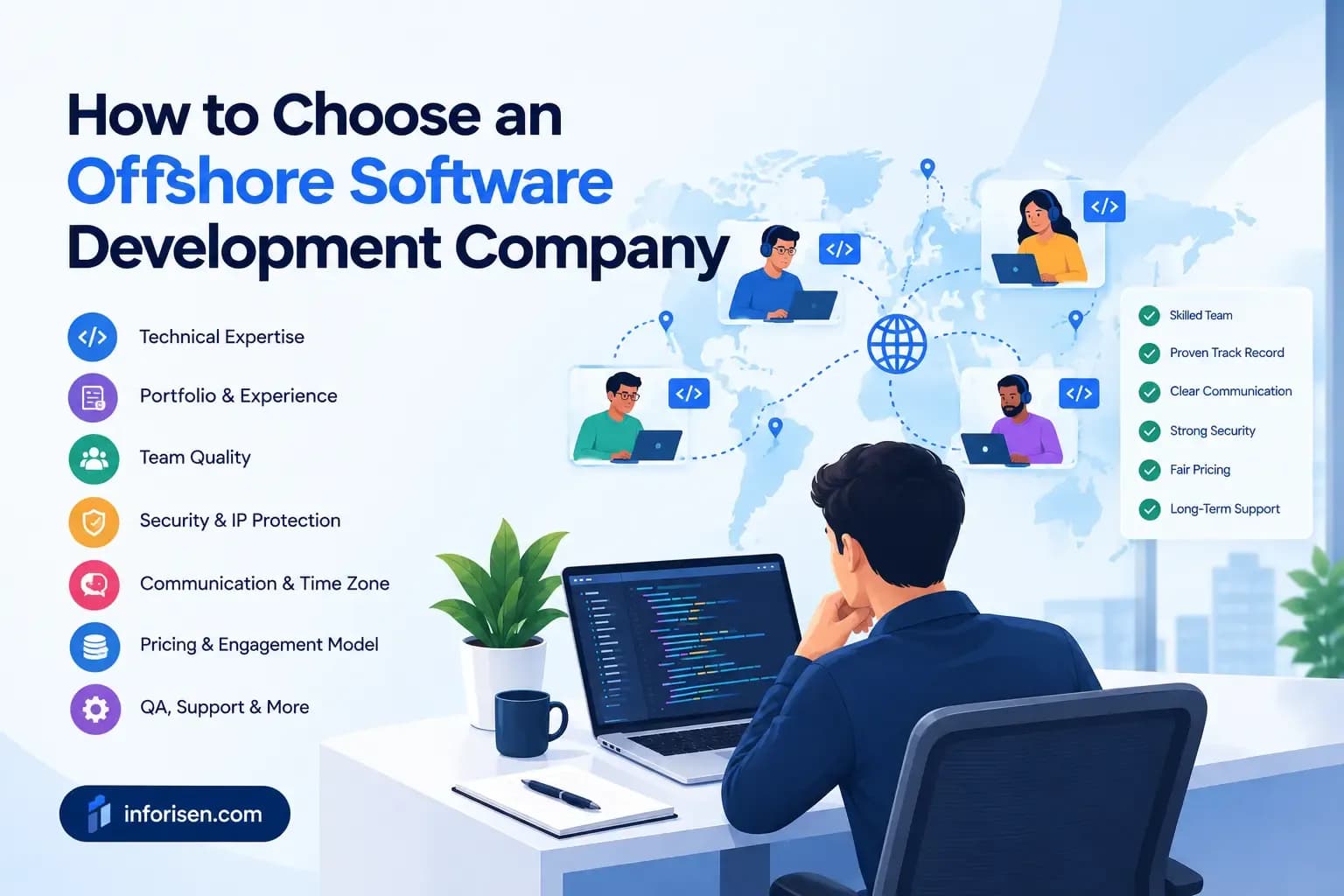
Building in-house offers more control but requires strong technical resources. Hiring an enterprise software development company provides access to specialized expertise, including cloud infrastructure, cybersecurity, DevOps, and system integrations.
The right choice depends on your budget, project scope, timeline, and internal capabilities. Before selecting a partner, review its experience, process, security standards, portfolio, and support services. These questions to ask a web development company can help you compare potential partners.
Final Thought
Building a reliable enterprise system starts with a clear business problem, realistic requirements, and a well-planned development process. The right technology, architecture, security approach, and team should support both current operations and future growth.
Testing, monitoring, and continuous improvement are equally important after development. A well-built system should simplify workflows, connect essential processes, protect business data, and remain reliable as the organization grows.
For businesses planning a custom solution, Inforisen’s software development services cover custom software development, enterprise-grade systems, API and system integration, testing, deployment, and ongoing maintenance. The right starting point is to define the business problem, expected outcomes, required integrations, and long-term technical needs before development begins.
Frequently Asked Questions
What should you plan before building enterprise software?
Start with the business problem, target users, required features, integrations, budget, timeline, security needs, and expected growth. Clear planning gives the development team a stronger foundation and reduces expensive changes later.
How many developers are needed to build enterprise software?
There is no fixed number. A small project may need two or three developers, while a complex enterprise platform may require several frontend and backend developers plus QA, DevOps, security, design, and project management specialists.
Which technology stack is best for enterprise software?
The best stack depends on your project. Choose technologies based on performance, security, scalability, available development skills, integrations, maintenance, and long-term business requirements rather than popularity alone.
How do you make enterprise software secure and scalable?
Plan security and scalability from the beginning. Use strong authentication, role-based access, encryption, secure APIs, backups, monitoring, efficient databases, cloud infrastructure, and regular performance and security testing.
Should you build enterprise software in-house or outsource development?
Choose in-house development if you already have the right technical team and need continuous internal control. Outsourcing can work better when you need specialized skills, faster hiring, or additional development capacity without building a large internal team.
.webp&w=3840&q=75)