ByMd BaizidReviewed by:Shuman Chandra Das
Human WrittenCore Web Vitals Optimization for Small Business Websites
Learn how small businesses can improve website speed, responsiveness, and user experience with practical Core Web Vitals optimization techniques for better website performance and SEO.
A small business website needs to do more than look professional. It should load quickly, respond smoothly when visitors interact with it, and keep its content stable while loading. Slow pages, delayed buttons, and unexpected layout shifts can make visitors leave before they explore products or services. Core Web Vitals optimization helps small businesses identify and fix these user experience problems.
Core Web Vitals optimization for small business websites focuses on improving loading performance, responsiveness, and visual stability. These improvements can make websites easier to use, particularly for visitors browsing on mobile devices or slower internet connections.
However, improving website performance does not always require an expensive redesign or a complete change of hosting provider. Small businesses can often make meaningful improvements by optimizing images, reducing unnecessary scripts, improving server response times, and addressing layout problems.
In this guide, we will explain what Core Web Vitals are, why they matter for small businesses, how to measure them, and which practical optimization techniques can improve website performance. Businesses looking for broader digital solutions can also explore Inforisen for website development, SEO, and other digital services.
What Are Core Web Vitals and Why Do They Matter?
Core Web Vitals are a set of Google-defined metrics that measure important aspects of real-world website user experience. They focus on three areas: loading performance, interactivity, and visual stability. These metrics help website owners understand whether visitors can access content quickly, interact with page elements without delays, and browse without unexpected layout changes.
Google currently uses three Core Web Vitals metrics:
These thresholds are evaluated at the 75th percentile of page visits, meaning a website needs to provide a good experience for at least 75% of visits to meet the recommended target.
For small businesses, these measurements are useful because they highlight performance problems that can affect how customers interact with a website.
For example, imagine a customer visiting a local service website to find a phone number or request a quotation. If the page takes too long to display its main content or the contact button responds slowly, the visitor may leave and look for another provider.
Core Web Vitals help identify these problems so businesses can prioritize improvements based on actual user experience.
Why Should Small Businesses Prioritize Core Web Vitals Optimization?

Small businesses need Core Web Vitals optimization because website performance affects how visitors access information, interact with important features, and complete business-related actions. A faster and more stable website can create a smoother browsing experience and reduce unnecessary friction during the customer journey.
Here are several reasons why performance optimization matters for small business websites.
1. Improves Mobile User Experience
Many customers visit small business websites using smartphones. They may browse products, check service details, compare prices, or contact a business while using mobile data.
Large images, unnecessary scripts, and poorly optimized layouts can make these websites difficult to use on smaller screens.
Optimizing Core Web Vitals helps improve loading speed and responsiveness across different devices. Businesses should pay particular attention to mobile performance because mobile devices and network conditions can differ significantly from desktop environments.
2. Supports Better SEO Performance
Google uses Core Web Vitals as part of its broader page experience considerations. Good Core Web Vitals can contribute to a positive user experience, but they do not guarantee higher search rankings.
Content relevance, search intent, technical accessibility, and other ranking systems remain important. For small businesses competing in local or niche markets, performance optimization should be part of a broader SEO strategy rather than a replacement for quality content and relevant search optimization.
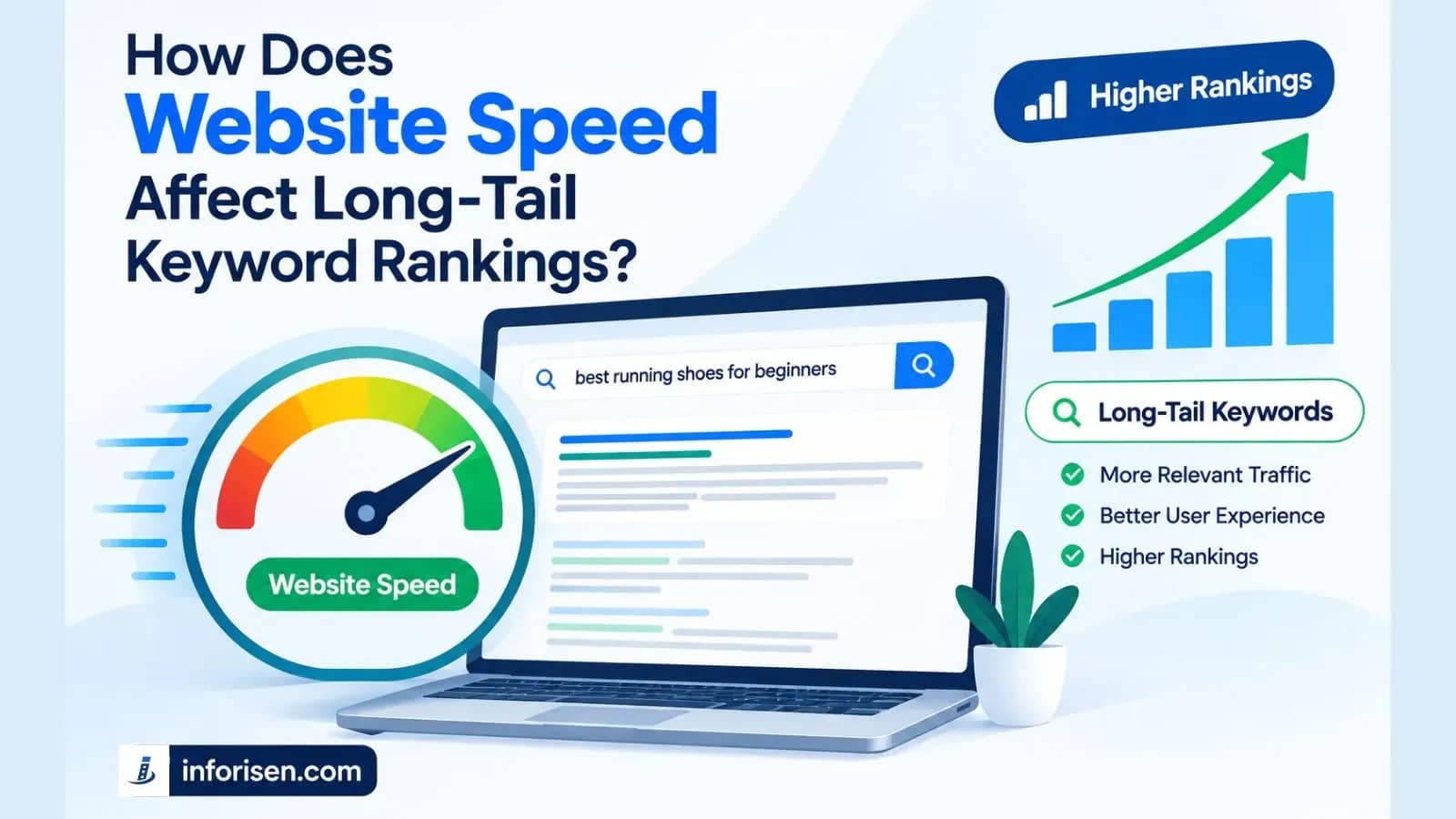
Businesses that want to understand the wider relationship between website performance and organic visibility can read How Does Website Speed Affect Long-Tail Keyword Rankings?. The guide explains how website speed and Core Web Vitals relate to SEO performance.
3. Makes Important Website Features Easier to Use
A business website may include contact forms, product filters, navigation menus, booking buttons, and online payment options.
If these features respond slowly, visitors may struggle to complete important actions.
Improving responsiveness helps users interact with these elements more smoothly. This is particularly important for businesses that depend on website enquiries, bookings, and online sales.
4. Helps Build Customer Confidence
A website that loads properly and keeps its content stable creates a more predictable browsing experience. For example, visitors shouldn't experience sudden page movement when they click a contact button or read product information.
Visual stability is especially important for small businesses because their websites often serve as the first point of contact with potential customers.
5. Helps Reduce Unnecessary Website Performance Problems
A website can become slower over time as businesses add plugins, tracking tools, images, animations, and third-party integrations.
Regular Core Web Vitals monitoring helps identify performance issues before they become more difficult to manage.
Instead of making random changes, businesses can use performance reports to identify which pages and resources need attention.
What Are the Three Core Web Vitals Metrics?
The three Core Web Vitals metrics measure different parts of the browsing experience. Understanding what each metric measures helps small businesses identify the source of performance problems and select appropriate optimization techniques.
1. Largest Contentful Paint (LCP)
Largest Contentful Paint measures how quickly the largest visible content element appears within the user's viewport. This element is commonly a large image, video poster, or substantial block of text. A good LCP score is 2.5 seconds or less.
For example, consider a small business website with a large homepage banner. If the banner takes several seconds to load, visitors may initially see an incomplete page. This can make the website feel slow even if other elements have already appeared.
Common causes of poor LCP include:
- Slow server response times.
- Large, unoptimized images.
- Render-blocking CSS and JavaScript.
- Poor resource prioritization.
- Slow third-party hosting or external resources.
How to improve LCP:
- Compress large images and use modern formats such as WebP or AVIF.
- Use reliable hosting with an efficient server response time.
- Optimize critical CSS and reduce render-blocking resources.
- Prioritize the main above-the-fold image.
- Avoid lazy-loading the main LCP image.
- Use a content delivery network (CDN) when appropriate.
For example, a small online clothing store can improve its LCP by compressing its homepage banner and ensuring the browser discovers and loads that image as early as possible.
2. Interaction to Next Paint (INP)
Interaction to Next Paint measures how quickly a website responds visually after a user interacts with it. These interactions can include clicking a button, selecting an option, tapping a menu, or entering information into a form. A good INP score is 200 milliseconds or less.
Imagine a customer clicking the Add to Cart button on an online store. If the website takes too long to respond, the customer may click repeatedly or assume the feature is broken.
Poor INP is often associated with:
- Excessive JavaScript execution.
- Long-running browser tasks.
- Unnecessary third-party scripts.
- Inefficient event handlers.
- Complex interface updates.
How to improve INP:
- Remove unnecessary JavaScript and unused scripts.
- Break up long JavaScript tasks into smaller tasks.
- Optimize event handlers for buttons, menus, and forms.
- Reduce unnecessary DOM updates.
- Delay non-essential third-party scripts.
- Review heavy plugins and interactive website features.
Small businesses using content management systems should also review plugins that add unnecessary scripts to every page.
3. Cumulative Layout Shift (CLS)
Cumulative Layout Shift measures unexpected movement of visible website elements during a visitor's browsing session. It helps identify whether content shifts while a page loads or after users interact with it. A good CLS score is 0.1 or less.
For example, a visitor may try to click a navigation link, but an advertisement or image loads above it and pushes the navigation menu downward. The visitor may accidentally click a different element.
Common causes of poor CLS include:
- Images without defined dimensions.
- Advertisements that load without reserved space.
- Web fonts that cause text to reflow.
- Dynamically inserted content.
- Elements that change size after loading.
How to improve CLS:
- Define width and height for images and videos.
- Reserve space for advertisements and embedded content.
- Use appropriate font-loading strategies.
- Avoid inserting new content above existing content without reserving space.
- Use CSS properties such as transform for animations instead of properties that trigger layout changes.
For small business websites, these improvements can make product pages, service pages, and navigation elements more predictable and easier to use.
How to Optimize Core Web Vitals for a Small Business Website

Optimizing Core Web Vitals requires a structured process. Businesses should first identify performance problems, understand their causes, and then apply improvements based on their impact. This approach helps avoid unnecessary development expenses and makes optimization easier to maintain.
Here is a practical step-by-step process.
Step 1: Measure Your Current Website Performance
Before making changes, measure your website's existing performance. This helps you understand which metrics need improvement and which pages have the most significant issues.
You can use Google PageSpeed Insights to analyze individual URLs and review both laboratory and field performance data when available.
Google Search Console also provides a Core Web Vitals report that helps identify groups of URLs with similar performance problems.
What to check:
- LCP score for important landing pages.
- INP score for interactive pages.
- CLS score across different templates.
- Mobile and desktop performance differences.
- Pages marked as Poor or Need Improvement.
How to apply it: Start with your homepage, important service pages, product pages, and contact page. Record the existing results before implementing changes so you can compare performance afterward.
Step 2: Optimize Images and Media Files
Images are often among the largest resources loaded by a website. Large banners, product photographs, background images, and decorative graphics can increase loading time when they are not properly optimized.
What to check:
- Large image file sizes.
- Images uploaded at unnecessarily high resolutions.
- PNG or JPEG images that could use more efficient formats.
- Missing image dimensions.
- Images loading before they are needed.
How to apply it:
- Compress images before uploading them.
- Use WebP or AVIF where supported.
- Resize images according to their actual display dimensions.
- Add explicit width and height attributes.
- Use responsive images where appropriate.
- Apply lazy loading to below-the-fold images.
For example, a small business displaying ten product images on a category page can reduce unnecessary data transfer by using appropriately sized, compressed images instead of uploading large original photographs. Remember that the main image responsible for LCP should not be lazy-loaded.
Step 3: Improve Server Response Time
Your website's server needs to process requests and deliver the initial HTML before the browser can display much of the page. If the server responds slowly, even well-optimized images and scripts may not be enough to create a fast loading experience.
What to check:
- Hosting server response time.
- Database query performance.
- Server-side processing.
- Caching configuration.
- Unnecessary redirects.
- CDN configuration.
How to apply it:
- Choose hosting that can handle your website's traffic and resource requirements.
- Enable appropriate page and server-side caching.
- Optimize database queries where necessary.
- Use a CDN to deliver static resources closer to visitors.
- Reduce unnecessary redirects.
- Review server configuration and backend processes.
Small businesses do not always need expensive dedicated servers. A properly configured hosting environment that matches the website's needs can be a practical starting point.
Step 4: Reduce Unnecessary JavaScript and CSS
JavaScript and CSS help create interactive and visually appealing websites. However, excessive code can delay rendering and make user interactions less responsive.
This is particularly common on websites using multiple plugins, animations, tracking tools, and third-party integrations.
What to check:
- Unused JavaScript and CSS files.
- Large third-party scripts.
- Render-blocking resources.
- Unnecessary animations.
- Plugins that load resources on every page.
How to apply it:
- Remove unused plugins and scripts.
- Minify CSS and JavaScript files where appropriate.
- Defer non-critical JavaScript.
- Load critical CSS efficiently.
- Delay non-essential third-party scripts.
- Avoid adding unnecessary animations and interactive components.
The objective is not to remove every script or visual feature. It is to keep the resources that support essential website functions while reducing unnecessary processing.
Step 5: Improve Website Layout Stability
A stable layout allows visitors to interact with website elements without unexpected movement. Businesses should check how their pages behave while images, fonts, advertisements, and embedded content load.
What to check:
- Images without defined dimensions.
- Layout changes caused by web fonts.
- Dynamically loaded banners.
- Cookie notices and promotional pop-ups.
- Advertisements that push content downward.
How to apply it:
- Set image dimensions in HTML or CSS.
- Reserve space for embedded content.
- Use suitable font-display settings.
- Avoid inserting content above existing page elements unexpectedly.
- Keep buttons and navigation elements in consistent positions.
For example, an online store should reserve enough space for product images so that product titles, prices, and buttons do not move unexpectedly while images load.
Step 6: Optimize Mobile Website Performance
Mobile optimization is important for small businesses because visitors may use different screen sizes, devices, and network conditions.
A website that performs well on a desktop computer may still experience loading or interaction problems on mobile devices.
What to check:
- Mobile page loading performance.
- Responsive image sizes.
- Mobile navigation functionality.
- Button and form responsiveness.
- Layout shifts on smaller screens.
- Unnecessary mobile scripts and animations.
How to apply it:
- Use responsive layouts.
- Serve appropriately sized images.
- Simplify mobile navigation.
- Keep important buttons easy to access.
- Avoid unnecessary animations.
- Test important user journeys on mobile devices.
For example, a local restaurant website should allow visitors to access its menu, location, and reservation information without waiting for large desktop-sized images to load.
Step 7: Test Changes and Monitor Performance Regularly
Core Web Vitals optimization is not a one-time task. Website updates, new plugins, additional content, and changes in hosting can affect performance over time.
After implementing improvements, test the affected pages again and compare the results with your original measurements.
What to check:
- Whether LCP, INP, and CLS have improved.
- Whether important website features still work correctly.
- Whether mobile performance has changed.
- Whether new performance issues have appeared.
- Whether field data reflects improvements over time.
How to apply it: Use PageSpeed Insights for individual URL testing and Google Search Console for ongoing monitoring. Remember that field data reflects real user experiences over time, so it may not update immediately after a technical change.
What Tools Can Small Businesses Use to Measure Core Web Vitals?
Small businesses do not need a large collection of paid tools to start measuring Core Web Vitals. Several Google tools provide useful performance information and help identify technical issues.
Google PageSpeed Insights
PageSpeed Insights is a useful starting point for small business owners. It provides performance results for mobile and desktop environments, including Core Web Vitals field data when sufficient data is available. It also provides diagnostic information and recommendations that developers can use to investigate problems.
Google Search Console
Google Search Console helps website owners monitor Core Web Vitals across groups of URLs. Instead of testing every page individually, businesses can identify URL groups that need improvement. This makes it useful for websites with multiple product, service, and blog pages.
Lighthouse
Lighthouse provides performance audits and diagnostic recommendations. It can help developers understand issues involving JavaScript, images, rendering, and other website resources. However, Lighthouse laboratory results should not be treated as a direct replacement for real-user field data.
Chrome DevTools
Chrome DevTools includes performance analysis features that help developers investigate long tasks, rendering delays, and layout shifts.
It is particularly useful when a business needs to understand why a specific interaction or page element is causing a performance problem.
How Much Does Core Web Vitals Optimization Cost for Small Businesses?
The cost of Core Web Vitals optimization depends on the website's current condition, technical complexity, hosting environment, and number of performance issues that need to be fixed.
A small website with oversized images and basic caching problems may require less work than an e-commerce website with complex scripts, third-party integrations, and backend performance issues.
There is no single fixed price for every website because the required work varies.
Factors That Affect Optimization Costs
1. Website Size and Complexity
A basic business website with a few pages generally requires less testing and development work than a large website with hundreds of URLs, dynamic content, and complex functionality.
2. Existing Website Technology
Websites built with WordPress, Shopify, custom frameworks, or other platforms may require different optimization methods. Some issues can be fixed through configuration, while others require development work.
3. Hosting and Server Infrastructure
If poor server response time is contributing to LCP problems, businesses may need hosting improvements, server configuration changes, or backend optimization.
4. JavaScript and Third-Party Integrations
Websites using multiple tracking tools, chat widgets, payment integrations, and external scripts may require additional investigation and development.
5. Ongoing Monitoring
Businesses may also need recurring performance checks after updates, redesigns, or the addition of new website features.
How Can Small Businesses Manage Optimization Costs?
Small businesses can manage expenses by prioritizing high-impact improvements rather than attempting to fix everything at once.
A practical approach includes:
- Start with free tools such as PageSpeed Insights and Search Console.
- Fix large images and unnecessary scripts first.
- Remove unused plugins and integrations.
- Review hosting performance before purchasing a more expensive plan.
- Prioritize important landing pages and conversion-focused pages.
- Hire a developer when problems require technical investigation or code changes.
The goal should be to improve meaningful user experience metrics without paying for unnecessary infrastructure or features.
What Are the Common Core Web Vitals Optimization Mistakes?
Businesses sometimes make website changes based only on performance scores without understanding the actual problems. This can lead to unnecessary expenses, broken functionality, or improvements that do not solve the underlying issues.
Here are some common mistakes to avoid.
1. Focusing Only on PageSpeed Scores
A high laboratory performance score does not automatically mean that every visitor experiences a fast website.
Businesses should review both laboratory diagnostics and real-user field data to understand actual performance.
2. Installing Too Many Optimization Plugins
Adding multiple caching, image optimization, and performance plugins can sometimes create conflicts or duplicate functionality.
Instead of installing more plugins, review existing configurations and remove tools that are not necessary.
3. Lazy-Loading Important Above-the-Fold Images
Lazy loading can reduce unnecessary image downloads, but applying it to the main LCP image may delay its loading.
Businesses should prioritize the main visible image and reserve lazy loading for images further down the page.
4. Ignoring Third-Party Scripts
Chat widgets, advertisements, analytics tools, and marketing integrations can affect website responsiveness and loading performance.
Review which scripts are essential and delay or remove unnecessary resources where possible.
5. Optimizing Desktop Performance Only
A website may perform well on a desktop but experience significant issues on mobile devices. Always review mobile and desktop performance separately and investigate the differences.
6. Expecting Immediate Search Ranking Improvements
Improving Core Web Vitals can support a better user experience, but it does not guarantee higher Google rankings.
Businesses should combine technical optimization with relevant content, effective SEO, useful website structure, and strong overall website quality.
For a broader technical review, small businesses can also follow Inforisen's Technical SEO Audit Checklist for Small Business Websites. It covers important areas such as crawling, indexing, site speed, mobile usability, broken links, and schema markup.
How Can Inforisen Help With Core Web Vitals Optimization?
Inforisen helps businesses build and improve websites through web development, website design, and SEO-related services. For small businesses experiencing slow loading times, poor responsiveness, or unstable layouts, a structured technical review can help identify which areas need attention.
Core Web Vitals problems may involve frontend code, image delivery, hosting configuration, JavaScript execution, or website architecture. Addressing these issues requires understanding how different website components affect the user experience.
Inforisen can support businesses through relevant website improvement activities, including:
- Website performance assessment: Reviewing important pages to identify loading, responsiveness, and layout stability problems.
- Frontend optimization: Improving how website resources load and how interface elements respond to user interactions.
- Image and media optimization: Reducing unnecessary image sizes and improving resource delivery.
- Responsive website development: Making website layouts work more effectively across desktop and mobile devices.
- Technical SEO improvements: Identifying website performance and technical issues that may affect search accessibility and user experience.
Businesses looking for search visibility improvements can explore Inforisen's SEO Services. The service covers technical SEO audits, on-page optimization, keyword research, content optimization, and performance tracking.
For businesses planning a new website or improving an existing one, Inforisen's Website Design and Development Services can also be relevant.
The right optimization strategy depends on the website's existing technical condition and business requirements. Rather than applying the same changes to every website, businesses should identify the underlying performance issues and prioritize improvements that support their customers.
Frequently Asked Questions
1. What Is a Good Core Web Vitals Score for a Small Business Website?
A website should achieve an LCP of 2.5 seconds or less, an INP of 200 milliseconds or less, and a CLS score of 0.1 or less. These are Google's recommended good thresholds, evaluated at the 75th percentile of real user visits.
2. Do Core Web Vitals Directly Affect Google Rankings?
Core Web Vitals are part of Google's broader page experience considerations and are used by its ranking systems. However, good scores do not guarantee higher rankings. Relevant content, search intent, and other ranking factors remain important.
3. Can I Improve Core Web Vitals Without Hiring a Developer?
Yes, some improvements can be completed without advanced development knowledge. Compressing images, removing unnecessary plugins, enabling appropriate caching, and selecting suitable image dimensions are practical starting points. More complex JavaScript, server, and rendering issues may require a developer.
4. How Often Should Small Businesses Check Core Web Vitals?
Small businesses should monitor Core Web Vitals regularly, particularly after website redesigns, plugin updates, hosting changes, or major content additions. Monthly reviews can be a practical starting point, with additional testing whenever significant technical changes are made.
5. Which Core Web Vitals Metric Should I Optimize First?
There is no universal order for every website. Start by reviewing all three metrics and identifying the most significant user experience problems. If the main content loads slowly, investigate LCP. If buttons and forms respond slowly, focus on INP. If page elements move unexpectedly, prioritize CLS.
6. Are Core Web Vitals More Important for Mobile Websites?
Core Web Vitals matter for both mobile and desktop experiences. However, mobile optimization deserves particular attention because visitors may use slower network connections and less powerful devices. Businesses should review performance for both environments rather than assuming one represents the other.
Final Thoughts
Core Web Vitals optimization for small business websites is an important part of creating a reliable and user-friendly online experience. By improving loading performance, responsiveness, and visual stability, businesses can make it easier for visitors to explore their websites and complete important actions.
Small businesses do not need to invest in expensive tools or rebuild their websites immediately. Starting with performance measurement, image optimization, server improvements, and unnecessary script removal can help identify practical opportunities for improvement.
The most effective approach is to monitor real-user performance, address the underlying technical problems, and continue testing as the website grows. A well-optimized website supports both customer experience and a broader SEO strategy.
Businesses that need support with website performance, technical SEO, or website development can visit Inforisen to learn more about its digital solutions.